
This procedure is to update the modem firmware for the UR-1 or UR-S1.
To update the UR-1 or UR-S1 modem firmware:
- Open 3D-MC and create a machine builder file with a UR-1 radio. Make sure that the machine in 3D-MC has a UR-1 radio selected or the settings will not be visible.
- Open MCWEB.
- Select one of the two methods to show the UR-1 radio:
- Select
- Select
ADDITIONAL INFORMATION: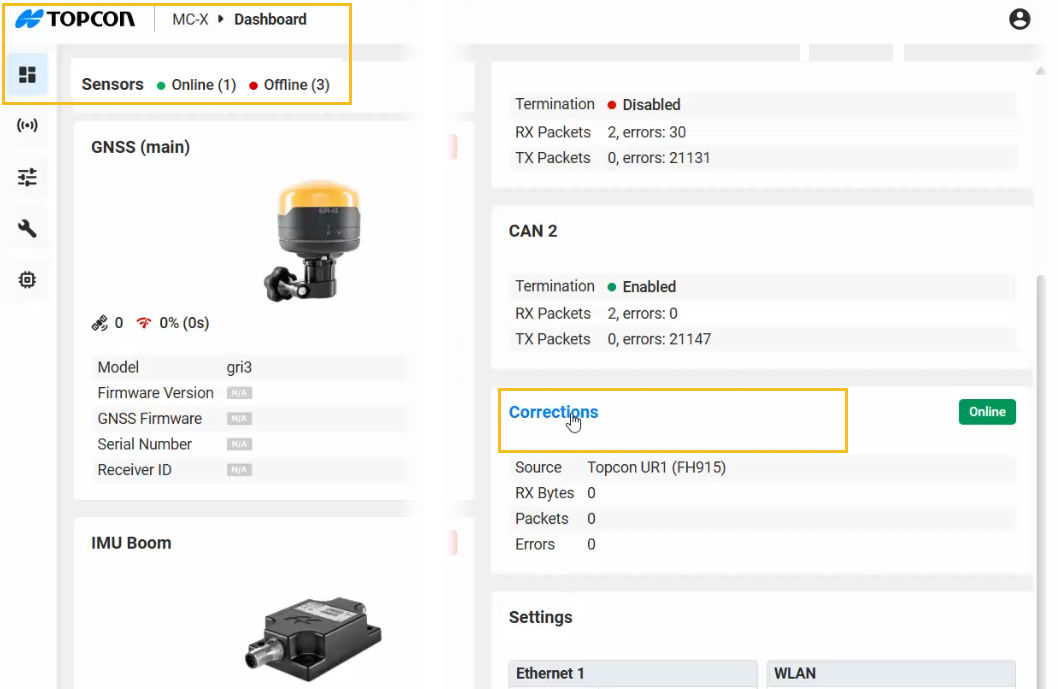
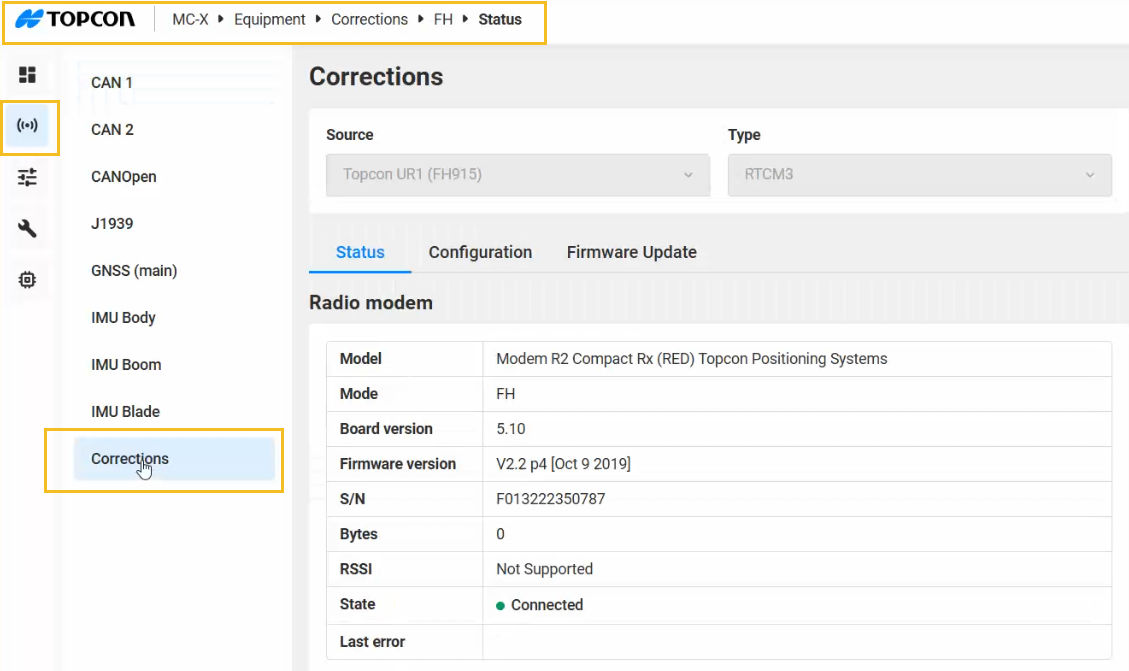
- Select the Firmware Update tab.
- Select one of the two methods to load the .ITB modem firmware file:
- Select Browse, go to the file in Windows Explorer, and select Open
- Open Windows Explorer, select the file and drag it into the Load Firmware pane
ADDITIONAL INFORMATION: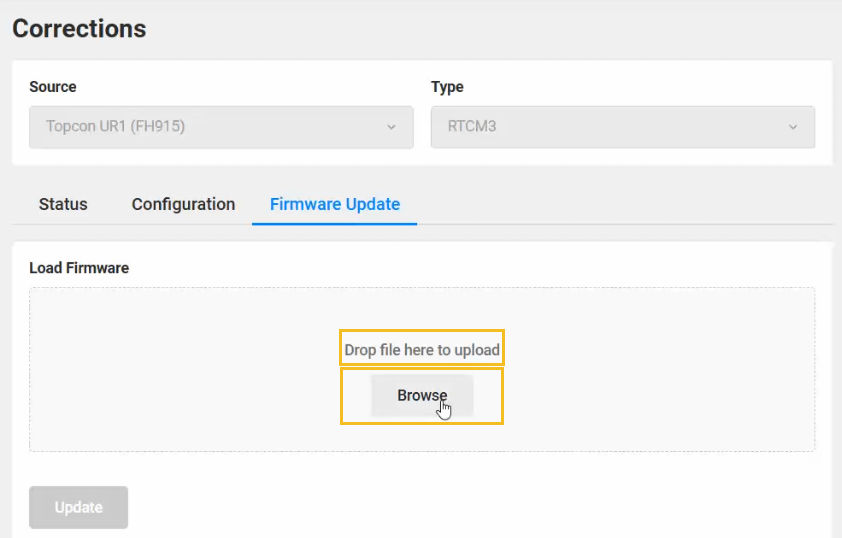
- With the .ITB file added to the Load Firmware pane, select Update. The Firmware Installer starts to prepare the update. ADDITIONAL INFORMATION:
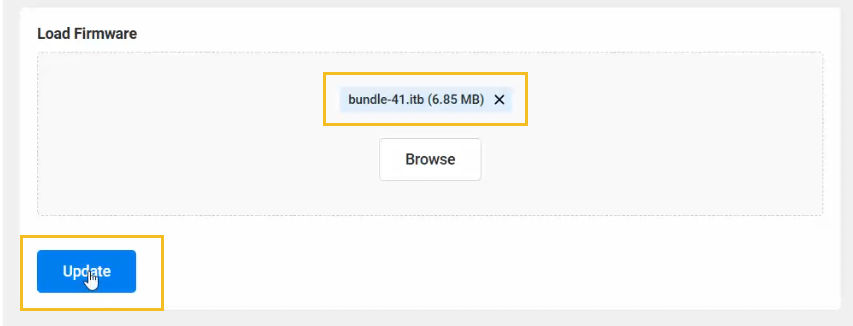
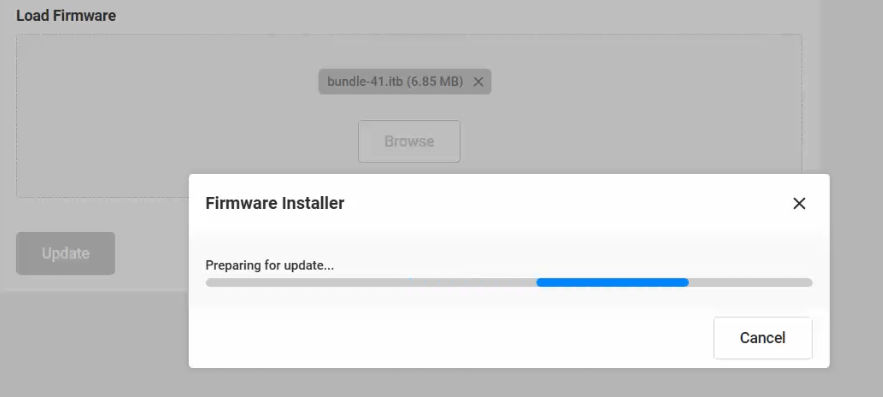
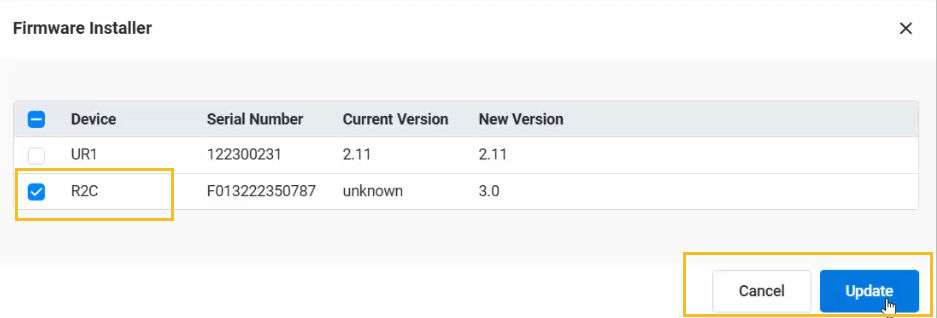
- When the preparation is done, make sure that the R2Ccheck box is selected, then select Update. The Firmware Installer starts the update. ADDITIONAL INFORMATION:
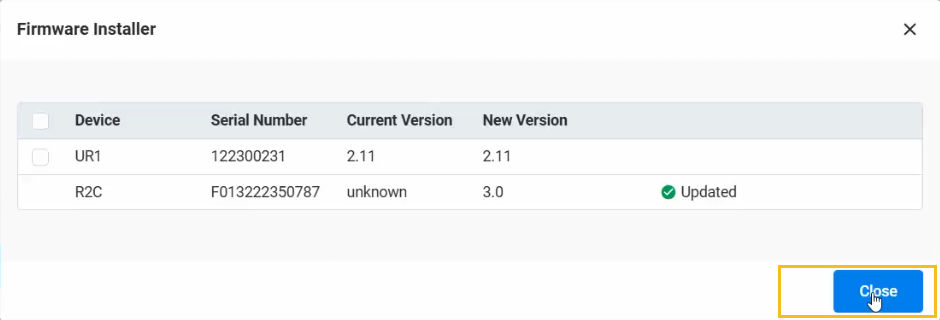
- When the update is done, select Close.ADDITIONAL INFORMATION:
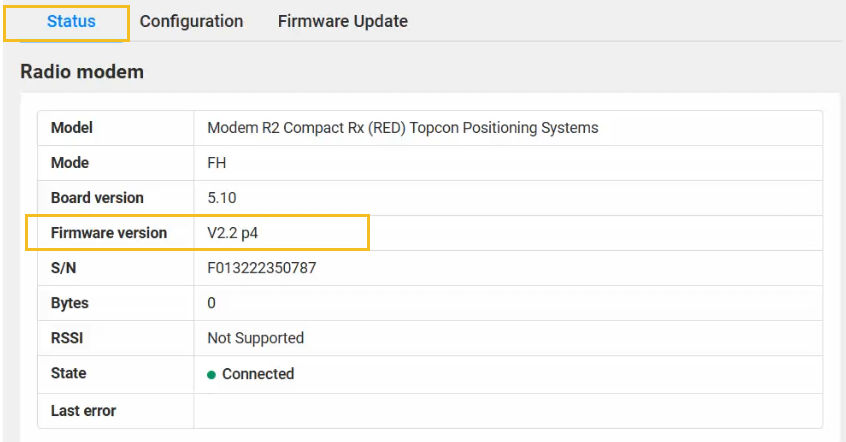
- Select the Status tab to confirm the new firmware version.ADDITIONAL INFORMATION:
- Open 3D-MC and create a machine builder with a UR-1 radio. You can load UR-1 firmware with UHF or FH915 configurations.
- In MCWEB, select .
- Select the Firmware Update tab.
- Select Browse.
- Go to the applicable .ITB firmware file.
- Select Update.
- Select the Status tab to confirm the UR-1 modem firmware version.
Previous:
Update UR-1 or UR-S1 main firmware
Next:
Update TS-i4 firmware
myTopcon NOW! support
Take your Topcon experience to the next level with myTopcon NOW! This platform is a self-service tool for your desktop or mobile device.





