
Provide a rigid base, for example, table or transport box topside, as a stable base for the following cleaning procedure:
- Remove laser scanner unit from its tripod.ADDITIONAL INFORMATION:
Figure: Transport box with laser scanner turned and laid on top, with the mirror module facing outwards 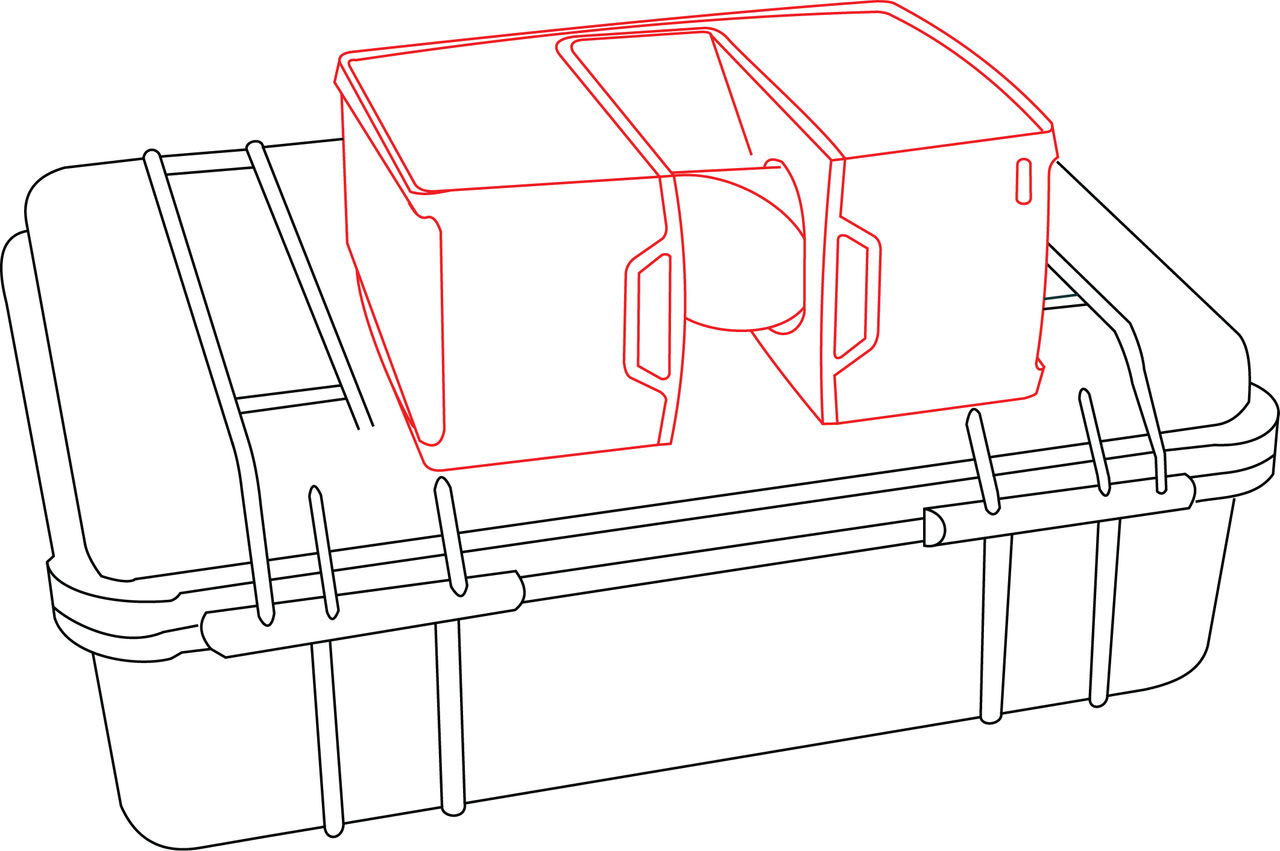
- Lay the scanner on its long side.
- Ensure that the mirror can move freely, and is easily accessible for wet cleaning.ADDITIONAL INFORMATION:Caution:Damage of the scanner’s mirrors and lensesUse dust-free gloves for the following steps.ADDITIONAL INFORMATION:
Figure: Fix the mirror with your finger tips to keep it in this position 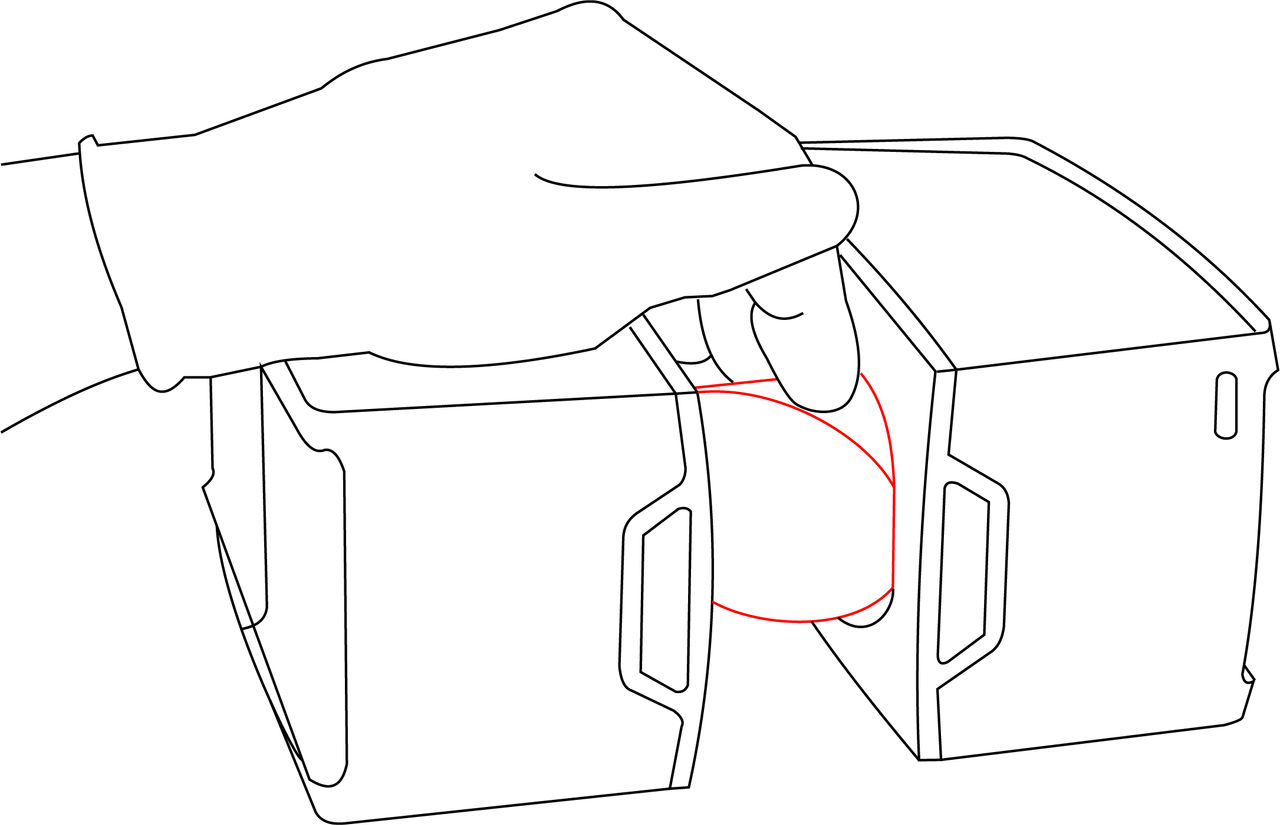
- Turn the mirror module into a vertical position, i.e., the mirror points away from scanner. Secure the mirror with your finger tips to keep it in this position. ADDITIONAL INFORMATION:
Figure: Cleaning mirror module or sensor cover 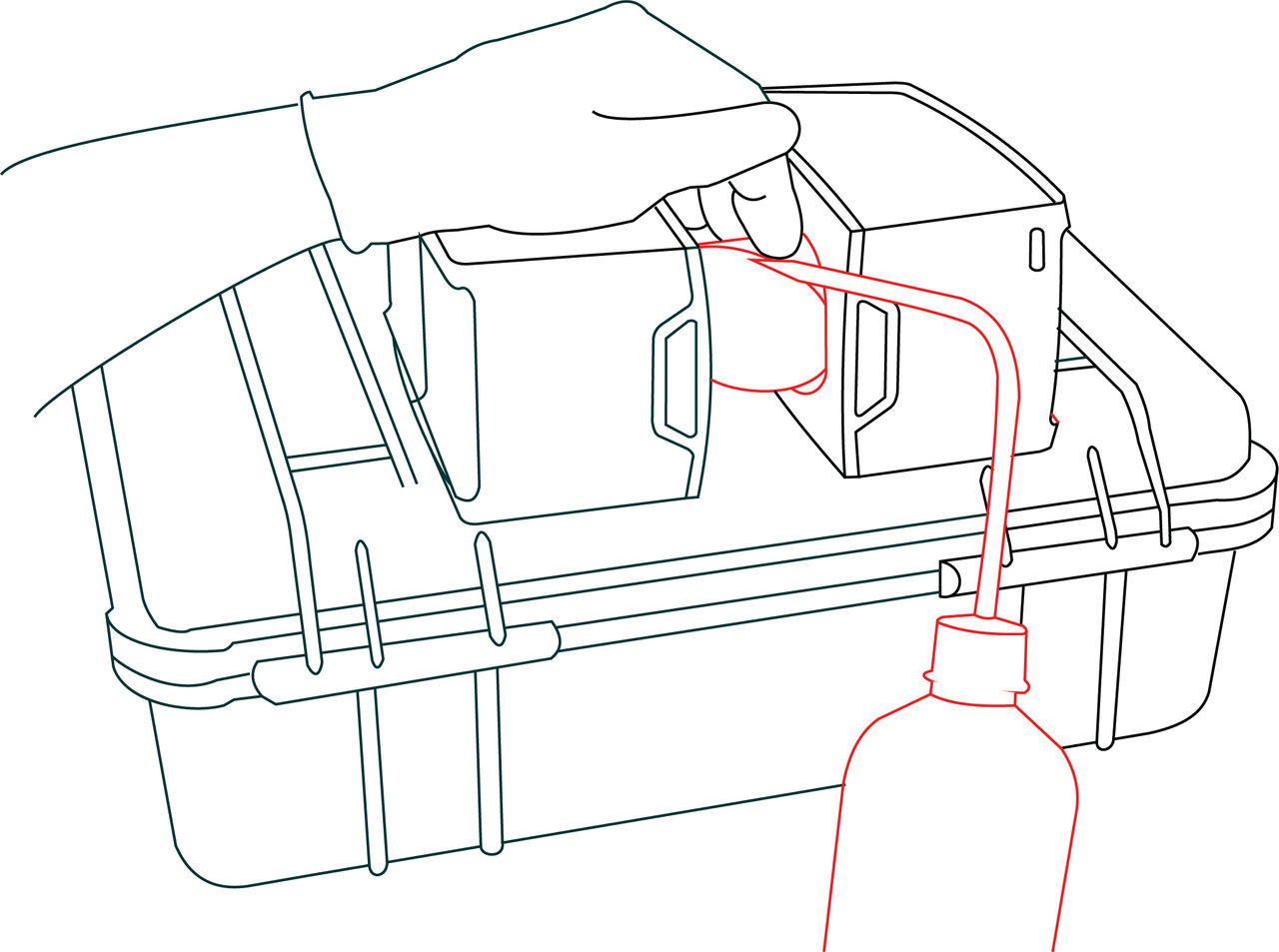
- Clean the mirror module (that is, the sensor cover) by rinsing with water or diluted neutral soap solution in oscillation motion.
AFTER COMPLETING THE TASK
Caution:
Damage of the scanner’s mirrors and lenses
Wait for the cleaning liquid to drain or dry off. Do not try to dry the optics by wiping with tissue at this stage, because residual contamination may cause severe damage to optics.
- Perform visual inspection of cleaning status.
- Repeat the rinsing step until contamination is significantly reduced or removed.
- Wait for the optics to dry.
- Turn laser scanner into upright (normal) position and ensure stable placement. For example, place scanner on a table or transport box. Alternatively, use tripod for mounting.
- Proceed with Wet cleaning with tissue and optics cleaning fluid.
Previous:
Dry pre-cleaning (non-contact cleaning)
Next:
Technical data
myTopcon NOW! support
Take your Topcon experience to the next level with myTopcon NOW! This platform is a self-service tool for your desktop or mobile device.





