Looking for your apps? Click the account icon in the upper right corner of the page.

PanoCam mount setup

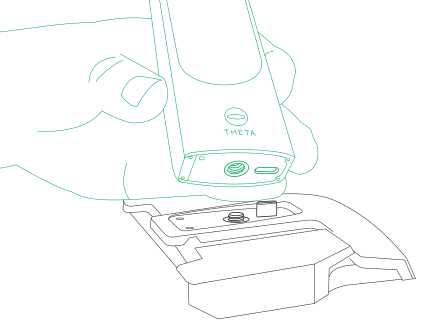
The first part of the hardware setup requires attaching the panoramic camera to the PanoCam mounting bracket.
You will need:
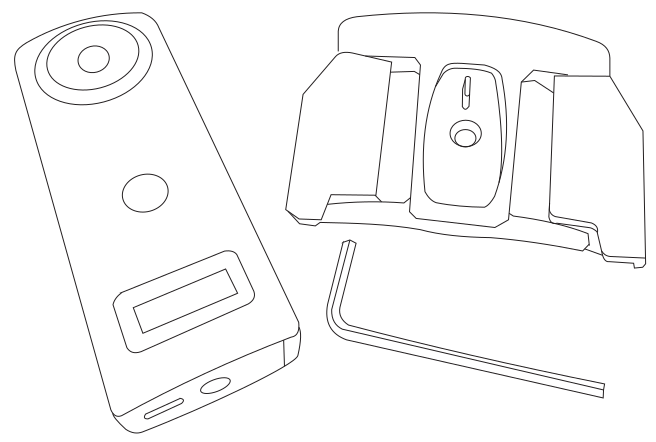
  • Ricoh Theta Z1 camera
  • Topcon PanoCam mounting bracket
  • 3 mm Hex Key (included)
  1. Connect the camera's USB-C connector to the USB connector on the mount.
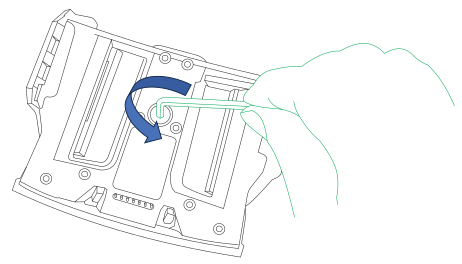
  2. Use the hex-key to tighten the camera screw, which is located on the bottom of the mount.
    Caution:
    Do not over-tighten the screw. Damage to the camera or mount could result.
  3. Proceed with attaching the camera/mounting bracket assembly to the scanner.

myTopcon NOW! support

Take your Topcon experience to the next level with myTopcon NOW! This platform is a self-service tool for your desktop or mobile device. 

Product manuals
paper icon
Communications
phone icon
E-learning
hat icon
Quick start guides
support icon
Firmware & software updates
cloud icon
Troubleshooting
webinars icon