
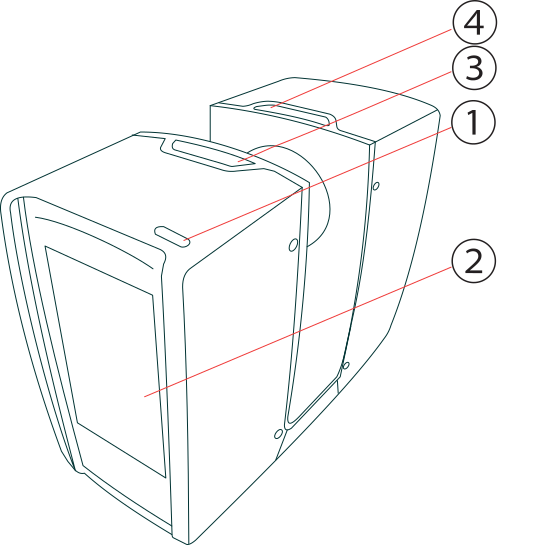
- Power On/Off button - Press for a few seconds (until the LED blinks) to turn on the scanner. If the scanner is on and running, press again to turn it off. You must confirm shutoff by tapping on the display.
- Touchscreen display
- Accessory bay 1
- Accessory bay 2

Note:
In exceptional cases, such as if the shut-down mechanism does not work or the scanner is non-responsive, press and hold the button until the scanner shuts down.
Note:
Ensure that the contacts in the accessory bay are clean before using. If not, clean with a cotton swab soaked in isopropyl alcohol.
Previous:
Parts and their functions
Next:
Battery charger
myTopcon NOW! support
Take your Topcon experience to the next level with myTopcon NOW! This platform is a self-service tool for your desktop or mobile device.




