
Configuration of the MC-X Controller requires a connection to the MC-X Machine Control Gateway, which may be achieved using one of the following methods:
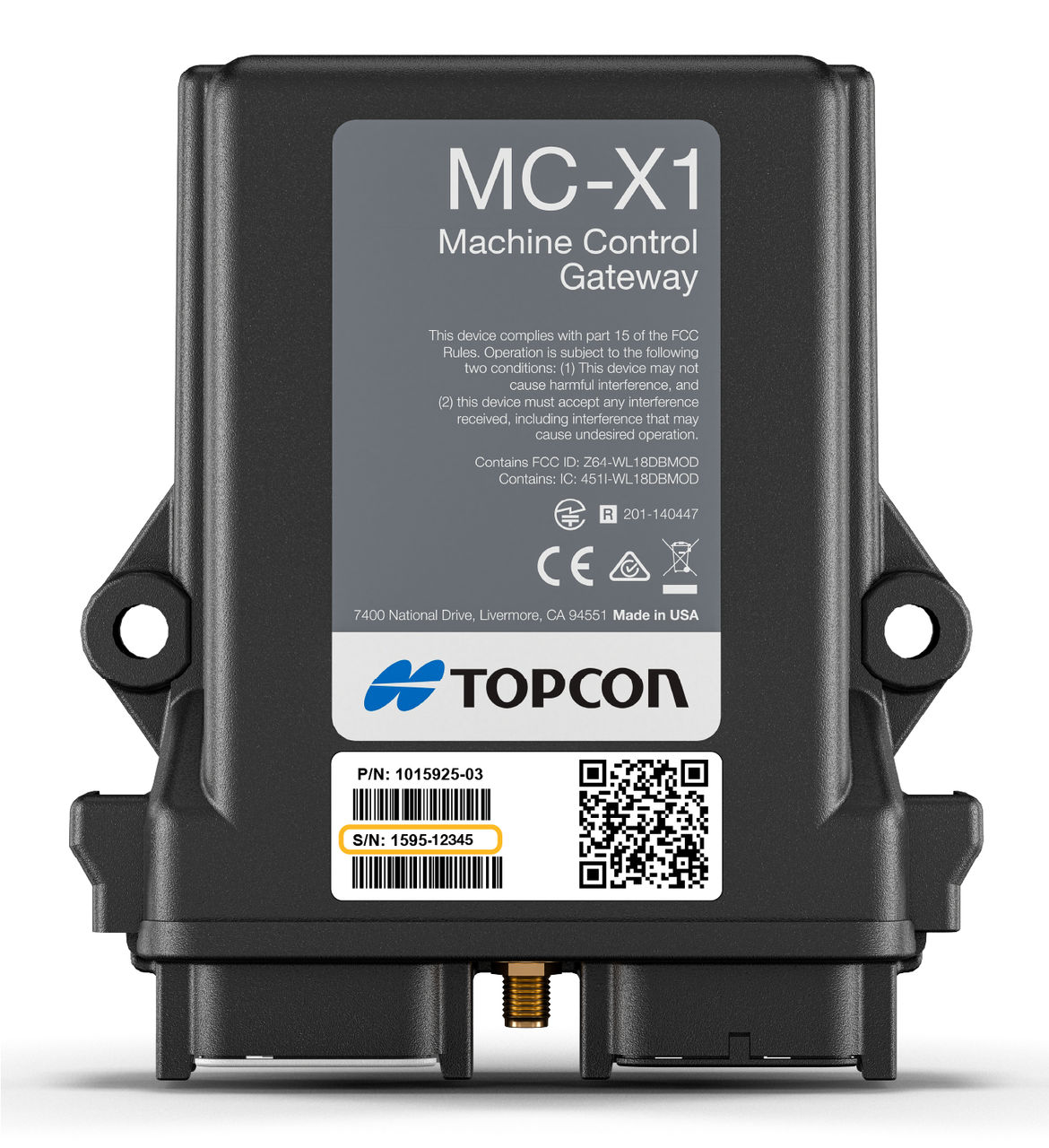
The MC-X serial number is found on the MC-X1 label. MC-X1 units with serial numbers after 1595-02652 ship with a second decal that includes the MC-X1 serial number. This second label must be affixed in a visible place in the cab or engine compartment where it can be easily seen by a technician.
The serial number can also be found by scanning for available Wi-Fi networks using a cell phone or tablet.
Notice:
- The default username for accessing the MC-X is admin.
- The default password is mcx and the last five digits of the MC-X serial number (example: mcx12345).
- If an old version of MCXCONFIG is running or if the username/password have been changed, the current username and password must be entered.
myTopcon NOW! support
Take your Topcon experience to the next level with myTopcon NOW! This platform is a self-service tool for your desktop or mobile device.





