
To upgrade:
- Select .
- Select Choose File.STEP RESULT:The File Explorer dialog opens.
- Find and select the correct firmware version for the MC-X1 controller.
- Select Load Firmware.ADDITIONAL INFORMATION:
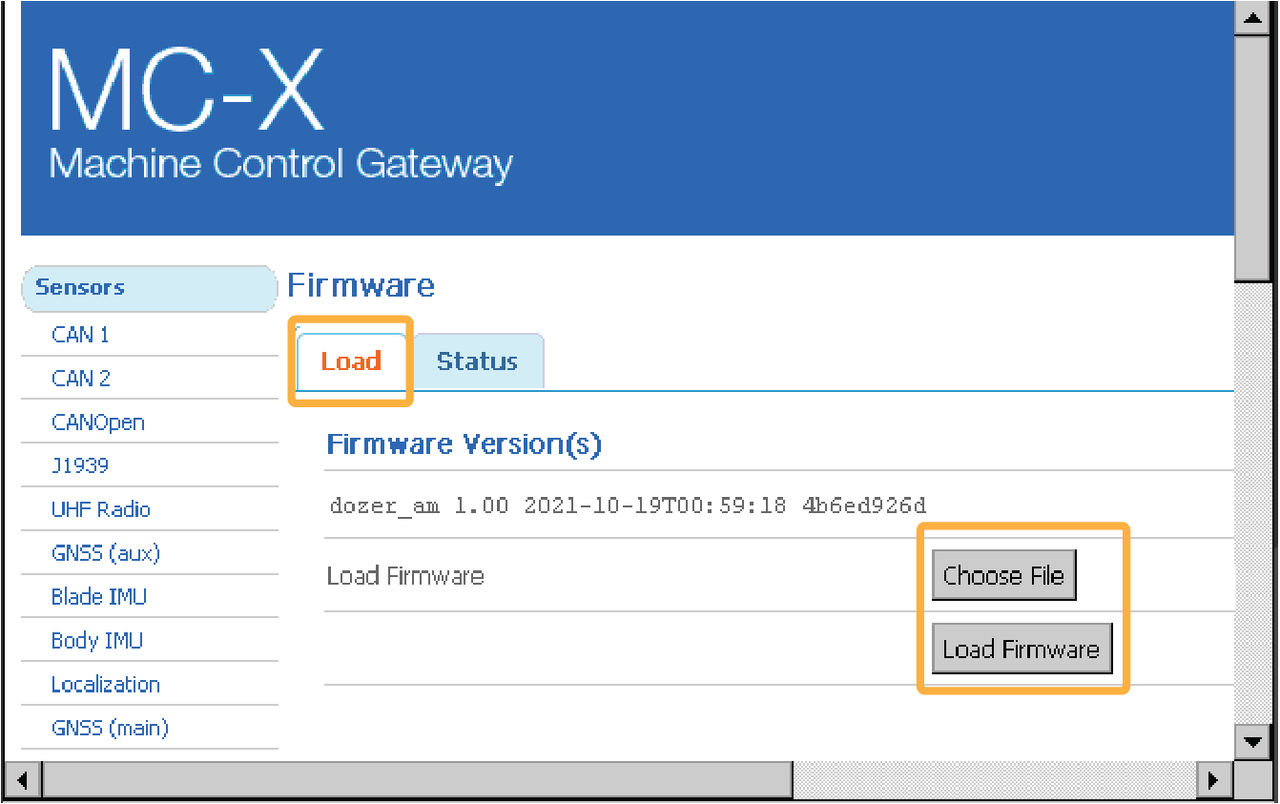 Notice: Do not close the web browser or power off the system during the firmware upload.
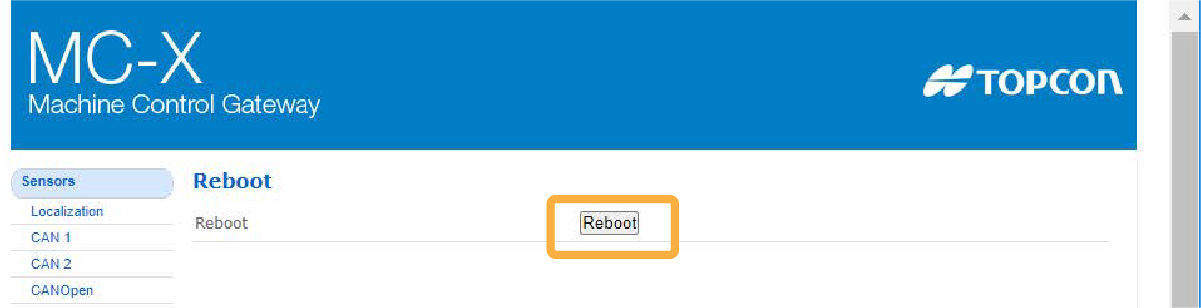
 - Select Reboot to complete the firmware upgrade.ADDITIONAL INFORMATION:
myTopcon NOW! support
Take your Topcon experience to the next level with myTopcon NOW! This platform is a self-service tool for your desktop or mobile device.





