Looking for your apps? Click the account icon in the upper right corner of the page.

Select FH915 radio channels

Note: The FH915 radio is not sold in Europe.
This procedure is for graders and dozers. To configure the FH915 radio for excavators, go to the Tools menu in 3D-MC and select Configure Radio.
Note: A change to the radio settings here can have an unwanted effect on system performance. It is necessary to use 3D-MC to configure the radio settings for a specified machine.
  1. Open 3D-MC to create a machine builder file, if not created.
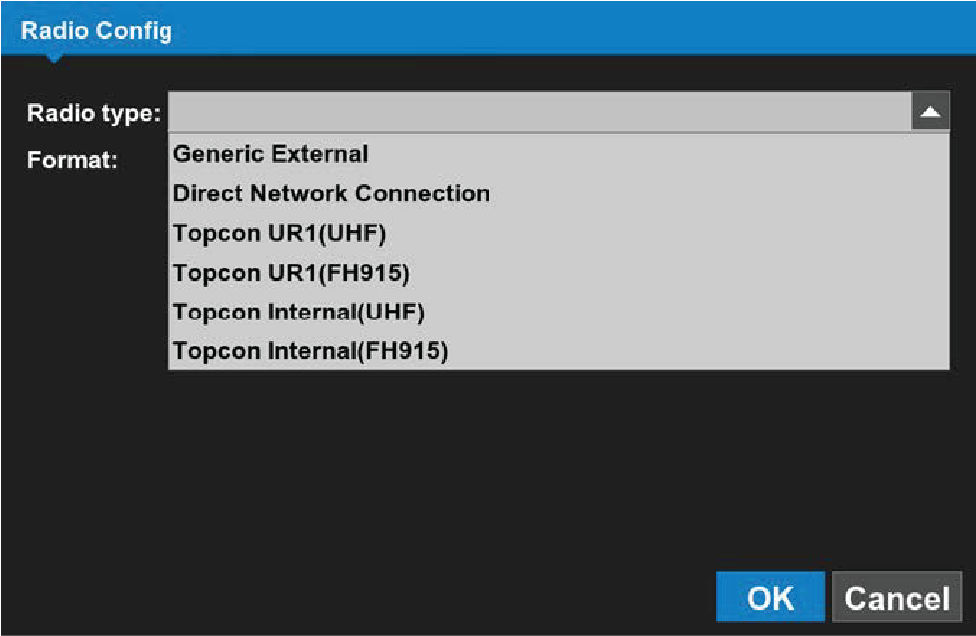
  2. Select the applicable FH915 radio from the Radio type drop-down menu.
    ADDITIONAL INFORMATION:
    Figure: Radio configuration
  3. Go to the end of the machine builder and select Finish.
  4. Make sure that the correct machine file is selected on the Machine files page, and then select OK. The radio type file is deployed and the radio shows in the MC-X Machine Control Gateway.
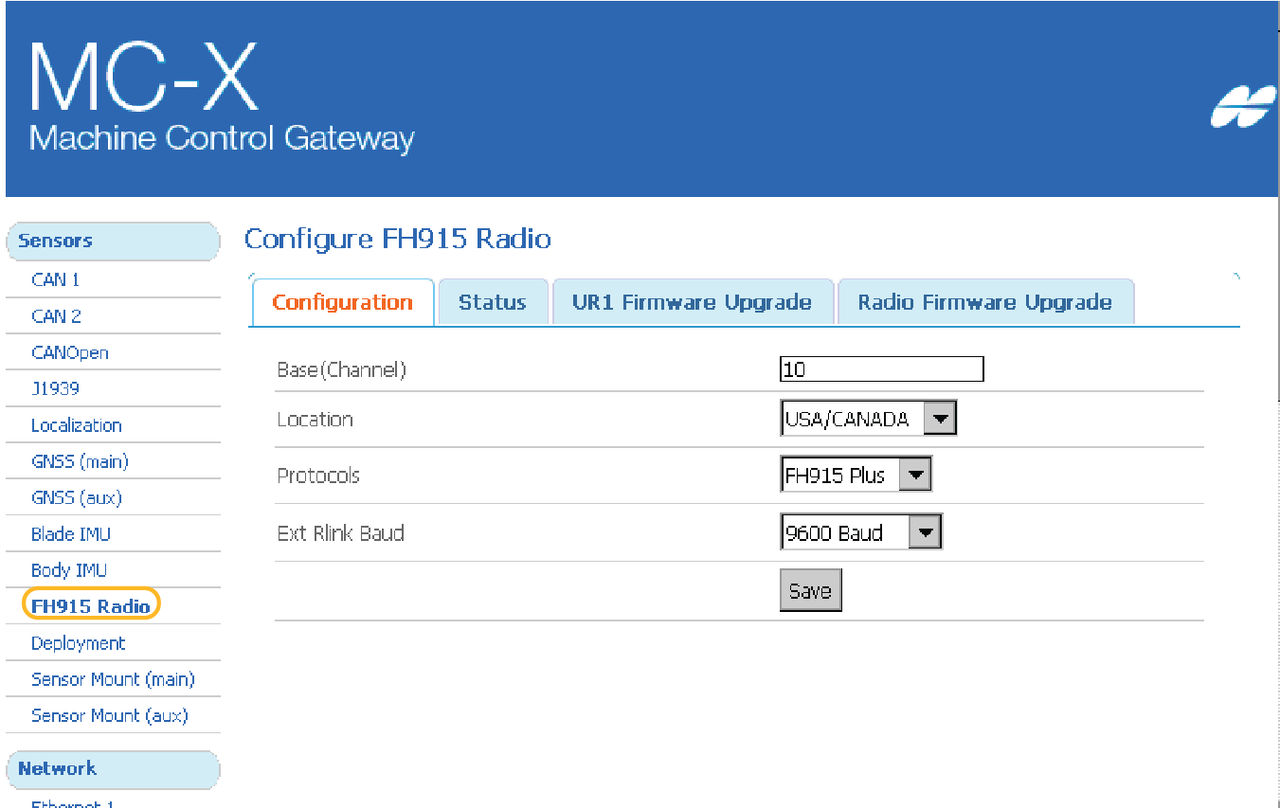
  5. Open MCXCONFIG, and select FH915 Radio in Sensors. The deployed machine configuration will populate the applicable radio type in the Sensors section on the left panel.
    ADDITIONAL INFORMATION:
    Figure: FH915 radio configuration

myTopcon NOW! support

Take your Topcon experience to the next level with myTopcon NOW! This platform is a self-service tool for your desktop or mobile device. 

Product manuals
paper icon
Communications
phone icon
E-learning
hat icon
Quick start guides
support icon
Firmware & software updates
cloud icon
Troubleshooting
webinars icon