
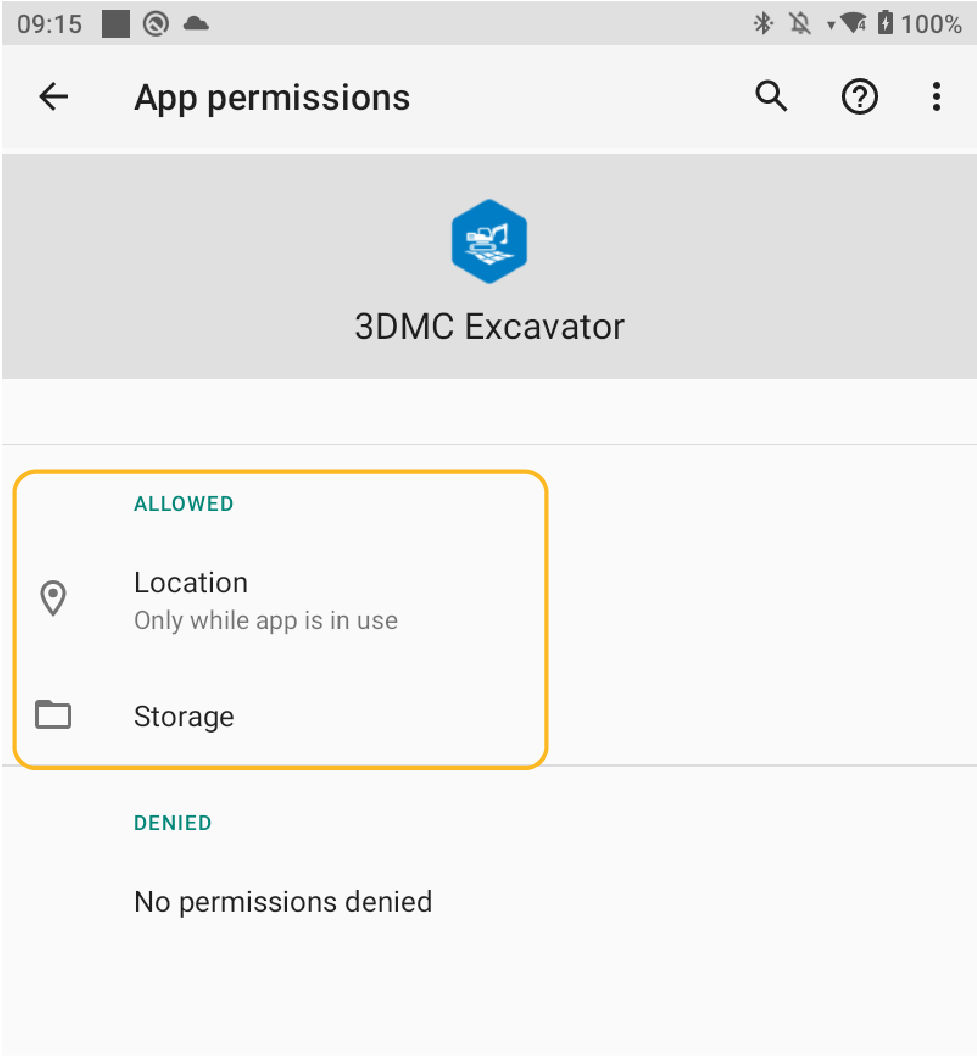
After the 3D-MC APK installation file is installed on the CT8X2 Android device, make sure location and storage access has been permitted.
- Navigate to the App List view on the CT8X2 Android device.ADDITIONAL INFORMATION:
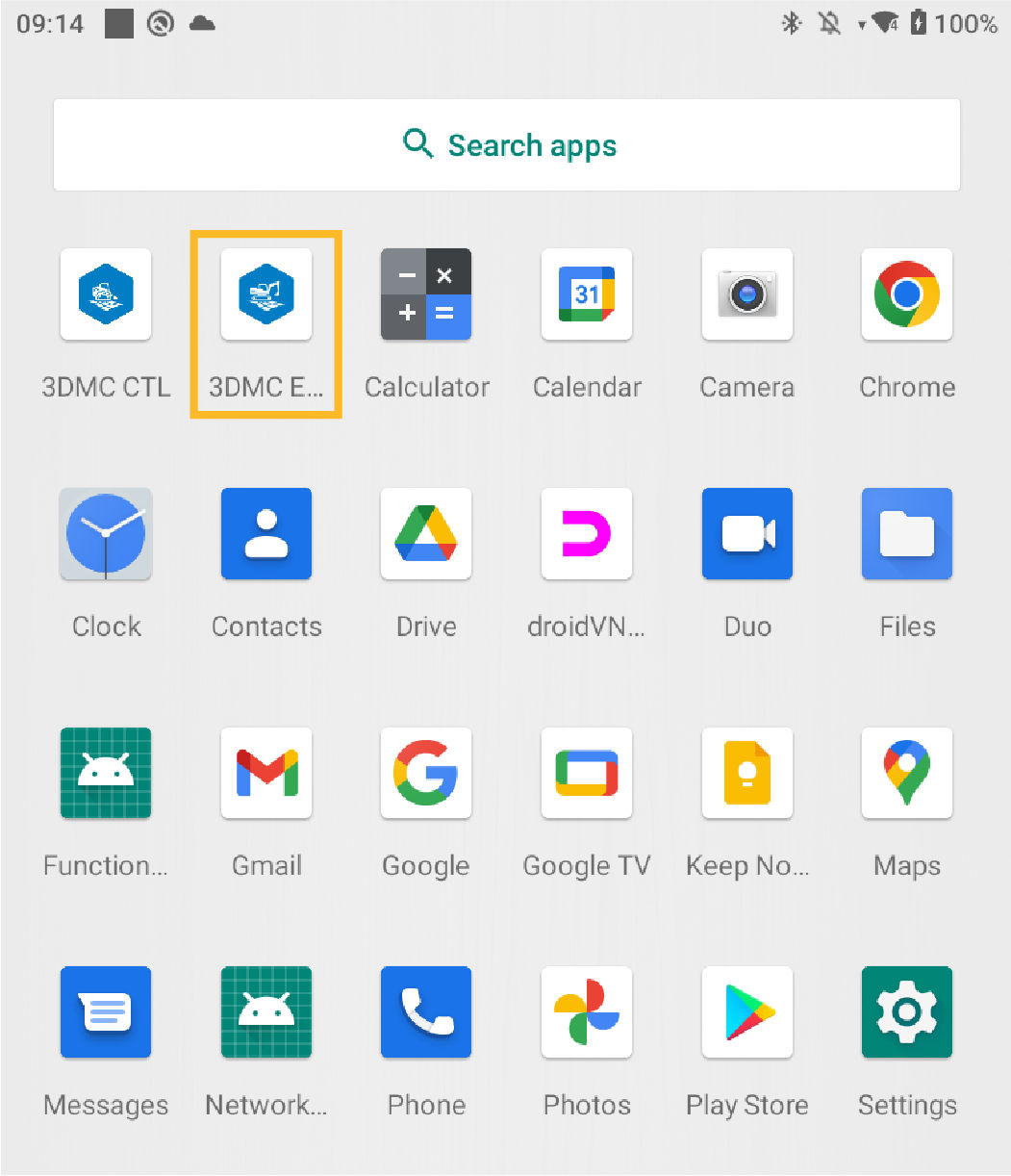
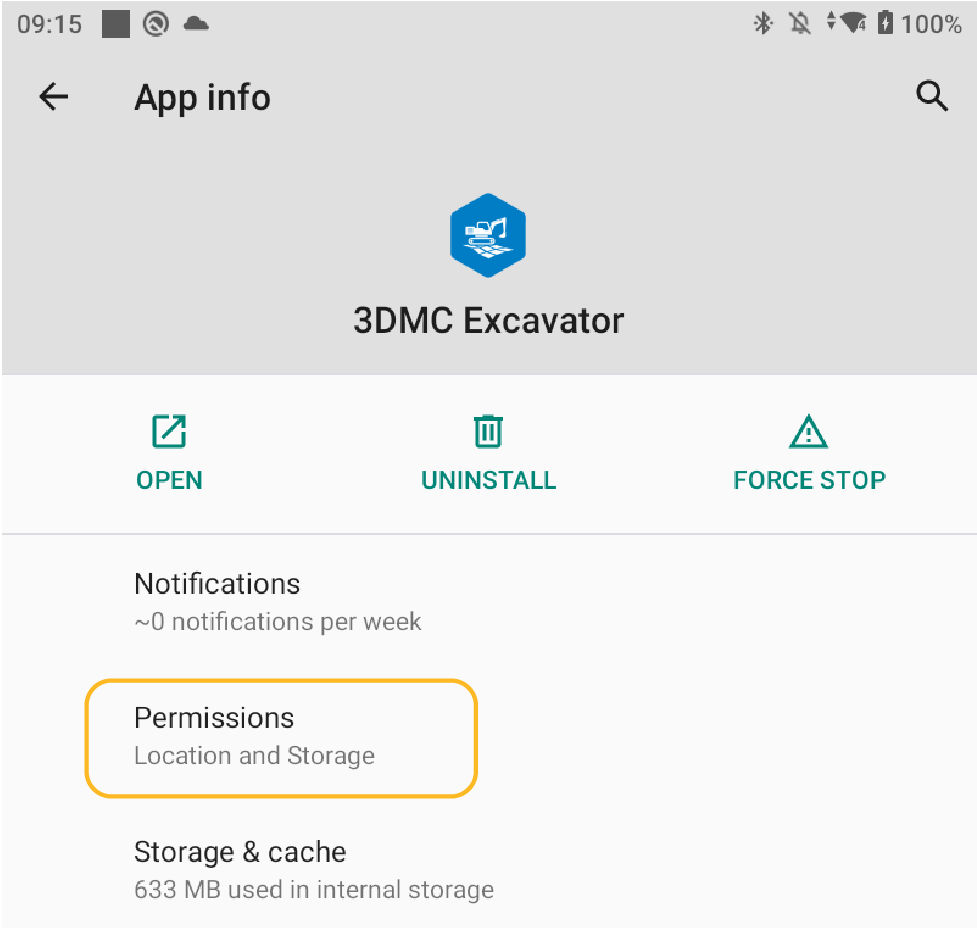
- Select and hold the 3D-MC Excavator app icon. The 3DMC Excavator App Info screen opens.
- Select Permissions. The App Permissions screen opens.ADDITIONAL INFORMATION:
- Make sure both location and storage permissions are allowed.ADDITIONAL INFORMATION:
Previous:
Pair CT8X2 and MC-X controller
Next:
CT8X2 settings
myTopcon NOW! support
Take your Topcon experience to the next level with myTopcon NOW! This platform is a self-service tool for your desktop or mobile device.





