
Configuration of the MC-X Controller requires a connection to the MC-X Machine Control Gateway.
Use one of these methods:
- Connect computer directly with MC-X1 programming cable (P/N 1017799-01)
- Connect with computer and MC-X access point
- Pair wireless display and MC-X (tablet hotspot) - This method is only for the MC-Mobile product line.
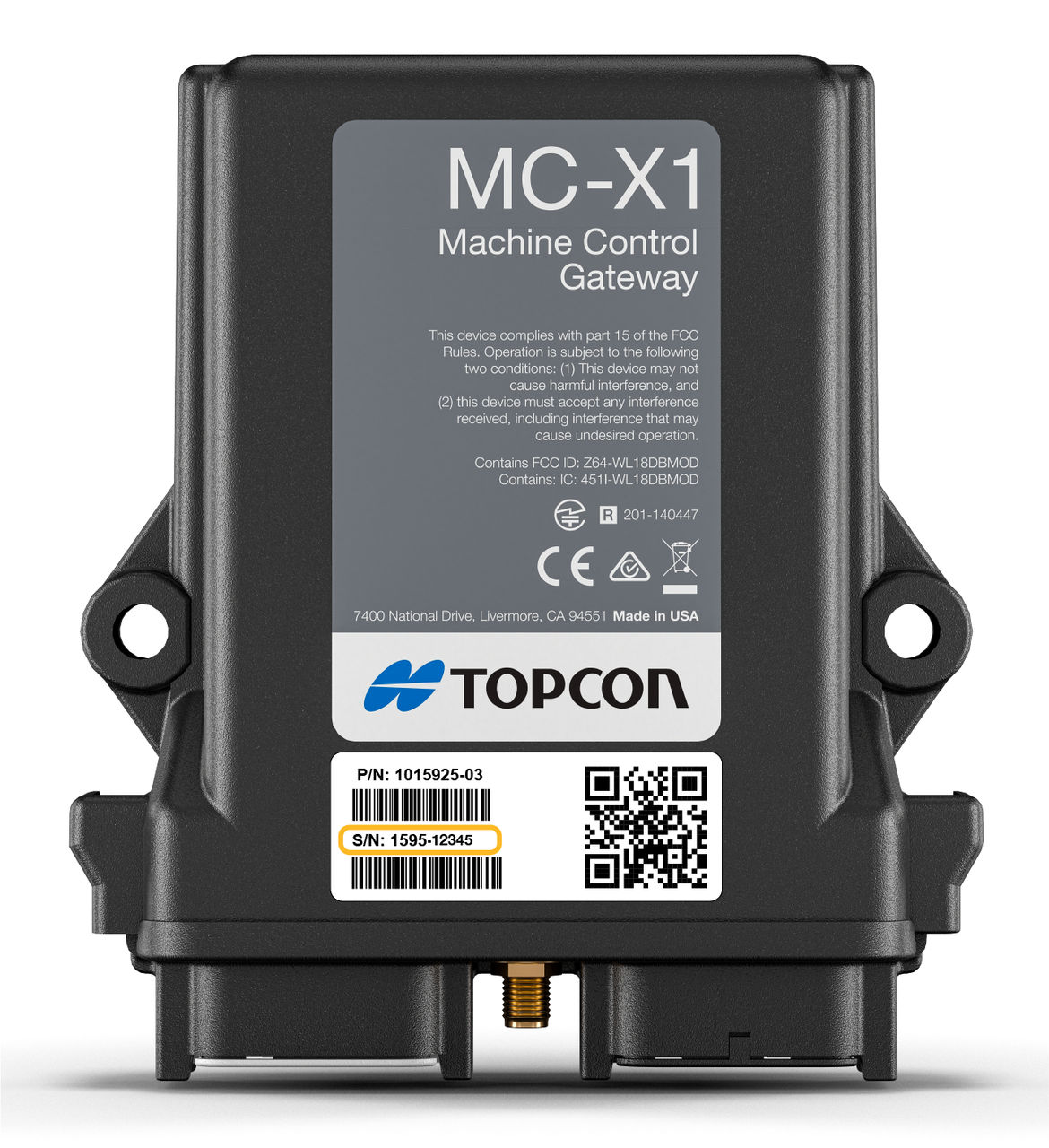
The MC-X serial number is on the MC-X1 label. MC-X1 units with serial numbers after 1595- 02652 ship with a second decal that includes the MC-X1 serial number. This second label must be affixed in a visible area in the cab or engine compartment so a technician can easily see it. You can also use a cell phone or tablet to scan available Wi-Fi networks to find the serial number.
Note: The default username for accessing the MC-X is
admin. The default password is mcx and the last five digits of the MC-X serial number. For example, mcx12345. If an old version of MCXCONFIG is running or if the username and password have been changed, the current username and password must be entered.myTopcon NOW! support
Take your Topcon experience to the next level with myTopcon NOW! This platform is a self-service tool for your desktop or mobile device.





