
- Select .ADDITIONAL INFORMATION:The icon to the right of each of the edit fields on the next window opens a keypad for touchscreen devices.
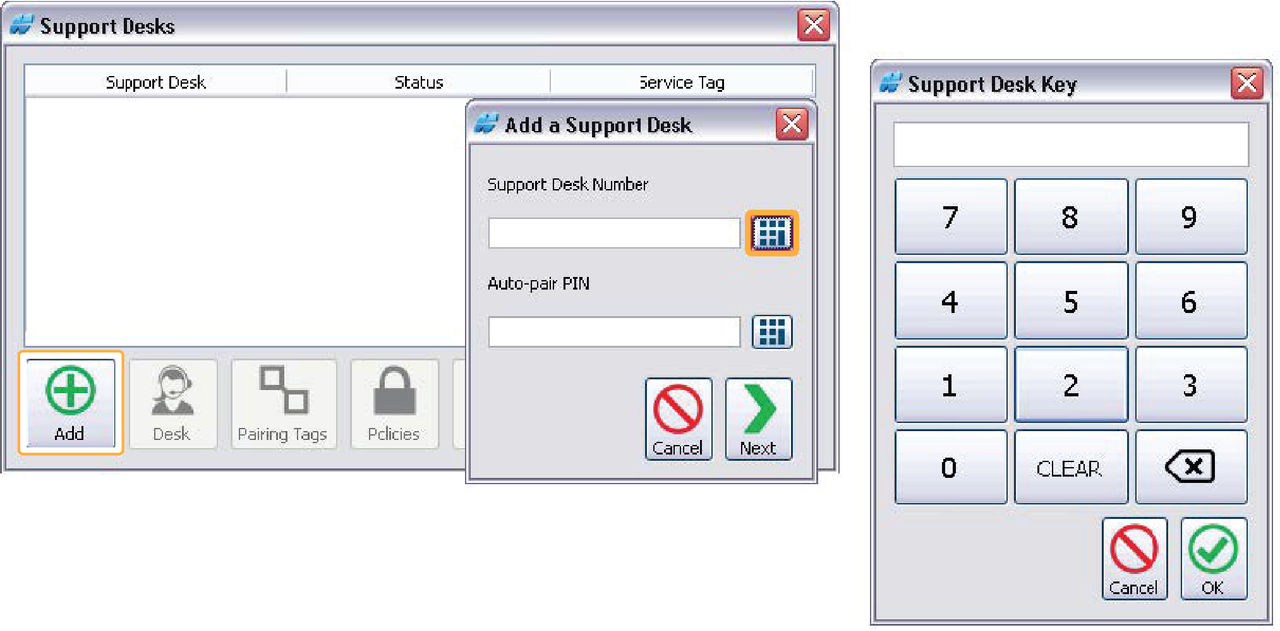
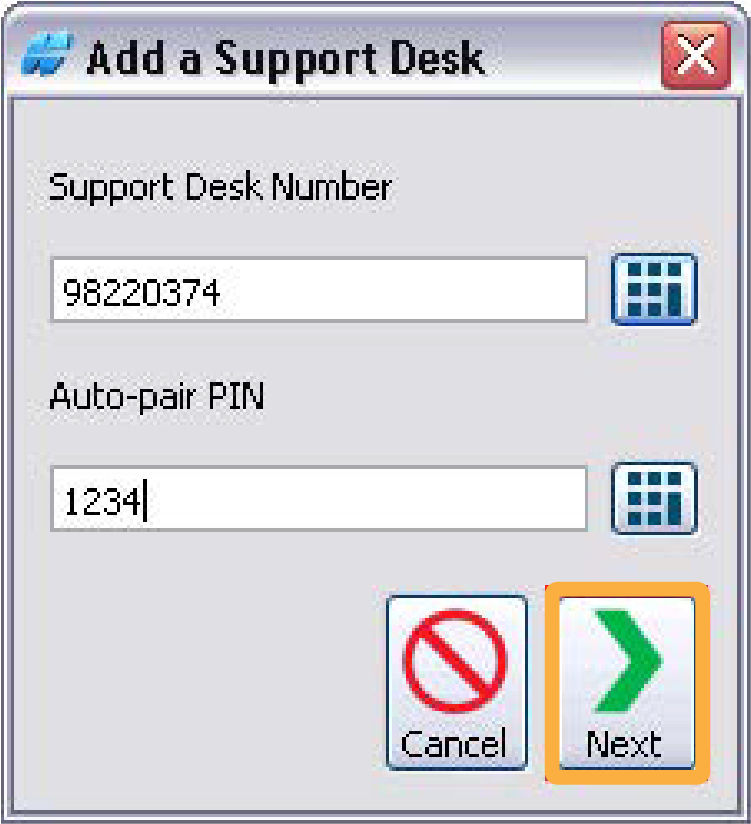
- Enter the Support Desk number.ADDITIONAL INFORMATION:The Pair Request process uses this number. If the number is changed at a later date, it has no effect on sent requests or successful pairings.
- Enter the Auto-pair PIN.ADDITIONAL INFORMATION:The Auto-pair PIN is an optional number to agree to the Auto-pair PIN on the web portal Edit Support Desk dialog. Do a check to confirm that the Support Desk Number and the Auto-pair PIN match. The pair request stops if the numbers do not match.
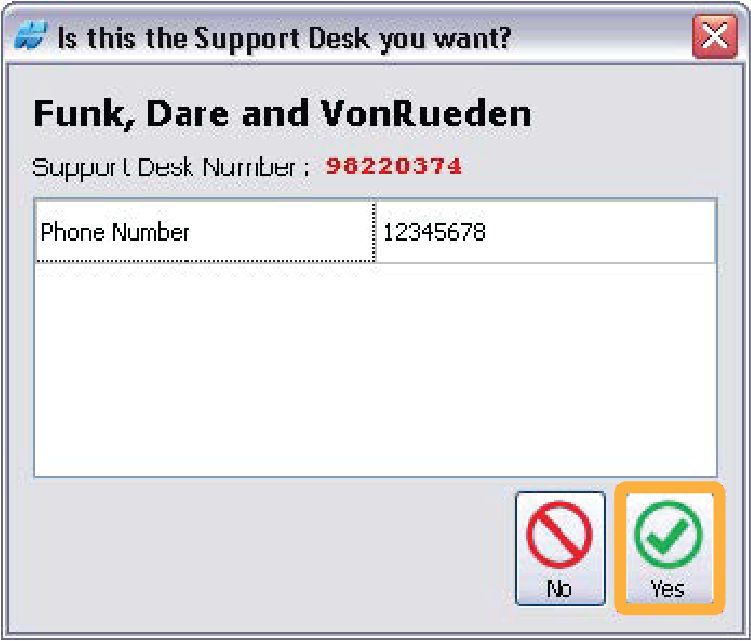
 A confirmation window shows when a Support Desk Number is sent.
 - Make sure that the Support Desk Number was entered correctly.
- Select Yes if the shown Support Desk information is correct. If not, select No and enter the correct Support Desk Number.ADDITIONAL INFORMATION:
Previous:
Support desks window
Next:
Pairing tags
myTopcon NOW! support
Take your Topcon experience to the next level with myTopcon NOW! This platform is a self-service tool for your desktop or mobile device.





