
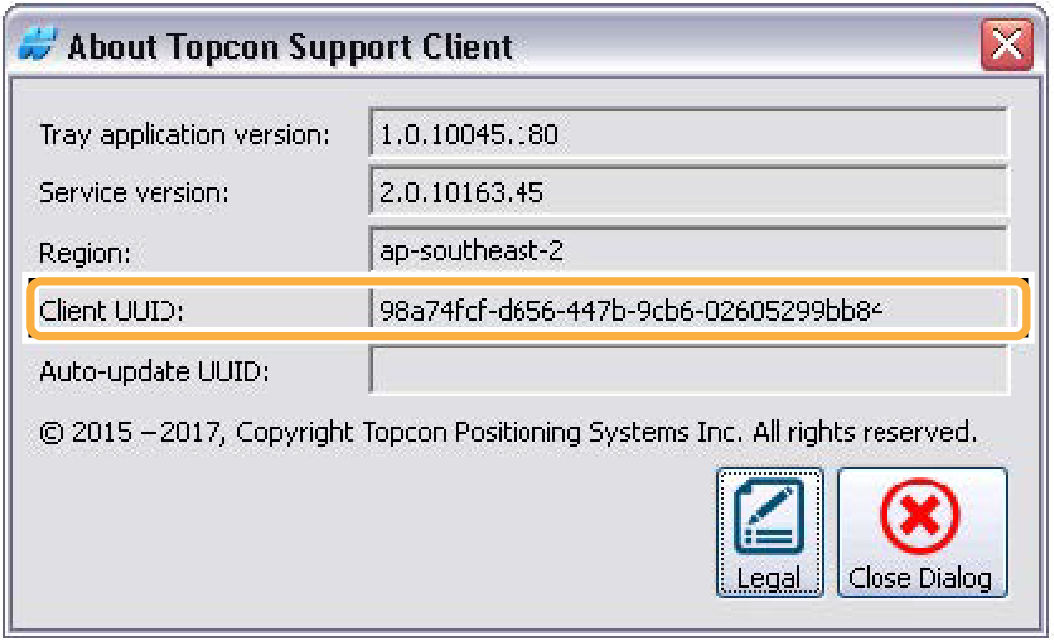
Each Remote Support Client installation is automatically assigned a unique ID. This ID identifies the Client Device on a Support Desk.
- Open the Remote Support Client menu.
- Select About.ADDITIONAL INFORMATION:The About Topcon Support Client dialog opens and shows the Client ID.
Previous:
Remote support client menu
Next:
Support desks window
myTopcon NOW! support
Take your Topcon experience to the next level with myTopcon NOW! This platform is a self-service tool for your desktop or mobile device.





