
Complex slopes have a series of segments. The segments are added and shown from left to right. When you add or edit a segment, enter two of the four parameters to calculate the remaining ones.
- Select to create a complex slope on the Complex Slope screen.
- Select Add and enter the parameters on the Edit Slope screen to add a Slope Element.ADDITIONAL INFORMATION:
Figure: Complex slope and edit slope screens 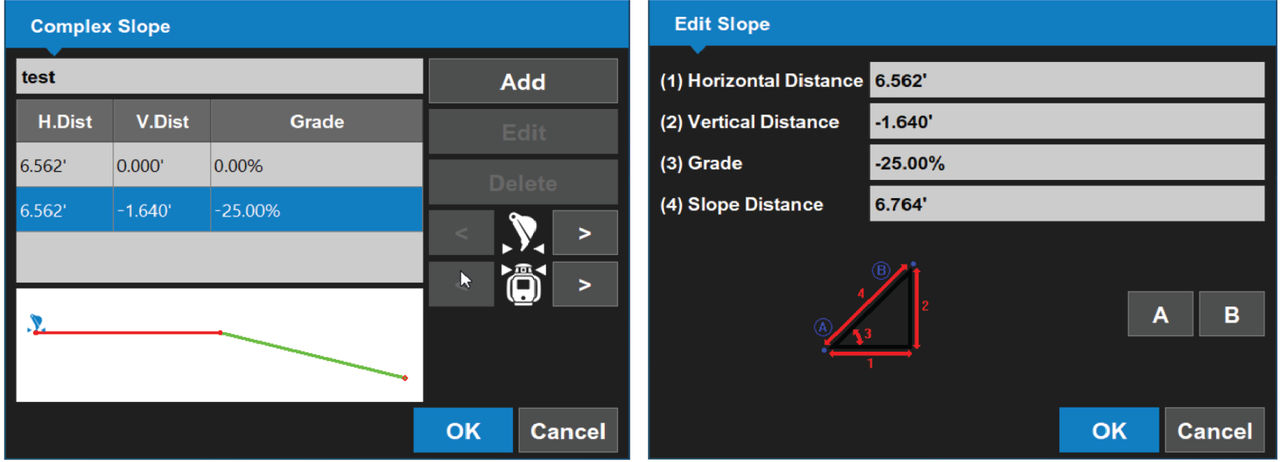
- Select OK to go back to the Complex Slope screen.
- Move the bucket or laser transmitter to the transition location and select OK to go back to the main screen.
- Select Elevation Control and reference the elevation with Zero to bucket or Zero to laser.ADDITIONAL INFORMATION:
Figure: Zero to bucket/Zero to laser 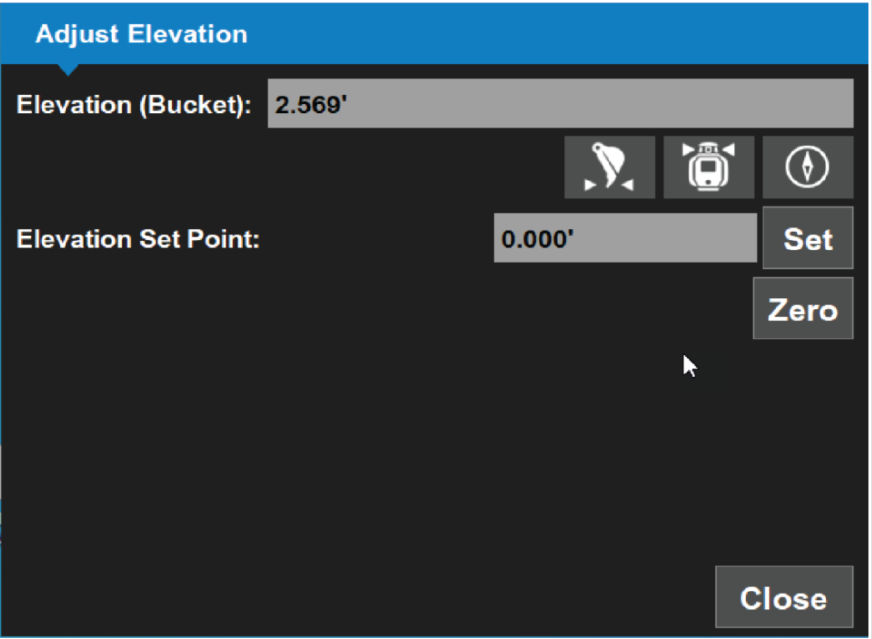 To see the slopes and directions on the main screen, it can be necessary to reverse the slope or view. Tap and hold on the screen to show the context menu with the Show reversed option. You can also select .
Previous:
Measure slope
Next:
LPS operation
myTopcon NOW! support
Take your Topcon experience to the next level with myTopcon NOW! This platform is a self-service tool for your desktop or mobile device.





