
- Select and hold the polyline to use for steering and show a context menu.
- Select .STEP RESULT: Cross lines show along the selected polyline.
Figure: Steer to 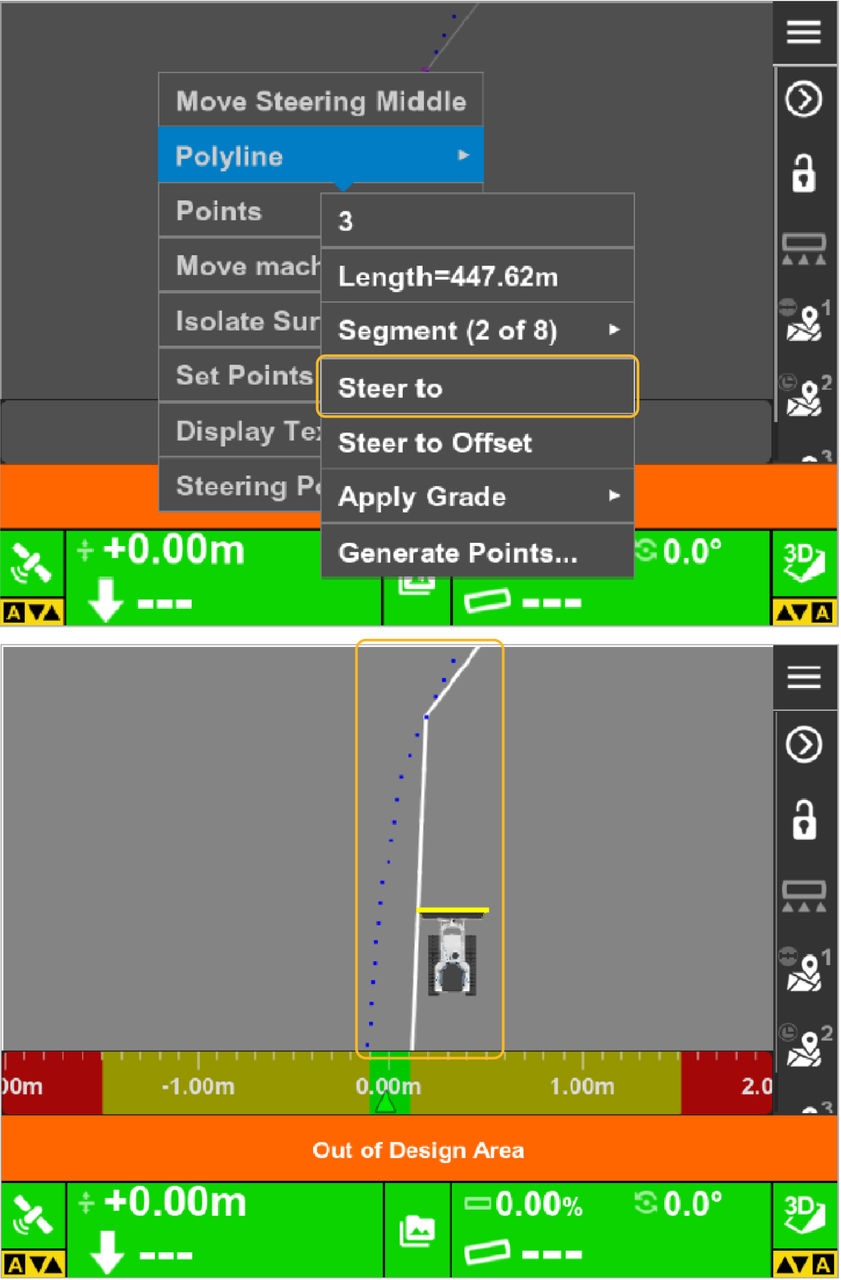
- To stop the steering to the polyline, steer away from the selected polyline.
- To unselect the polyline, select .
myTopcon NOW! support
Take your Topcon experience to the next level with myTopcon NOW! This platform is a self-service tool for your desktop or mobile device.





