
Make sure that communication between the total station and MC-X controller is correct. Configure LPS settings, and initialize the heading for accurate machine operation and tracking.
- On the total station, make sure that the communication is set up between LPS LongLink and the MC-X controller.ADDITIONAL INFORMATION:Refer to the LPS Operator Manual (P/N 1002375-01) for LPS software setup.
- Make sure that the Sensor type is set to Prism and the LPS configuration settings are correct.ADDITIONAL INFORMATION:In LPS Configuration, the total station MAC address is added automatically for all available total stations.
- If a total station MAC address is not added automatically, complete these steps:
- Select the .
- Select the Manual Entry checkbox.
- Enter the total station MAC address.
- Enter the Passkey value.ADDITIONAL INFORMATION:The Passkey value is the same as the total station password.
- Select OK.
- If the LN-150 is the optical instrument, refer to the Pocket 3D Software Reference Manual (P/N 7010-0628).ADDITIONAL INFORMATION:Refer to the “Total Station Applications” procedure for correct setup instructions.
Figure: Machine Setup and LPS Configuration 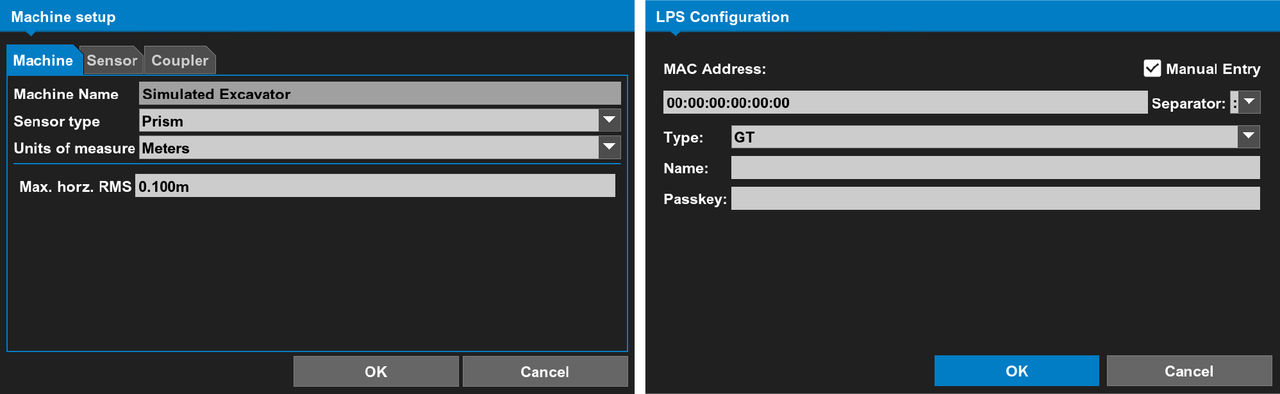 After the machine builder configuration and Total Station setup is complete, 3D-MC makes a connection between the MC controller and the Total Station.
 - Select the Total Station icon to show the Total Station wizard.ADDITIONAL INFORMATION:
Figure: Connection to the Total Station 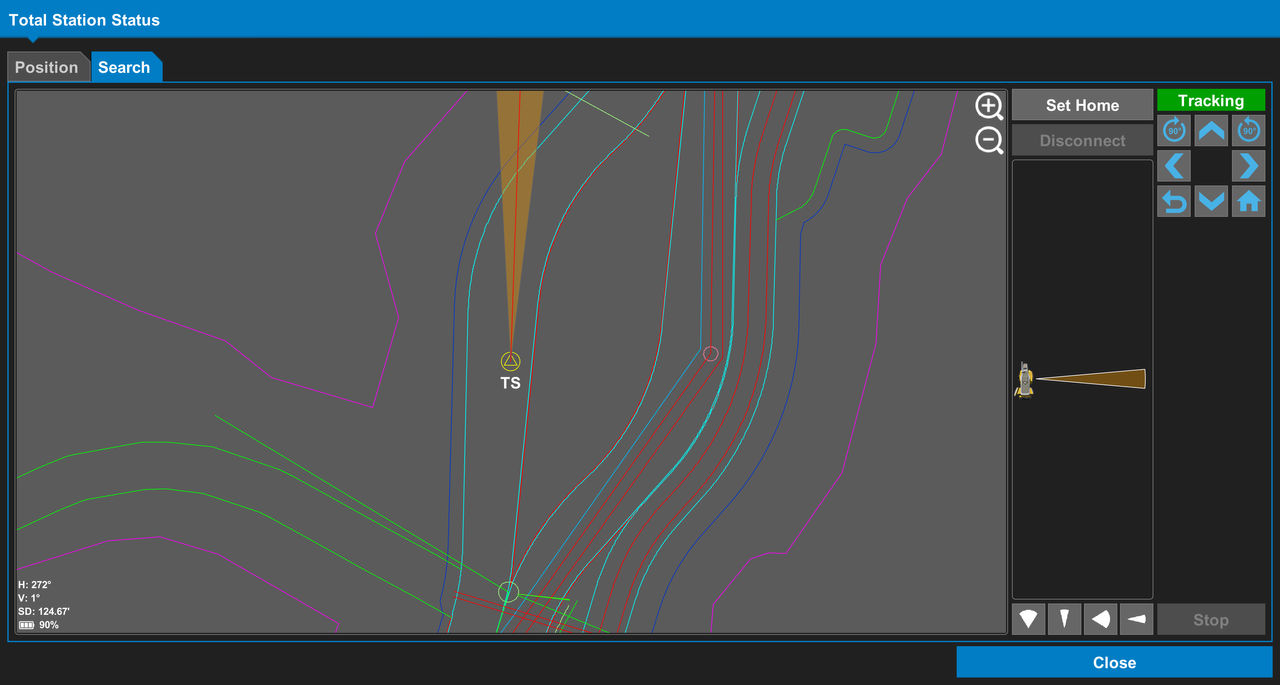
- After communication is made, turn the machine body to initialize the heading.ADDITIONAL INFORMATION:
Figure: Rotate to initialize heading error message 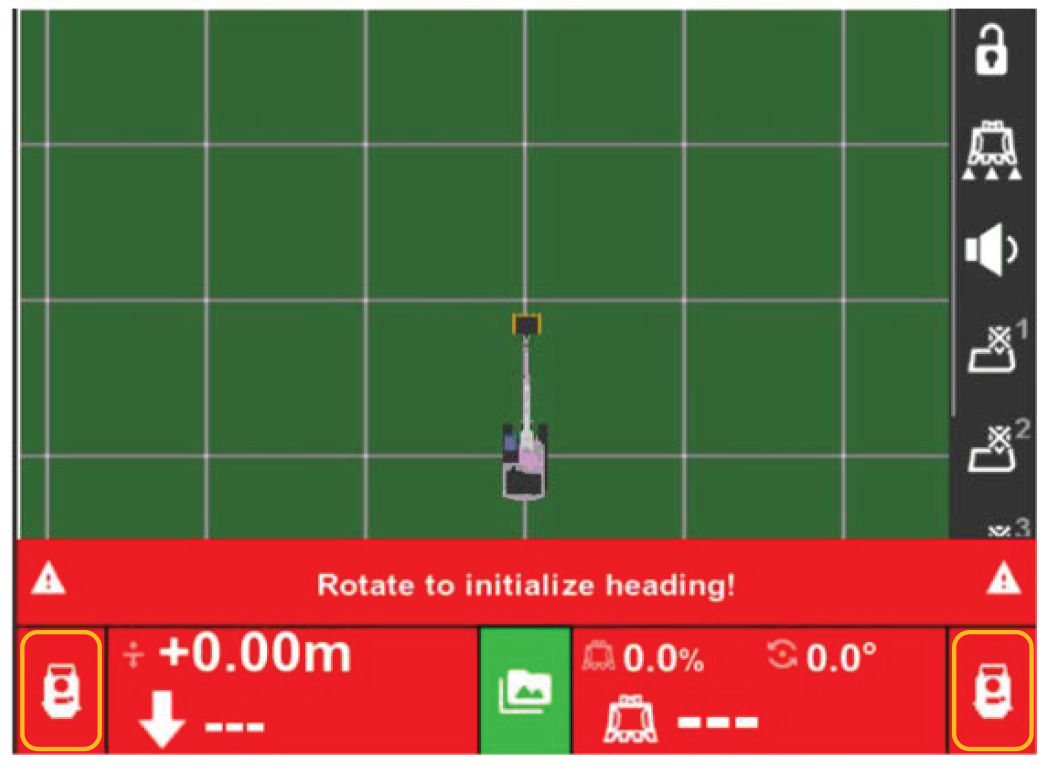 After the LPS is initialized, the icon for Total Station Applications becomes green. If the Rotate to initialize heading errormessage shows, refer to Prism sensor configuration for additional information.
Figure: LPS Initialized 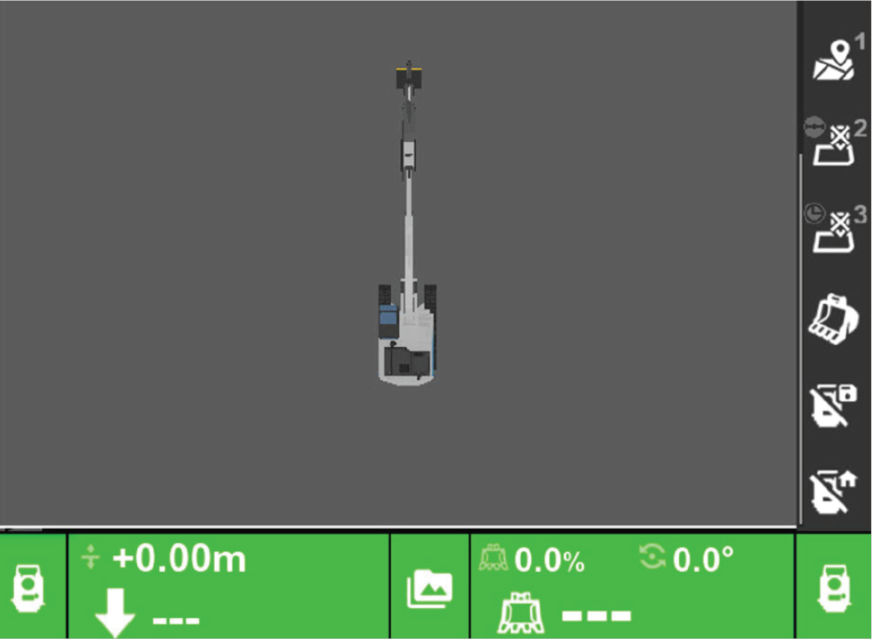 The operator may see the Low Precision: Rotate Machine! message.The following situations may apply:
- Not slewing the machine body for a long period of time
- Leaving the machine without any movement for a long period of time
- Tracking the machine without slewing
- Bad installation where the prism is too close to the center of rotation (CoR) or is bouncing on the pole mount.
Previous:
Prism position for LPS
Next:
VOLVO excavator options
myTopcon NOW! support
Take your Topcon experience to the next level with myTopcon NOW! This platform is a self-service tool for your desktop or mobile device.





