
Select Override calibration settings in Supervisor mode to change the hitch length on machines that do not have quick couplers. This lets you change the geometry without a full machine recalibration.
Override calibration settings overrides the hitch length during implement calibration. This is available in Supervisor mode. It lets you change the machine geometry, but not fully calibrate the machine again. Override calibration settings works well for machines without quick couplers.
- Select .
- Select the Override calibration settings checkbox.
- Enter the hitch Length.
- Select Next.ADDITIONAL INFORMATION:
Figure: Hitch length override 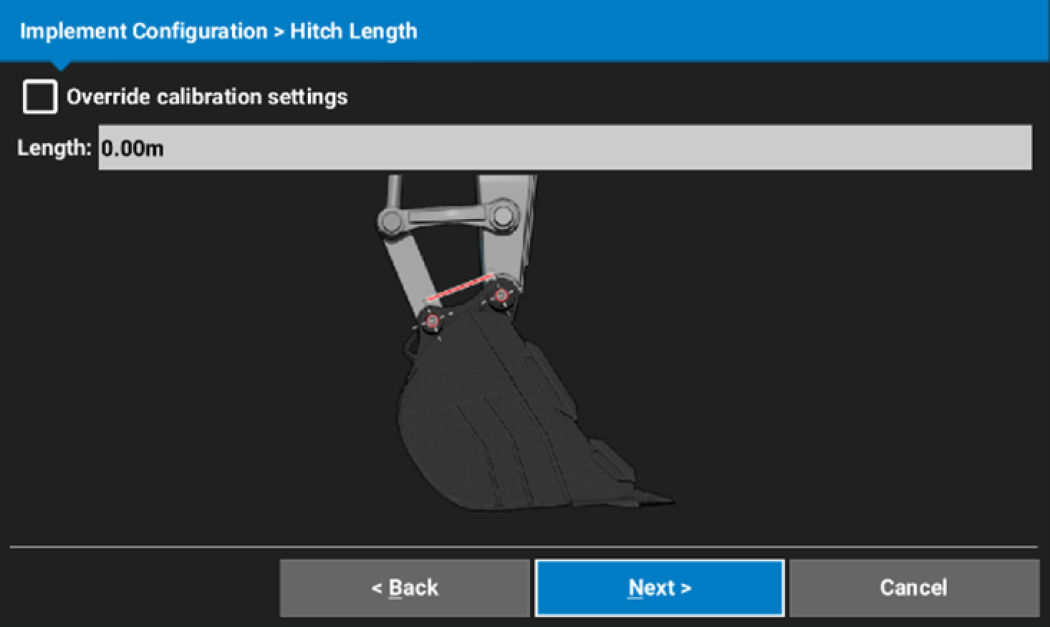
Previous:
Volvo attachments
Next:
Bucket display
myTopcon NOW! support
Take your Topcon experience to the next level with myTopcon NOW! This platform is a self-service tool for your desktop or mobile device.





