
You can select the applicable sensor type to change between modes (2D, LPS, or GNSS).
- Select to show the Machine Setup screen on the Machine tab.
- Select the applicable Sensor Type, which is 2D, GNSS Antenna (dual), and Prism, then select OK.ADDITIONAL INFORMATION:The 3D-MC interface changes after validation.
Figure: Machine setup 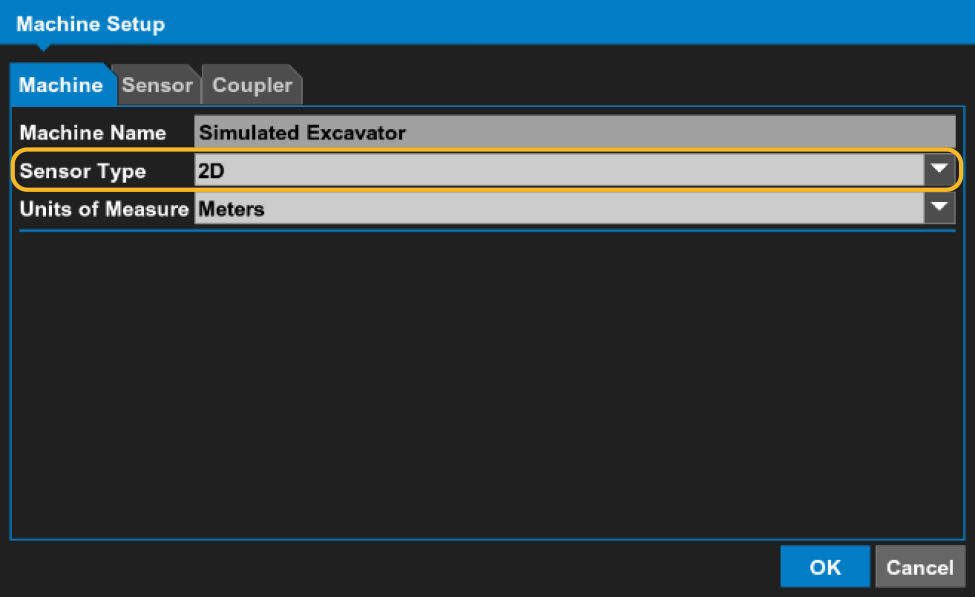
- Select the Sensor tab.ADDITIONAL INFORMATION:The controls on the Sensor tab are set for the selected sensor.The 2D mode is only available if 2D, GPS (dual), or Prism is the Sensor Type.
Previous:
Setup
Next:
GNSS excavator setup
myTopcon NOW! support
Take your Topcon experience to the next level with myTopcon NOW! This platform is a self-service tool for your desktop or mobile device.





