
Accessing MCWEB works similar to the older Machine Control Gateway:
- For use with a GX-90, open the MCXCONFIG desktop application
- For use with a wireless tablet or PC connected to the MC-X controller through Wi-Fi, enter http:/192.168.0.1/ in your web browser address bar
The different MCWEB screens show information and have interactive controls for configuration, firmware updates, and to restart equipment.
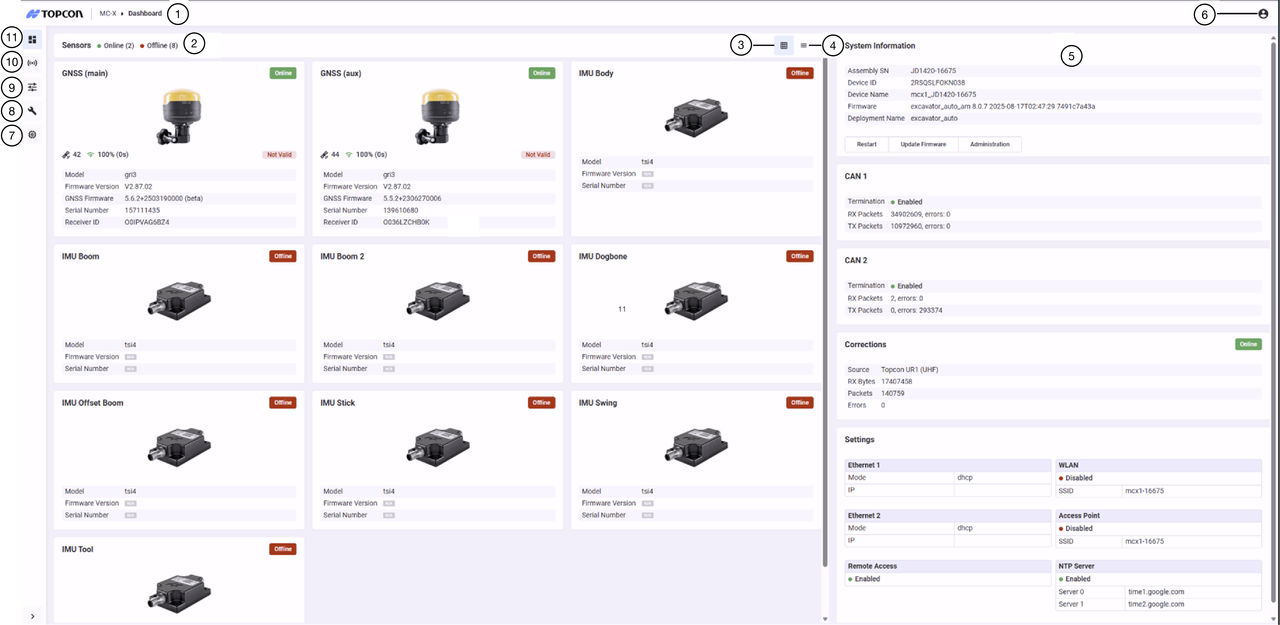
- Current screen path
- Select to log off
- Sensors tile view
- Sensors list view
- Information, status, and settings
- About
- Information
- Maintenance
- Settings
- Equipment
- Dashboard





