Looking for your apps? Click the account icon in the upper right corner of the page.

Setting the unit of length and the temperature scale

From the Home Screen, tap ManageGeneral SettingsUnits.
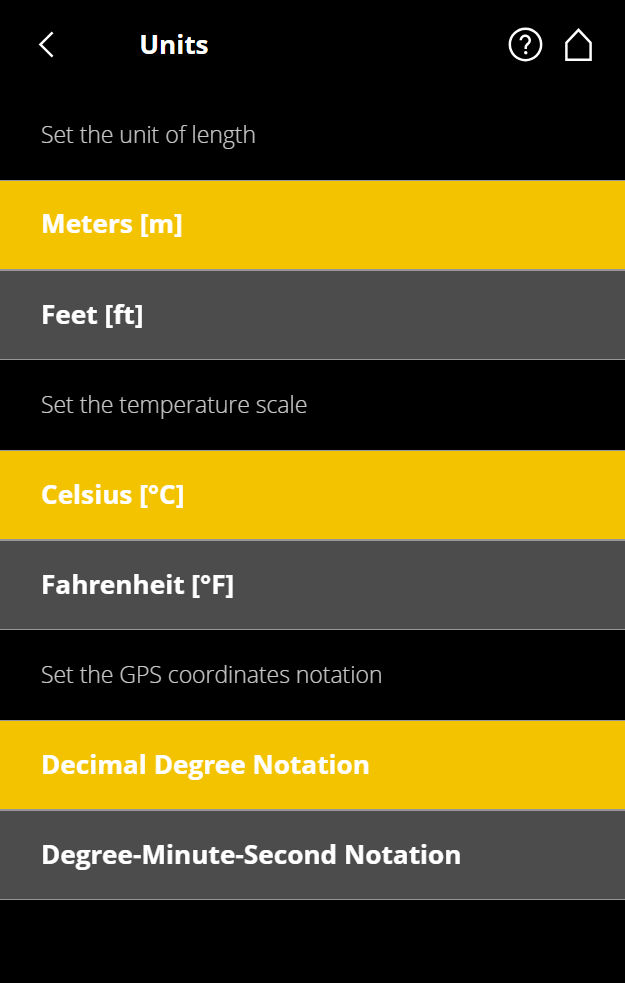
Figure: Change length and temperature units
Lengths are displayed by the controller software in either in meters or feet. Select the desired unit of length by tapping the corresponding button.
Temperatures are displayed in either Celsius or Fahrenheit. Select the desired unit by tapping the corresponding button.
GPS coordinates are displayed in either decimal degree notation (e.g., +34.9823450 °E) or degree-minute- second notation (e.g., 34º 58' 56.44'' E).

myTopcon NOW! support

Take your Topcon experience to the next level with myTopcon NOW! This platform is a self-service tool for your desktop or mobile device. 

Product manuals
paper icon
Communications
phone icon
E-learning
hat icon
Quick start guides
support icon
Firmware & software updates
cloud icon
Troubleshooting
webinars icon