
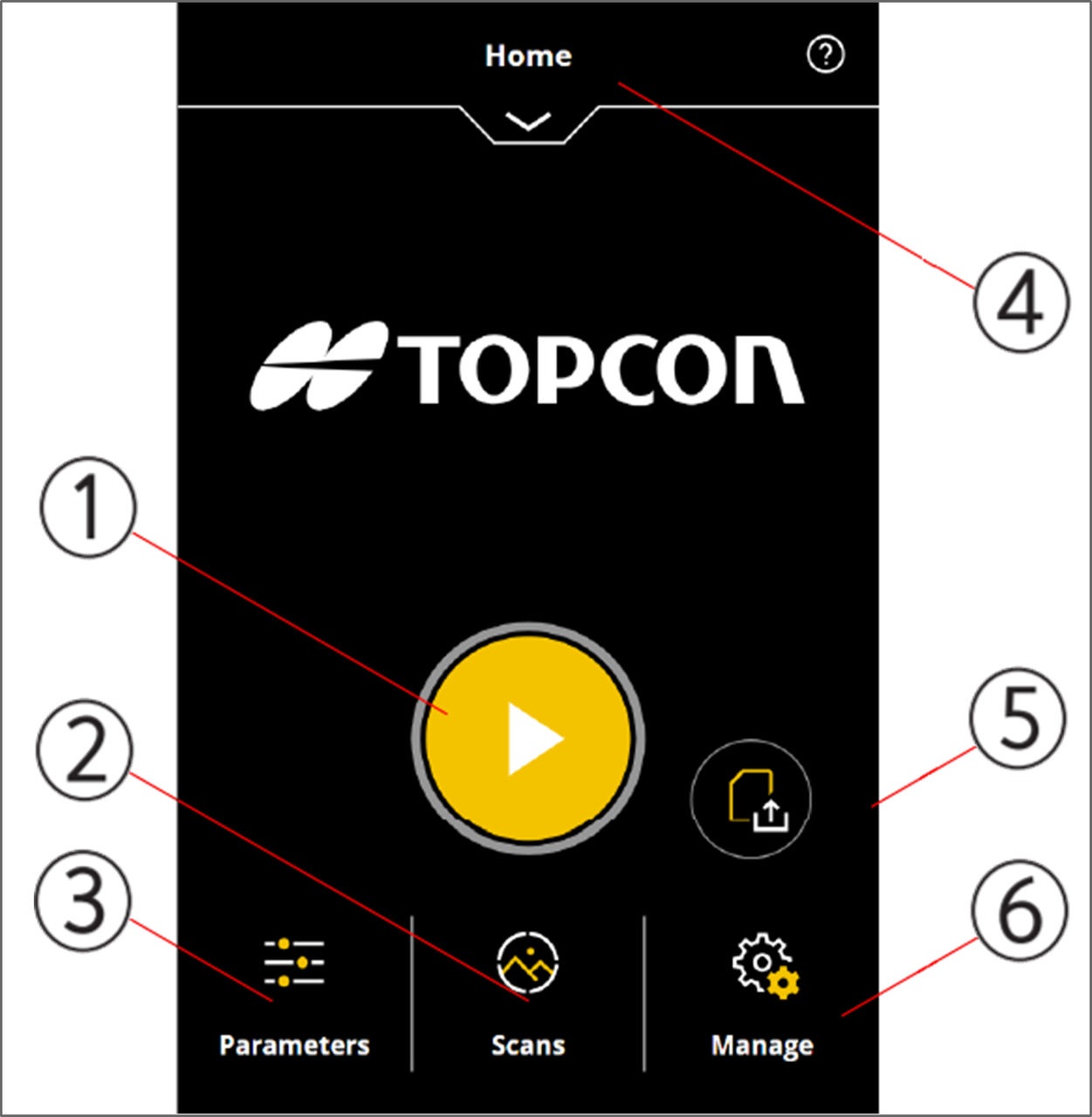
- Start Scan - Starts a scan. Starting a scan.
- View Scans - Preview the scans stored on the selected storage medium. View scans.
- Parameters - Opens the dialog for scan profile selection, or to edit the current scanning parameters. Setting the scanning parameters.
- Info box - Tap the arrow underneath HOME to show or hide the info box. The info box shows information regarding the currently selected project, and scan profile, as well as regarding the current scanning parameters resolution in megapoints, its quality, scan duration, and color.
Figure: Home screen with info box 
- Copy - Copy the currently selected project and scans from the solid state drive (SSD) to the SD card.
- Manage - Manage scan profiles, projects, and the scanner. Manage.
Previous:
Frequently used buttons
Next:
Scan parameters
myTopcon NOW! support
Take your Topcon experience to the next level with myTopcon NOW! This platform is a self-service tool for your desktop or mobile device.





