
Looking for your apps? Click the account icon in the upper right corner of the page.

Selected Profile

ParametersSelected Profile
Selecting scan profiles to use their parameters for the next scan has already been described in Setting the scanning parameters. This chapter will describe how to add new and how to edit existing scan profiles.
The Profiles page displays a context sensitive toolbar at the bottom to add, duplicate, delete, or modify profiles.
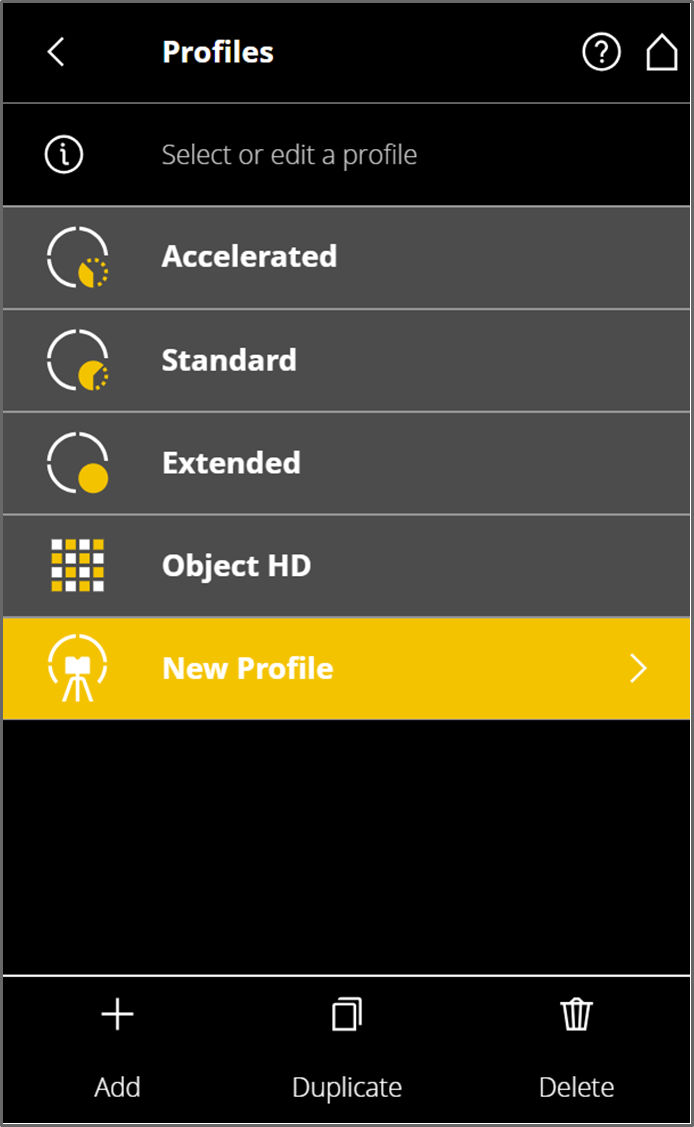
Figure: Profiles

myTopcon NOW! support

Take your Topcon experience to the next level with myTopcon NOW! This platform is a self-service tool for your desktop or mobile device. 

Product manuals
paper icon
Communications
phone icon
E-learning
hat icon
Quick start guides
support icon
Firmware & software updates
cloud icon
Troubleshooting
webinars icon





