
An occlusion is an area on the object's surface that is recorded by one measurement device (either the laser scanner or the camera), but missed by the other. This condition is also known as parallax, where the camera fails to capture an area that is recorded by the laser scanner due to the offset from the laser beam center to the Ricoh Theta Z1 lens center. The area is included in the point cloud but not captured in the PanoCam picture, and as a result not colorized in the point cloud.
Occlusions occur due to parallax issues, similar to how your left and right eyes see close-up objects differently. Occlusions occur more often for close-up objects, and they occur less frequently with objects that are further away.
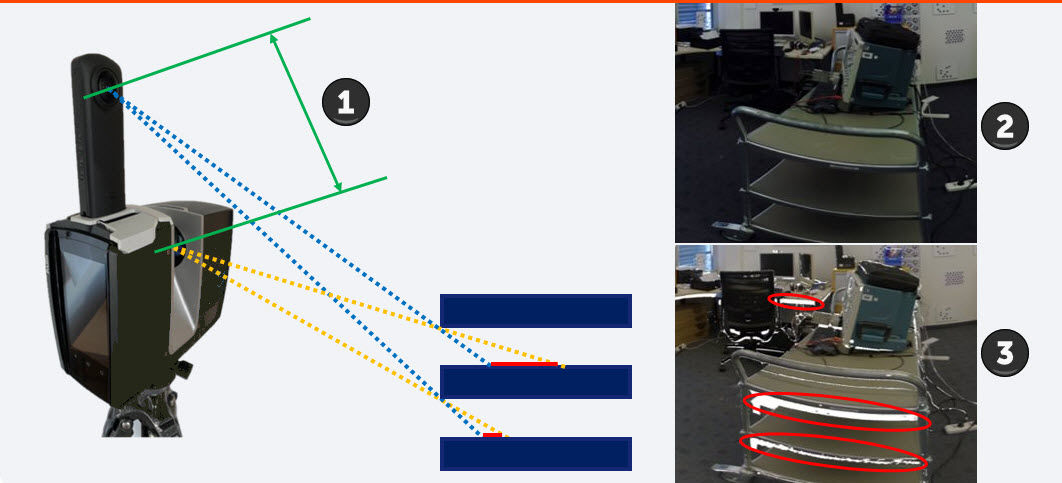
- Parallax area
- Laser Scanner camera
- Panoramic camera (occlusions highlighted in red)
Following is an occlusion where the surface is captured by the laser scanner, but missed by the camera.
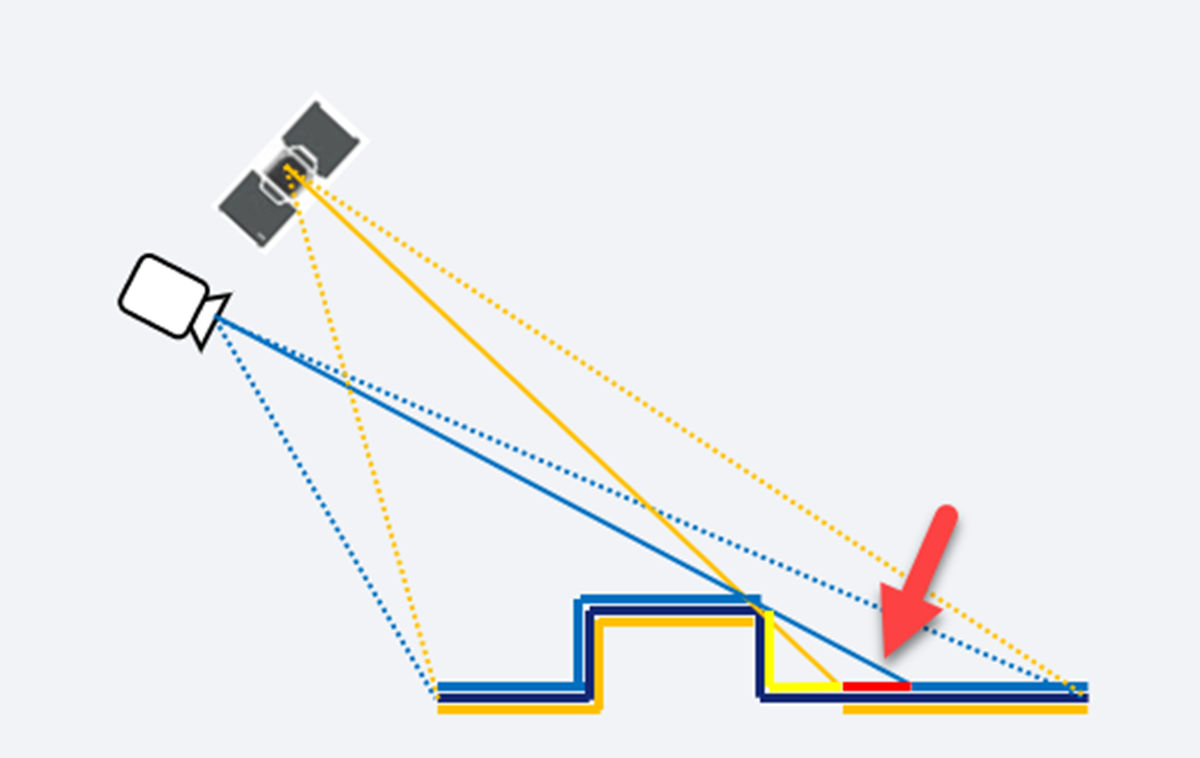
The area in red was detected during post-processing, and as a result, not colorized. The area is colored with laser intensity data (gray values) due to the missing color information caused by the occlusion.
The best way to reduce, or eliminate occlusions entirely, is to capture a greater number of scans in areas with complex structural detail.
Previous:
PanoCam example images
Next:
Occlusion examples
myTopcon NOW! support
Take your Topcon experience to the next level with myTopcon NOW! This platform is a self-service tool for your desktop or mobile device.





