
Looking for your apps? Click the account icon in the upper right corner of the page.

Power button

Note: There can be an interval of some seconds after you release the Power button and the first/last time that the recording LED flashes.
Note: With external power engaged, the Power LED is solid green unless startup or shutdown is in operation.
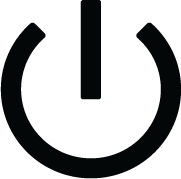
The HiPer XR GNSS receiver power button has many functions. The length of time during which the button is pushed and held selects how the receiver operates. When the button is pushed, the LED panel shows the selected operation. The table shows how to use the power button.


FunctionPush forDescription
Set power ON
2 seconds
Push, then release when the LEDs on the display panel are solid yellow. The power LED flashes yellow until startup is completed. The power LED is solid green if an external power source is connected to the receiver. If an external power source is not connected, the power LED is OFF.
Set power OFF
3 to 10 seconds
Push and hold for more than 3 seconds but not more than 10 seconds. Release when the LEDs on the display panel are solid white.
Start/Stop data logging
Push and release three consecutive times within 2 seconds
See the Recording LED topic.
Reset parameters
15 to 20 seconds
Release when the LEDs on the display panel are solid yellow.
Factory reset
30 to 35 seconds
Release when the LEDs on the display panel are solid red.
Emergency shutdown with no external power source connected
Longer than 60 seconds
Release when all LEDs are OFF.
Update firmware
Flashes green, then yellow during installation.
Previous: Display panel
Next: LED display

myTopcon NOW! support

Take your Topcon experience to the next level with myTopcon NOW! This platform is a self-service tool for your desktop or mobile device. 

Product manuals
paper icon
Communications
phone icon
E-learning
hat icon
Quick start guides
support icon
Firmware & software updates
cloud icon
Troubleshooting
webinars icon



