Looking for your apps? Click the account icon in the upper right corner of the page.

Display panel

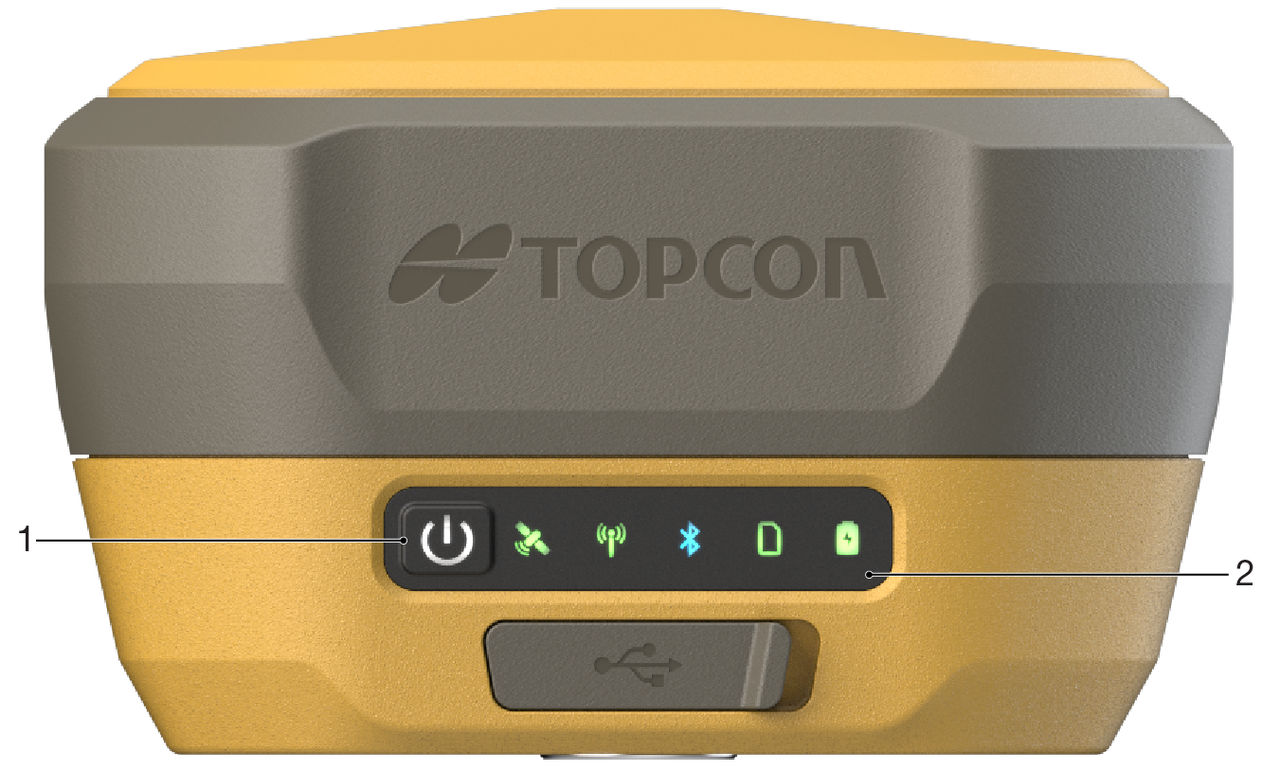
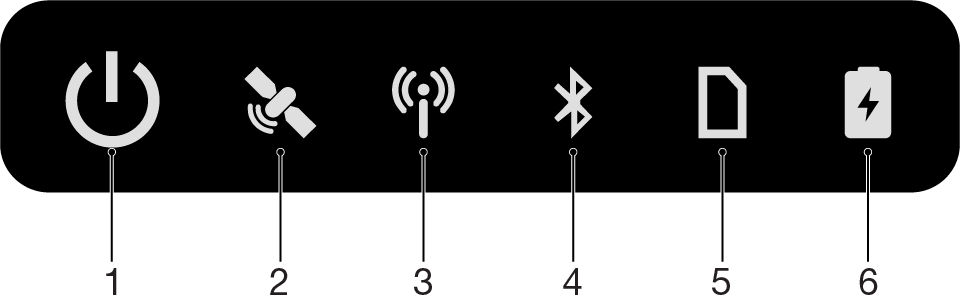
The GNSS receiver has a MINTER with a multifunction power button and LEDs that indicate operational status. This includes power, satellite condition, radio modem, Bluetooth, recording, and battery capacity.
The display panel on the HiPer XR GNSS receiver has a minimum interface (MINTER) with a multifunction button. Use the button to set the receiver power ON or OFF and start data recording.

LEDs show the operation condition.
Figure: Power button and LED display panel
  1. Power button/LED
  2. LED display panel
Figure: LED display panel
  1. Power button/LED
  2. Satellite condition LED
  3. Radio modem LED
  4. Bluetooth LED
  5. Recording LED
  6. Battery capacity LED

myTopcon NOW! support

Take your Topcon experience to the next level with myTopcon NOW! This platform is a self-service tool for your desktop or mobile device. 

Product manuals
paper icon
Communications
phone icon
E-learning
hat icon
Quick start guides
support icon
Firmware & software updates
cloud icon
Troubleshooting
webinars icon