Looking for your apps? Click the account icon in the upper right corner of the page.

Register the HiPer XR GNSS receiver

Register your HiPer XR GNSS receiver for maximum support and access to:
  • Newest firmware/software updates
  • Quick Reference Guides
  • Manuals
  • Training videos
  • Warranty registration.
  1. Scan the QR code on the myTopcon NOW! Registration card.
    ADDITIONAL INFORMATION:
    This opens the myTopcon NOW! mobile app that gives you access to support content in the field with a smart device.
    Figure: Registration Card
    You can also go to https://mytopcon.topconpositioning.com/register/ from a computer browser.
  2. Start an account or log on to a current account.
    ADDITIONAL INFORMATION:
    Sign-up is free.
  3. Select REGISTER HARDWARE.
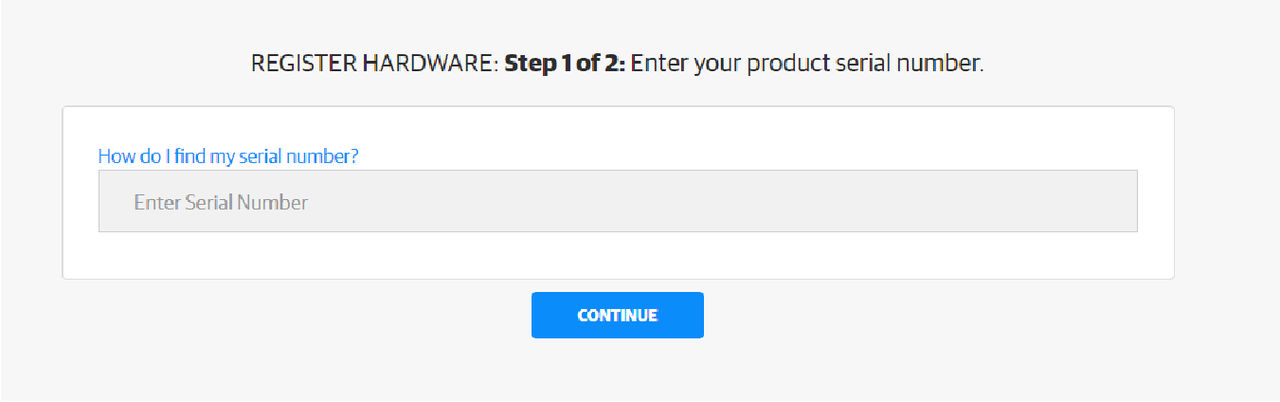
  4. Enter the receiver serial number.
    ADDITIONAL INFORMATION:
    Figure: Registration - enter serial number
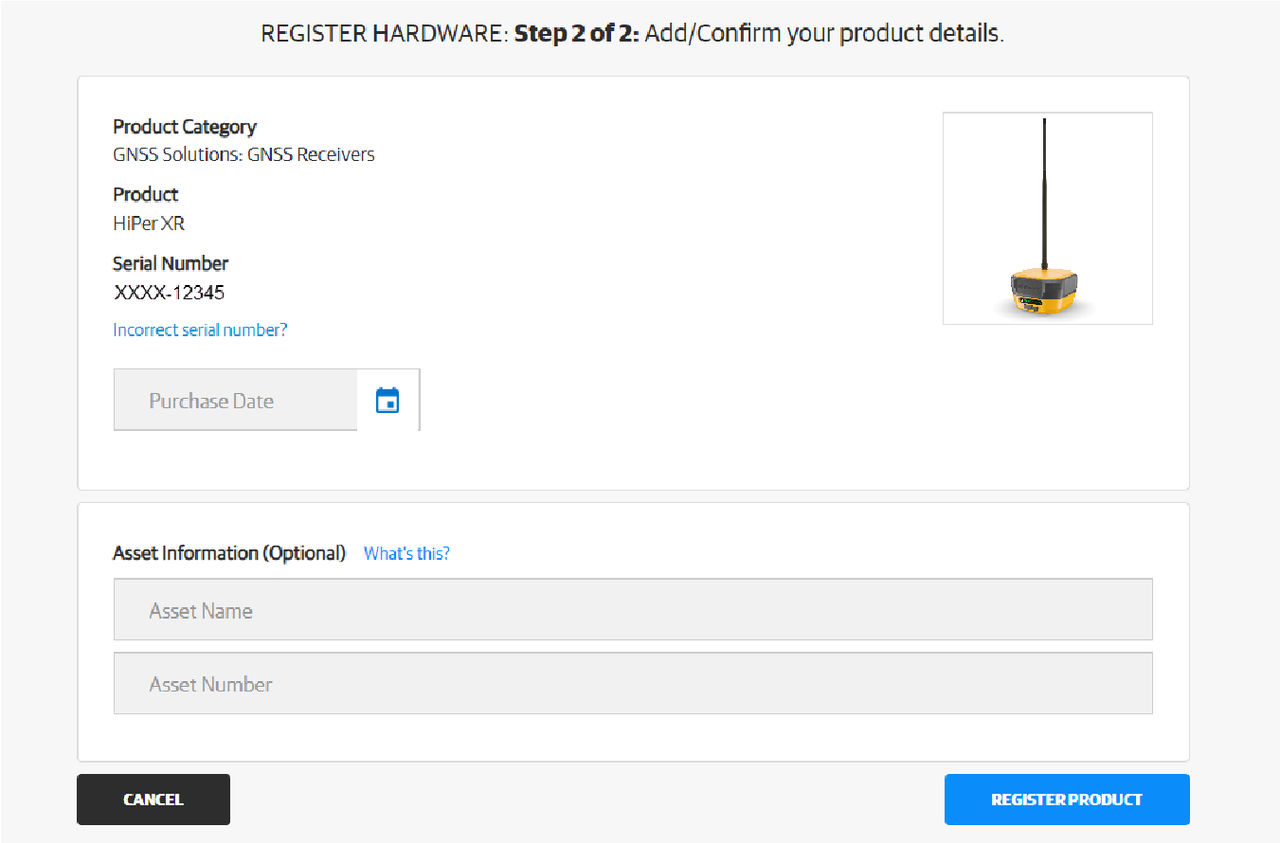
  5. Add details about your product and make sure that they are correct.
  6. Select REGISTER PRODUCT.
    ADDITIONAL INFORMATION:
    Figure: Registration product details
  7. Add/accept the specified information.

myTopcon NOW! support

Take your Topcon experience to the next level with myTopcon NOW! This platform is a self-service tool for your desktop or mobile device. 

Product manuals
paper icon
Communications
phone icon
E-learning
hat icon
Quick start guides
support icon
Firmware & software updates
cloud icon
Troubleshooting
webinars icon