
When necessary, you can complete a factory reset from the web UI or use the Power button.
There are two methods to do a factory reset. You can use the Power button or the web UI.
- Connect the HiPer XR GNSS receiver to a field controller or computer and open the on-board web UI.
- Open the Management menu.
- Select Reset Receiver to show the available reset options.
- Select FACTORY RESET.ADDITIONAL INFORMATION:A dialog opens that shows information about the parameter reset.
- Select CONFIRM to continue with the reset.ADDITIONAL INFORMATION:
Figure: Factory reset 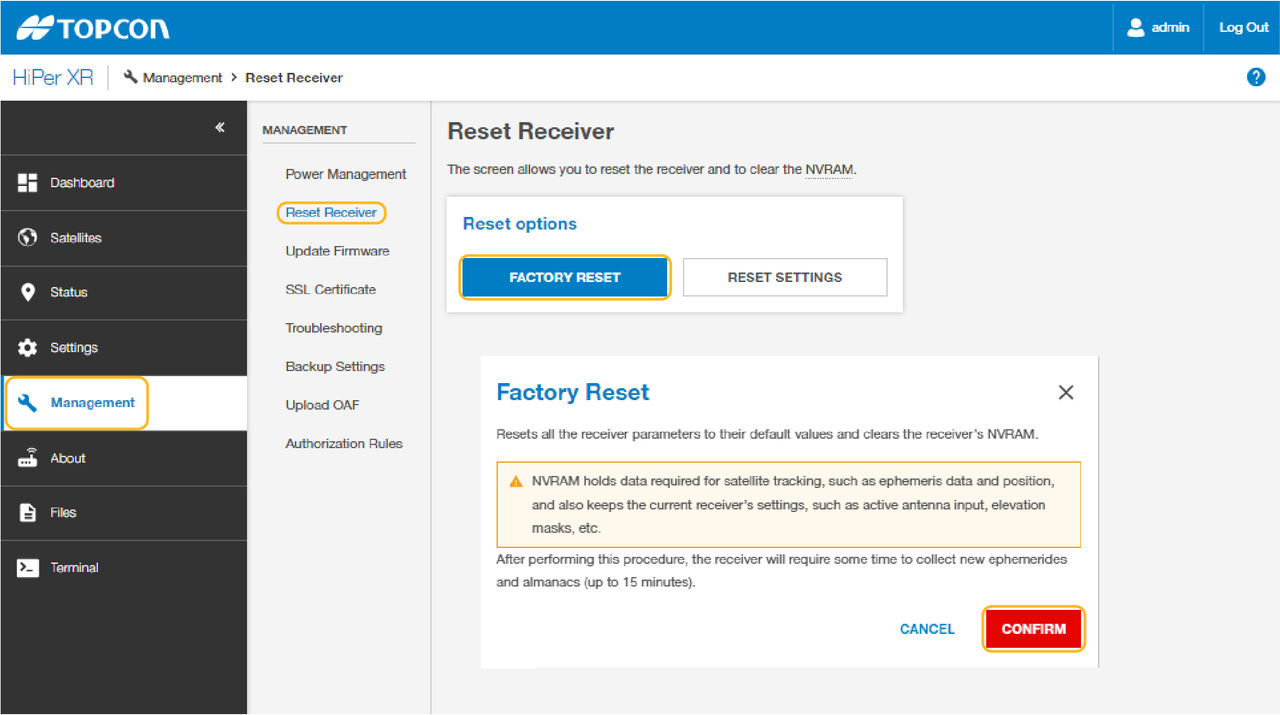
Previous:
Electronic level setup
myTopcon NOW! support
Take your Topcon experience to the next level with myTopcon NOW! This platform is a self-service tool for your desktop or mobile device.





