
Select eLevel, adjust pole tilt, and set filter values for accurate measurements from inclination parameters.
- Open Topcon Field.
- Select to open the TILT Settings screen. STEP RESULT:
Figure: Topcon field Context menu 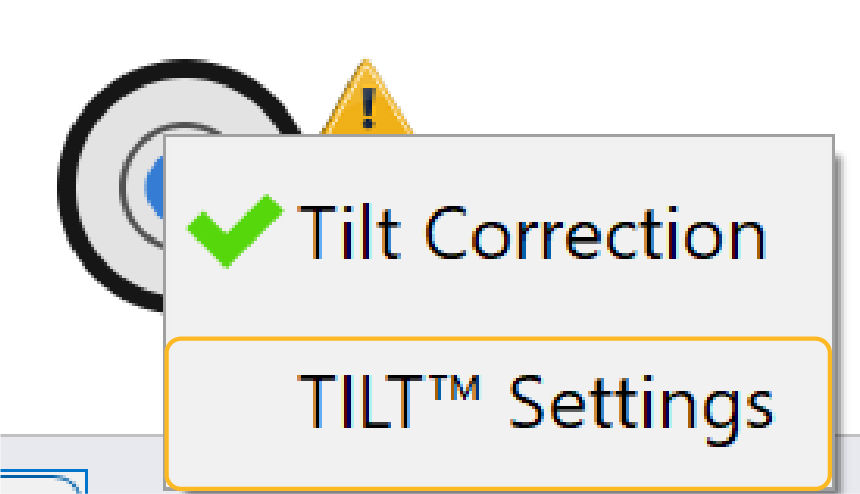
- Select Show eLevel.ADDITIONAL INFORMATION:The virtual bubble shows on the screen when you select the eLevel checkbox. The virtual bubble shows blue when the pole inclination is within parameters. It shows red when the pole inclination is out of parameters.
- Select the necessary radio button in the Pole tilt handling group.ADDITIONAL INFORMATION:The filter value is an error threshold. When the actual inclination angle is within the threshold, it is possible to take measurements.
- Select Next.ADDITIONAL INFORMATION:
Figure: Filter value 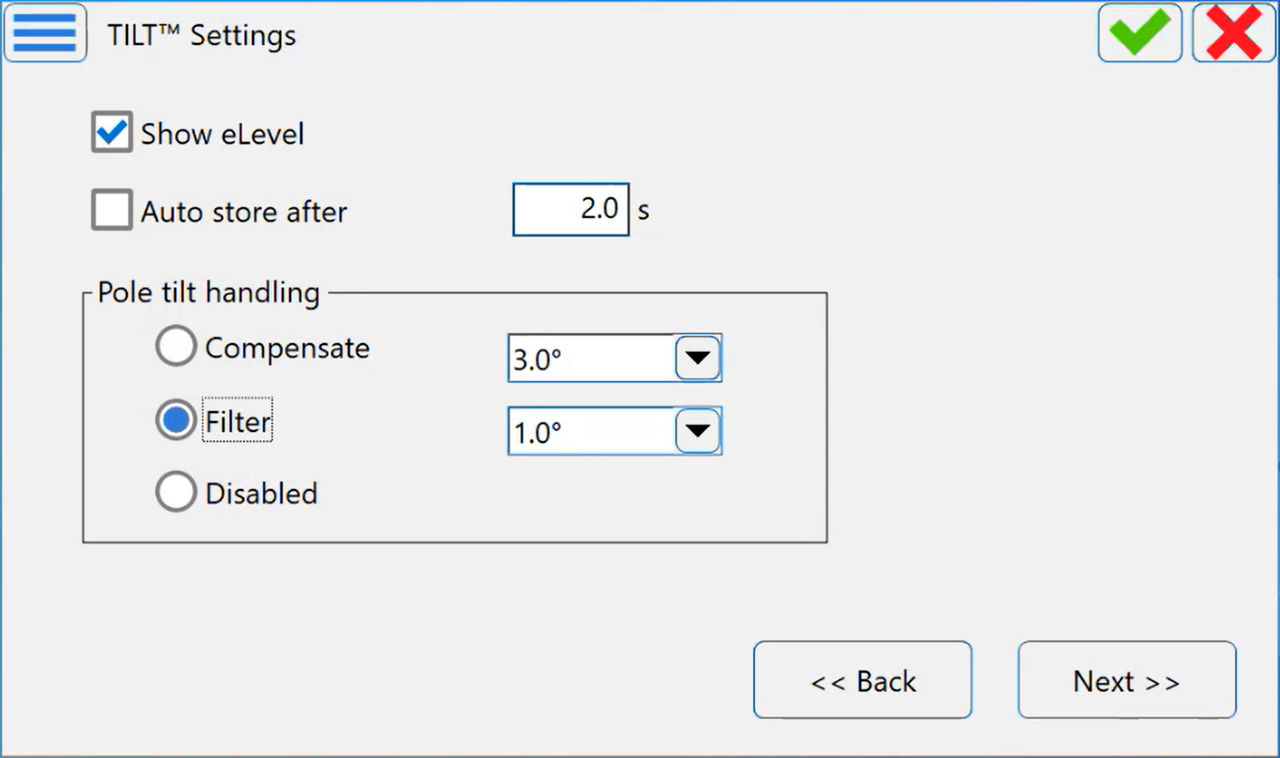
Previous:
TILT electronic level operation
Next:
Factory reset
myTopcon NOW! support
Take your Topcon experience to the next level with myTopcon NOW! This platform is a self-service tool for your desktop or mobile device.





