
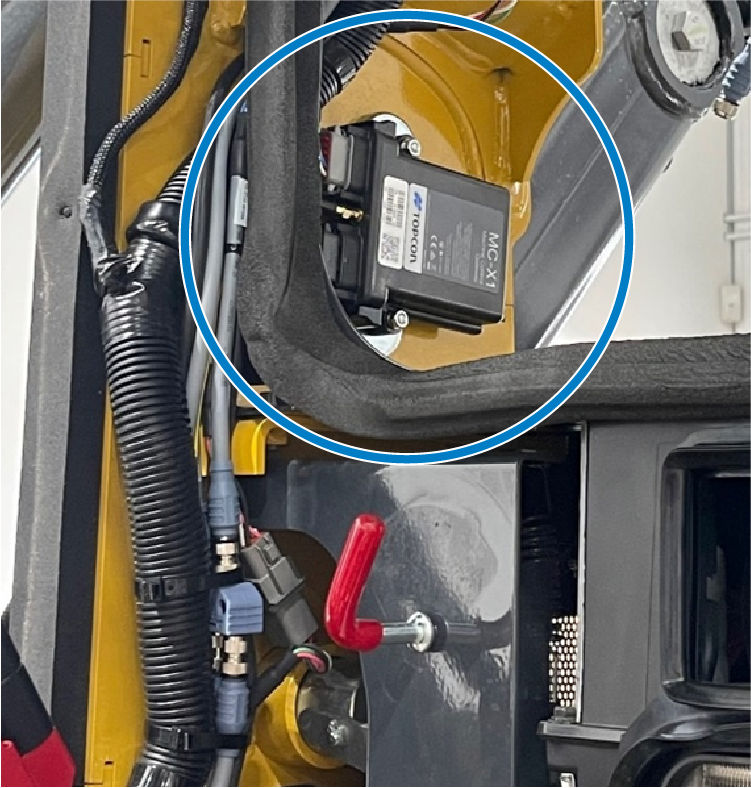
Use the Mag Mounts Kit, P/N 1019329-01, to install the MC-X1 controller on magnetic surfaces.
- Identify an installation location for the MC-X1 controller. ADDITIONAL INFORMATION:Note: Topcon recommends that you install the MC-X1 controller with connectors that point down or to the side. Do not install the MC-X1 with connectors that point up.
- Use the magnetic mounts to install the MC-X1 in the selected location.ADDITIONAL INFORMATION:
Previous:
MC-X controller installation
myTopcon NOW! support
Take your Topcon experience to the next level with myTopcon NOW! This platform is a self-service tool for your desktop or mobile device.





