
- Connect the Wi-Fi/Bluetooth antenna cable to the MC-X1 controller.
- Install the Wi-Fi antenna to the machine.
- Connect the Breakout A cable.
- Run the power and ground wires to the machine battery.
- Connect the radio cable into the serial connection on the MC-X1 Breakout B cable.ADDITIONAL INFORMATION:
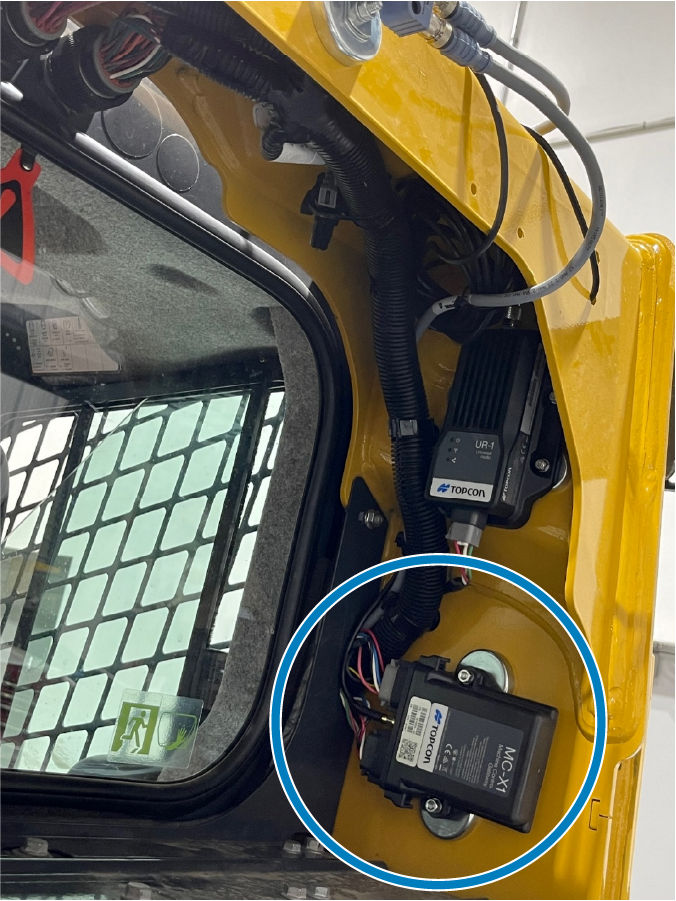
- Connect the 7 m M12 cable to the MC-X1 Breakout B cable for systems. Use the J1939 for attachment CAN and Topcon 2D sensors.
- Run the 7 m M12 cable from the MC-X1 down into the machine belly pan and follow the 5 m CANopen cable. The two cables go into the machine bulkhead adjacent to the hydraulic coupler.
- Mark one of the cables clearly on the end to easily identify CANopen and J1939.
Previous:
MC-X1 controller installation
Next:
Power connections
myTopcon NOW! support
Take your Topcon experience to the next level with myTopcon NOW! This platform is a self-service tool for your desktop or mobile device.





