Looking for your apps? Click the account icon in the upper right corner of the page.

3D body measurements

3D control body measurements are the same as the 2D body measurements. Refer to the related topic 2D body measurements.
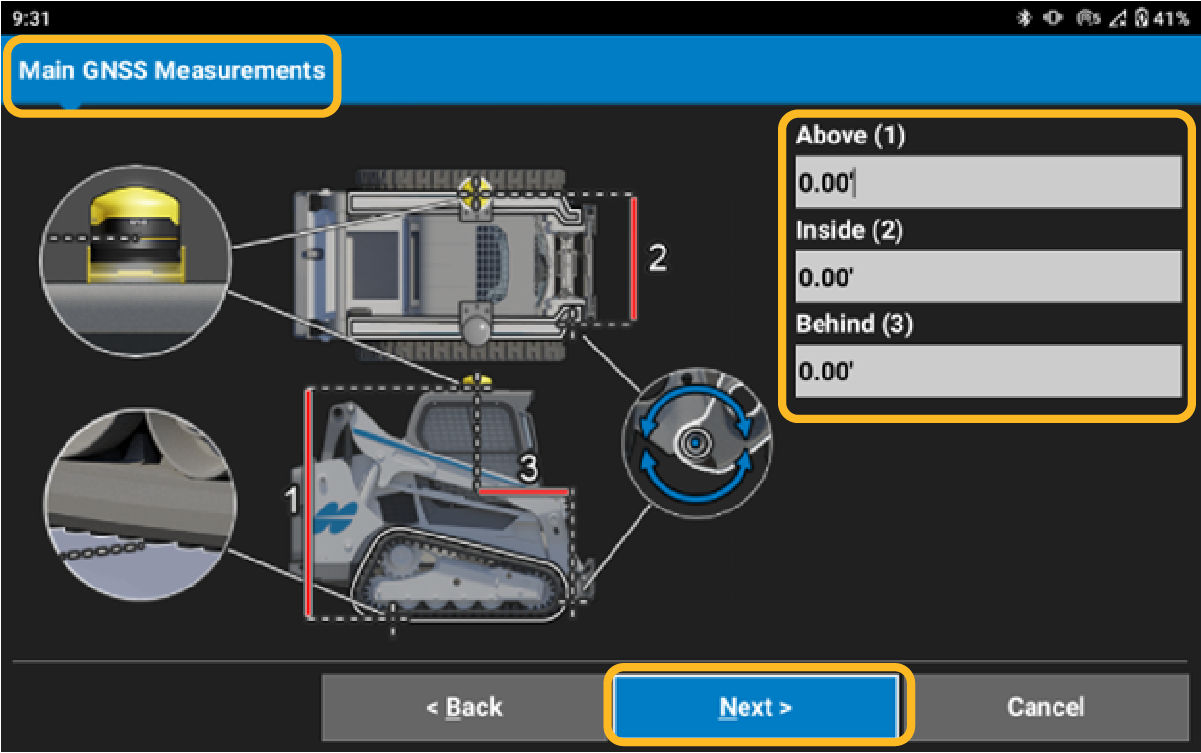
There are two more measure-up screens for the body-mounted GR-i3 receivers. All other screens are the same.

  1. Measure the Main (left) GNSS antenna Above (1), from the bottom of the track plane to the bottom of the GR-i3 base mount.
  2. Measure the Main GNSS antenna Inside (1), from the center of the right side hitch plate pivot pin to the center of the GR-i3 receiver.
  3. Measure the Main GNSS antenna Behind (3), from the center of the right side hitch plate pivot pin to the center of the GR-i3 receiver.
  4. Select Next.
    ADDITIONAL INFORMATION:
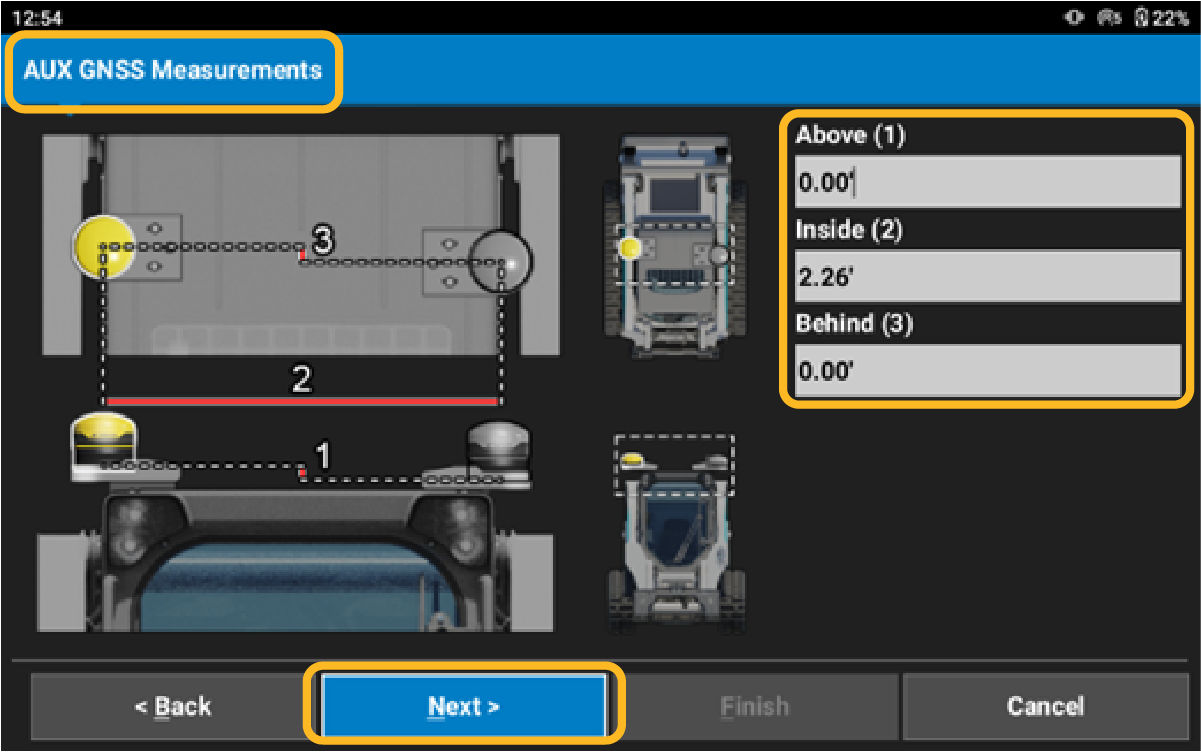
    Install the auxiliary antenna in a straight line, parallel and perpendicular to the main antenna.
  5. Measure the Auxiliary (right) GNSS antenna Above (1). Measure if there is a height difference between the Main and Aux antennas. This does not occur frequently, and a 0 value can be entered. If the Aux is above the Main, enter the positive value difference. If the Aux is below the Main, enter the negative value difference.
  6. Measure from the center of the Main to the center of the Aux for Inside (2) measurement. The Aux is always on the right side of the Main if installed correctly. Enter a positive value for the measurement.
  7. The Aux Behind (3) measurement will be 0 if installed correctly. If the Aux is behind (rear of machine) the Main, enter a positive value. If the Aux is ahead (front of machine) of the Main, enter a negative value.
  8. Select Next on the next two screens to move through the radio and GNSS settings menus. These are configured subsequently.
    ADDITIONAL INFORMATION:

myTopcon NOW! support

Take your Topcon experience to the next level with myTopcon NOW! This platform is a self-service tool for your desktop or mobile device. 

Product manuals
paper icon
Communications
phone icon
E-learning
hat icon
Quick start guides
support icon
Firmware & software updates
cloud icon
Troubleshooting
webinars icon