
For the correct CAN J1939 communication, the Topcon system connects to the CAT NG system through the Breakout “B” harness CAN 2 (Machine/J1939) M12 connector.
MC-X CAN 2 connects to the CAN cable that connects to P/N 1037112-01.
The Breakout Harness Connector is on the outer right side of the cab behind the boom pin, or beneath the cab. See the two figures.
Note: For the mating connector location for a specified model, see the Mating connector topics.
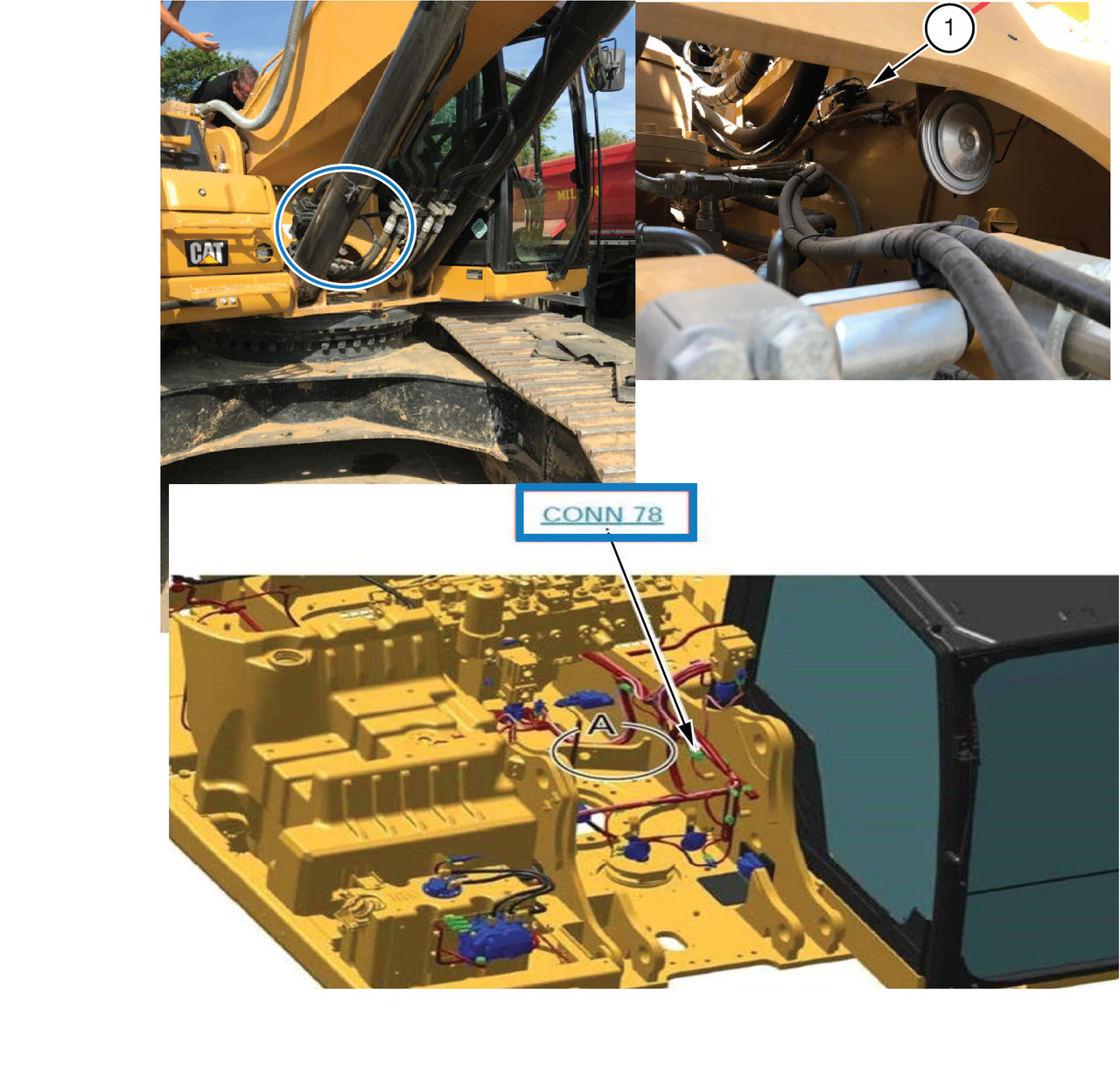
- Mating connector
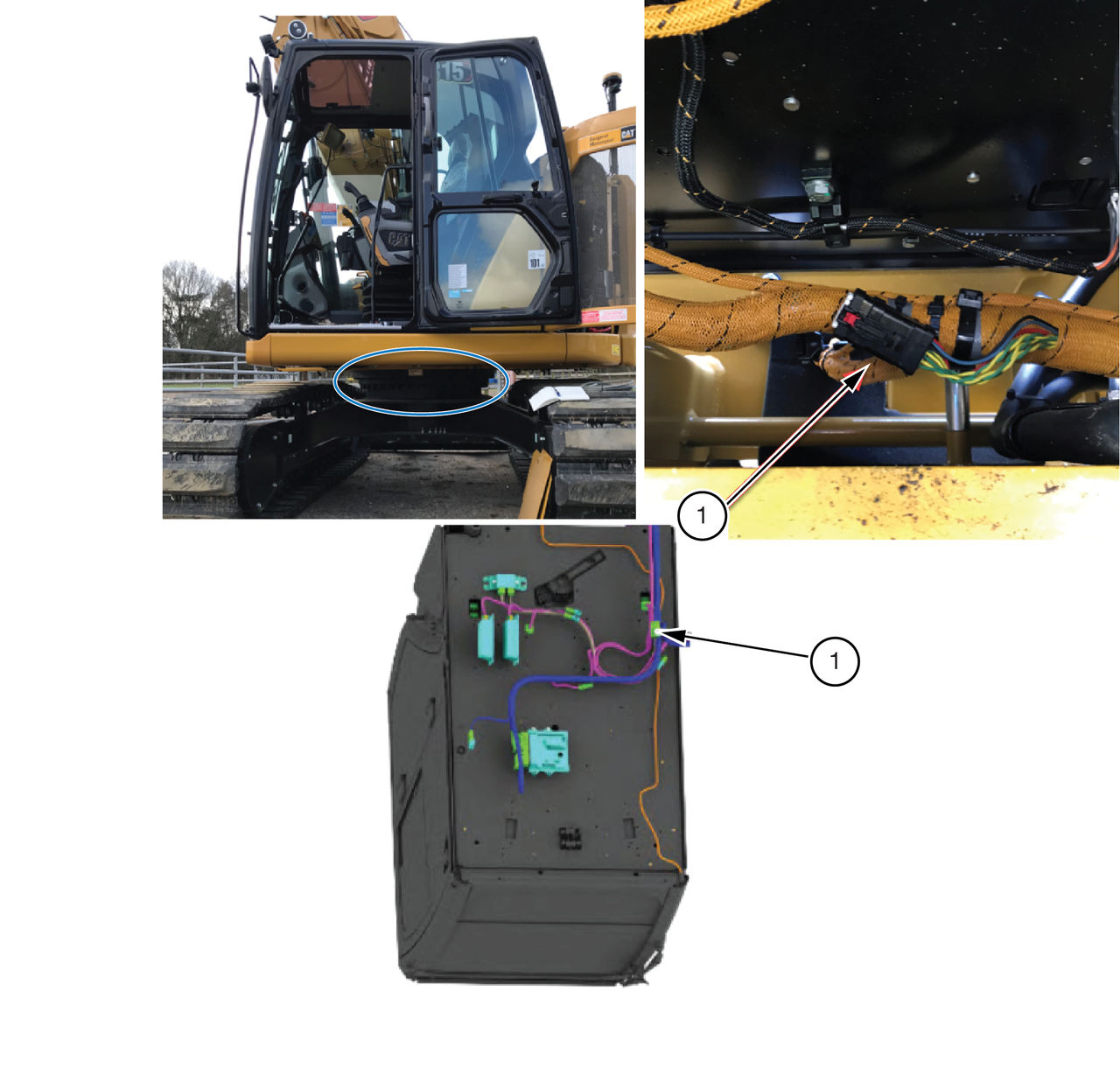
- Mating connector
For the correct CAN J1939 communication, the Topcon MC-X system connects to the CAT system through Breakout “B” harness CAN 2 (Machine/J1939) M12 connector. It is necessary for this connector to have a Turk CAN cable routed to the AS 16, 12P Plug Assy, Key I CAN 2 connector.
Use P/N 1037112-01 Assy, CAT Build NG XTR P/CAN ADPTR CBL (REVD) adapter cable for all CAT models.
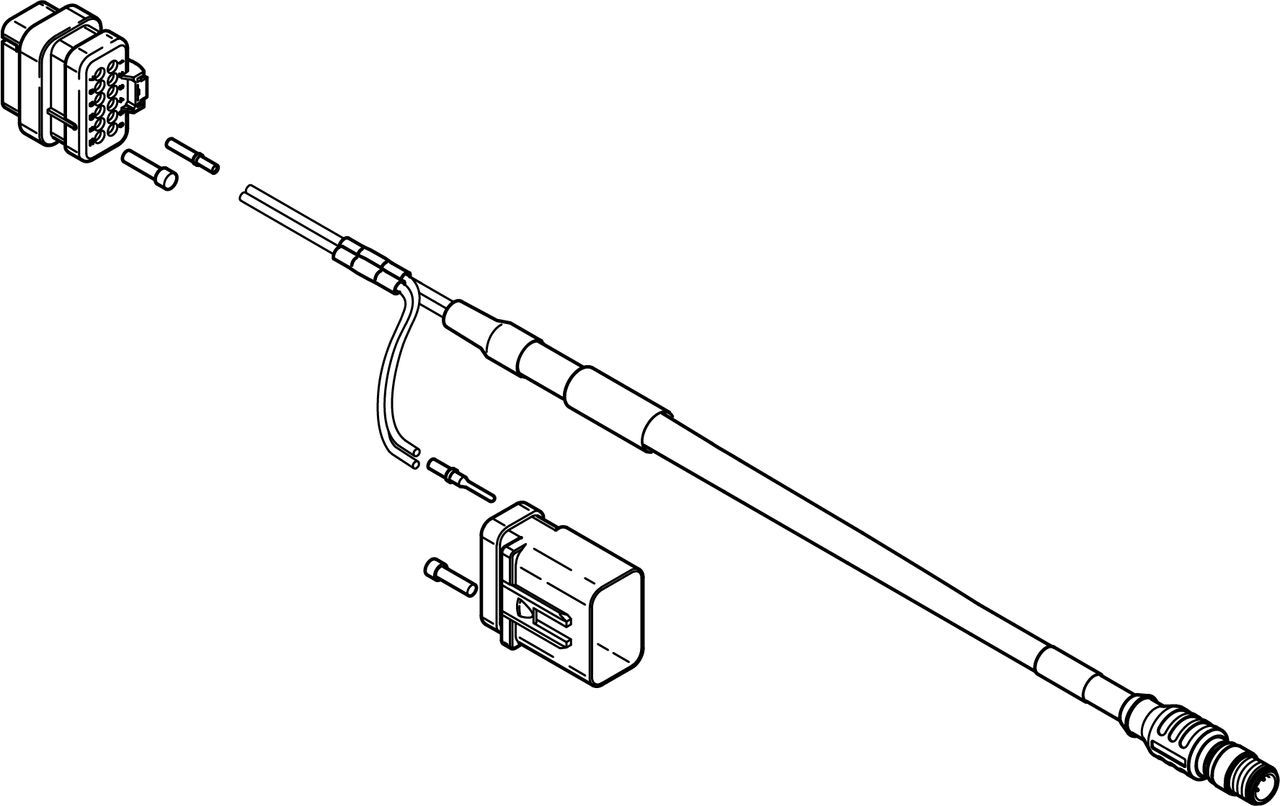
The adapter cable holds an extra connector for CAT NG machines with the Advanced Grade System. These machines include an additional display installed in the cab. Use the additional connector to connect that display to the CAT CAN connector on the Topcon adapter cable.





