
Note: For details on additional antenna weld mount locations and mounting plate adapters, see the Antenna mount locations topics.
- Bolt the Antenna Mast Weld Mount to the top of the excavator.
- Repeat Step 1 for the second antenna mount on the opposite side of the excavator.
- Use the three bolts to install the two antenna masts onto the Weld Mount.ADDITIONAL INFORMATION:
Figure: Welt mount and mast 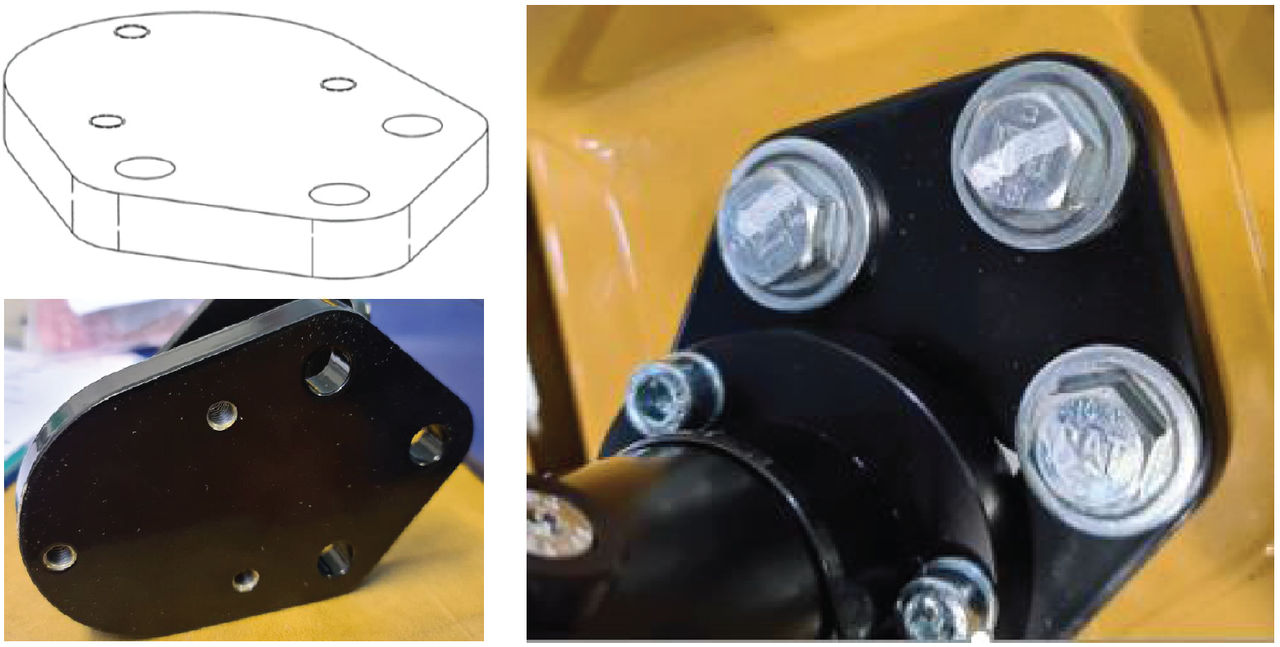
Figure: Antenna mast 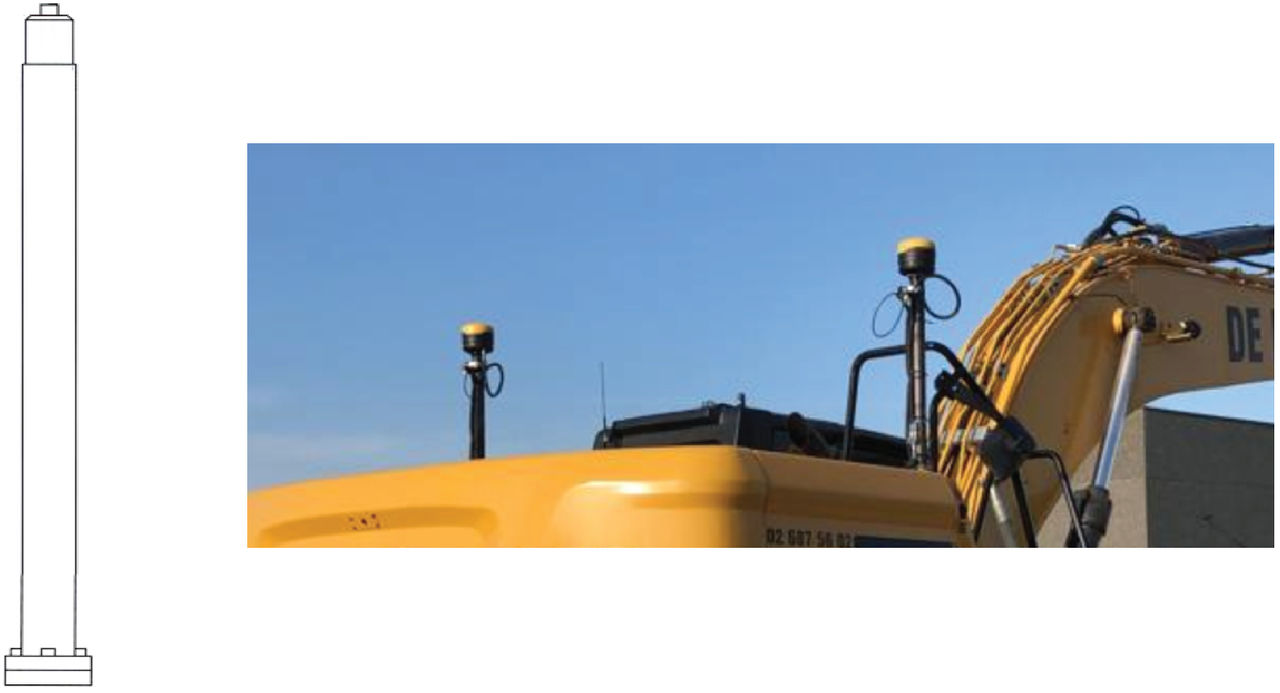
- Install the two strain relief brackets and remove the four small bolts to route the two CAN cables through the two brackets. Make sure that there is sufficient space to correctly route the cables so you can thread the cable into the GR-i3 base.ADDITIONAL INFORMATION:
Figure: Strain relief brackets 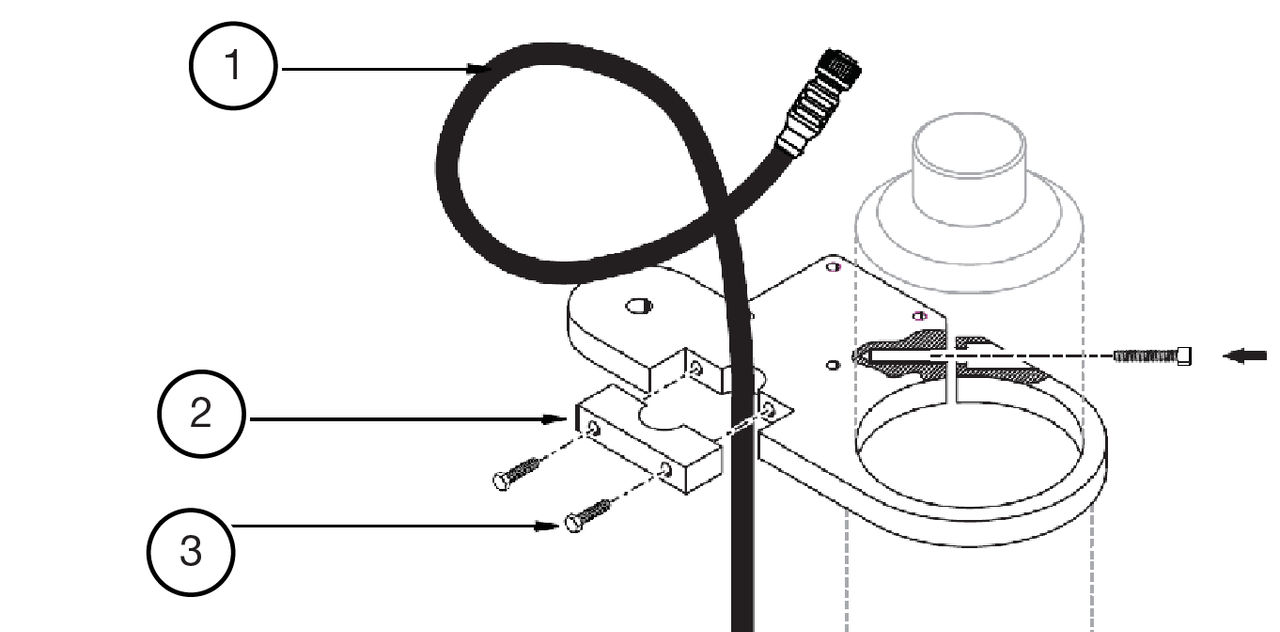
- CAN cable
- Strain relief bracket
- Small bolt
- Install the GNSS antenna, align the strain relief brackets, and connect the cable.ADDITIONAL INFORMATION:
Figure: GNSS antenna installed on the mast 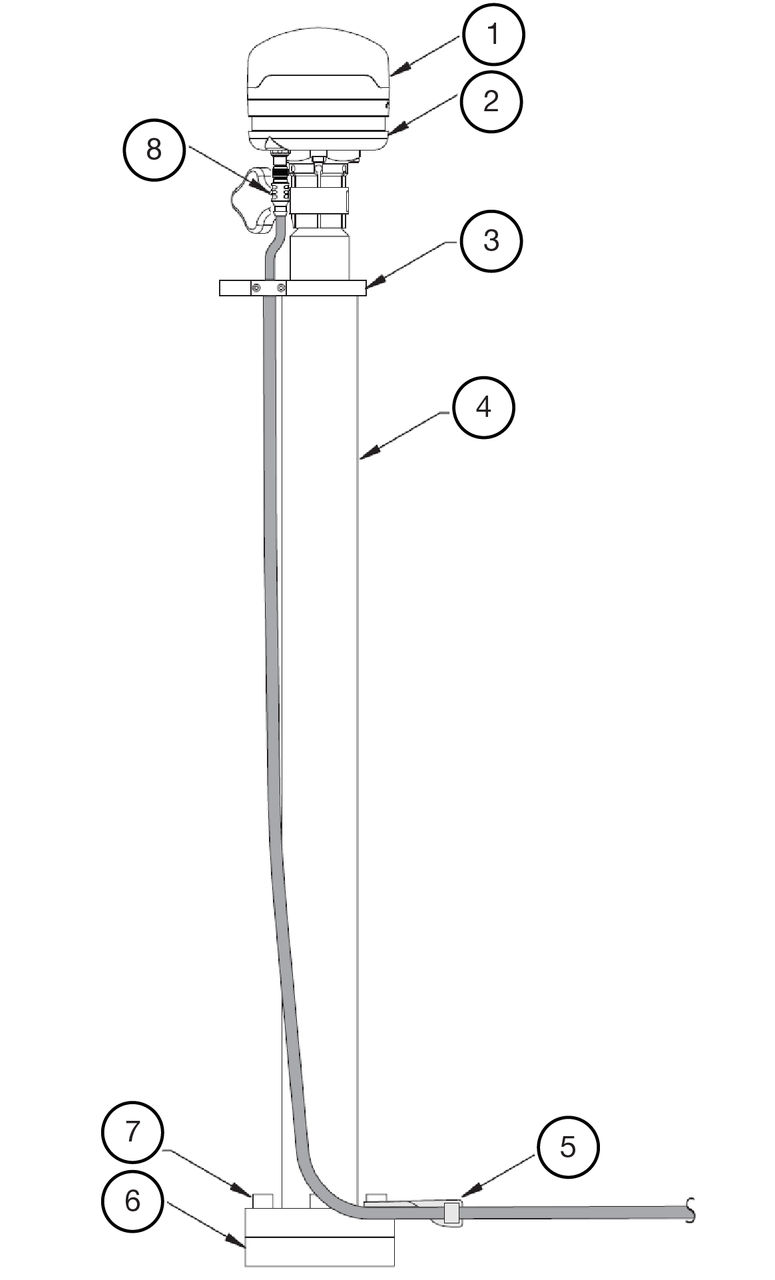
- GR-i3 GNSS Antenna
- Antenna Vibration Mount
- Strain relief bracket
- Mast
- Strain relief bracket
- Weld mount
- Bold 3X
- Cable
Previous:
MC-X1 controller installation
Next:
Machine measurements
myTopcon NOW! support
Take your Topcon experience to the next level with myTopcon NOW! This platform is a self-service tool for your desktop or mobile device.





