The new myTopcon experience is now available. Please click here to access and start using all your apps. The legacy version will still be accessible until April 15th 2026.

CAT screen relocation

For the front window to open, it can be necessary for the GX-series touch screen display installation to have a CAT screen location.
Note: It is recommended to contact the local CAT dealer to help with relocating the CAT screen.

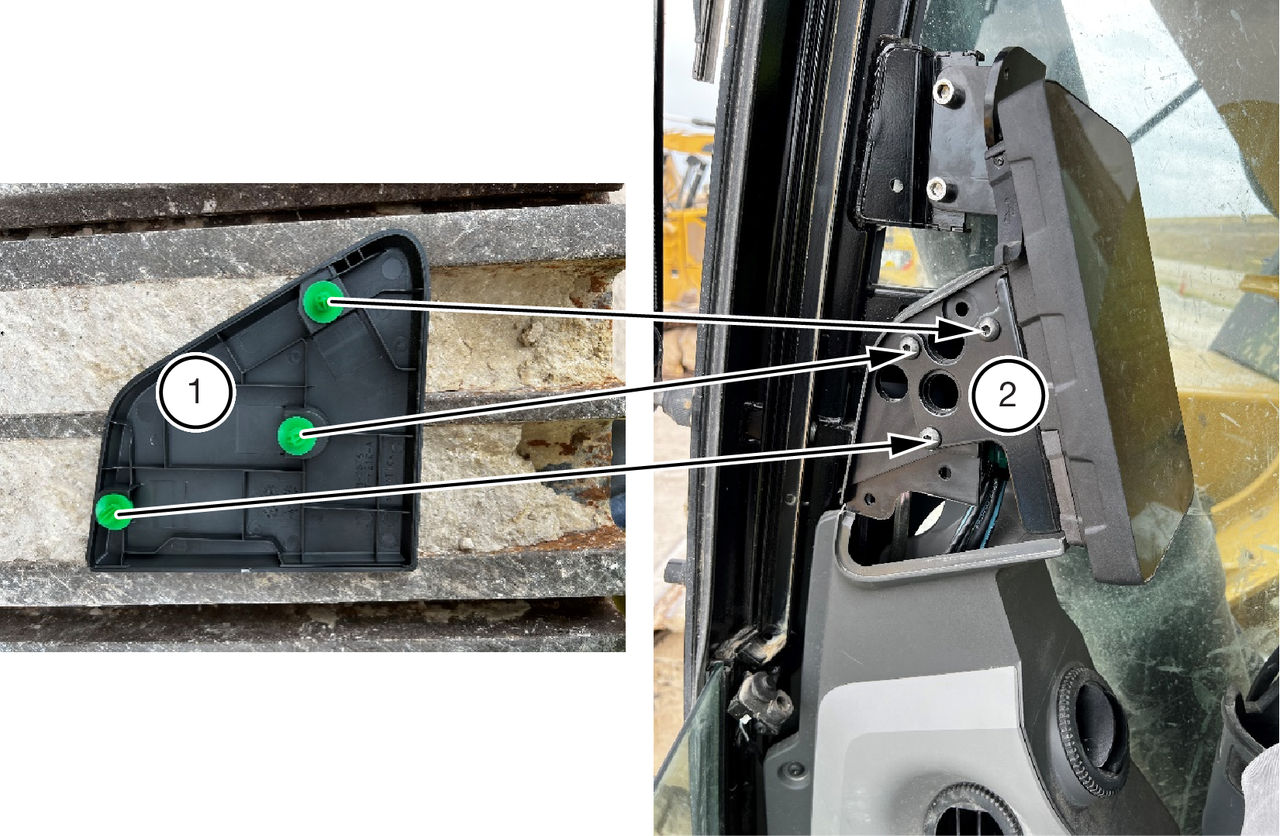
  1. Remove the side plastic cover.
  2. Remove the three bolts that hold the CAT display.
    ADDITIONAL INFORMATION:
    The CAT display will roll out of the housing.
    Figure: Remove plastic cover and bolts
    1. Side plastic cover
    2. Bolts hold the CAT display
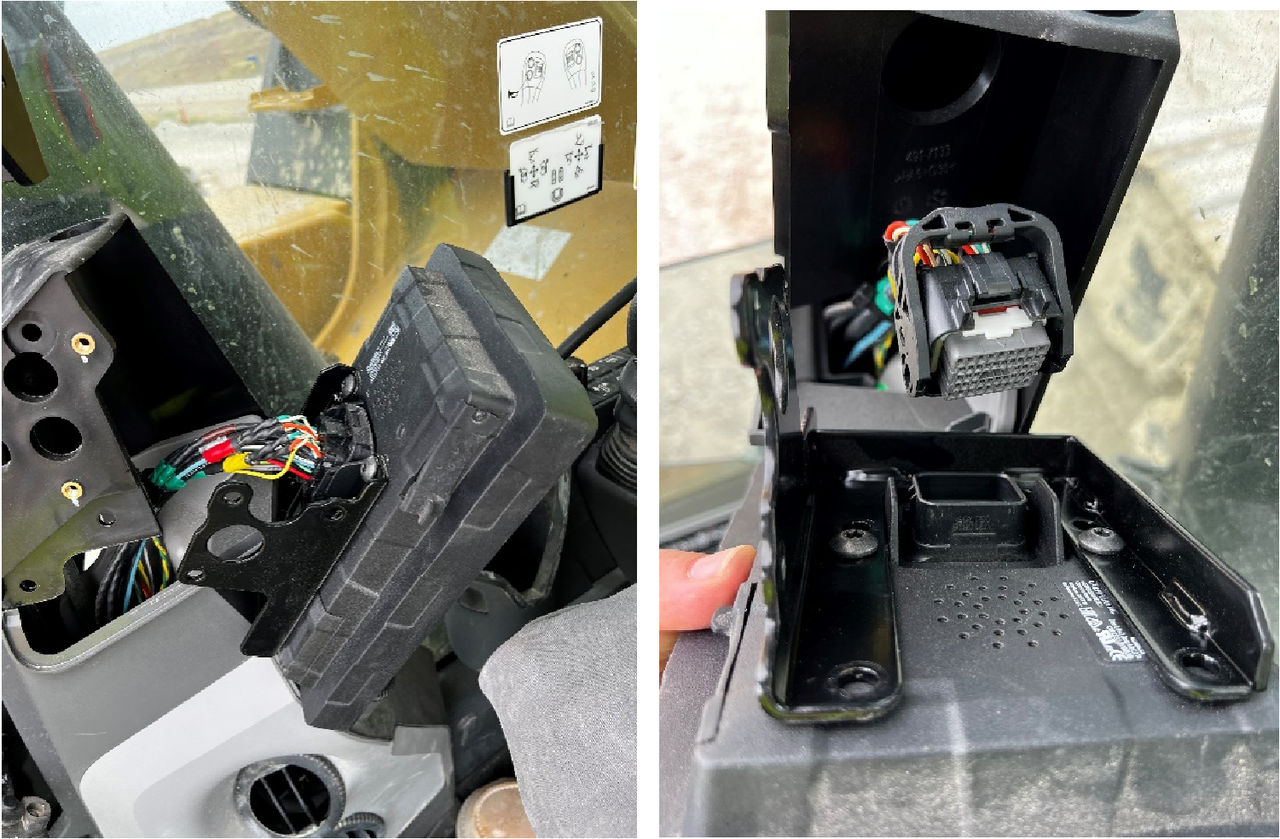
  3. Retain the plugs while you carefully release the CAT connectors.
  4. Remove the display.
    ADDITIONAL INFORMATION:
    Figure: Display removal
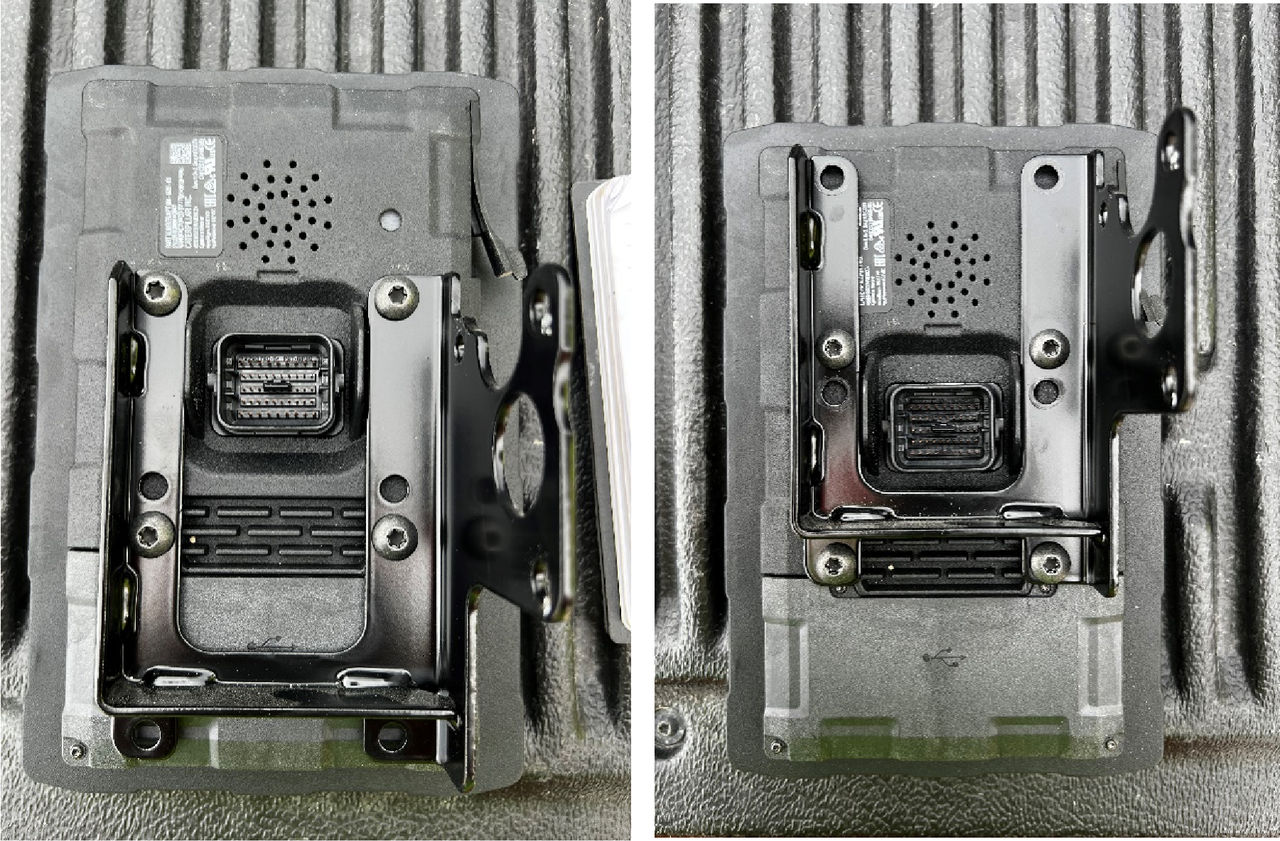
  5. Move and reposition the CAT bracket.
    ADDITIONAL INFORMATION:
    Figure: CAT bracket
  6. Carefully reconnect the CAT connectors back to the CAT display.
  7. Reinstall the CAT display back into the housing.
  8. Place the side cover plastic when all the bolts are back in place and hold the CAT display firmly.
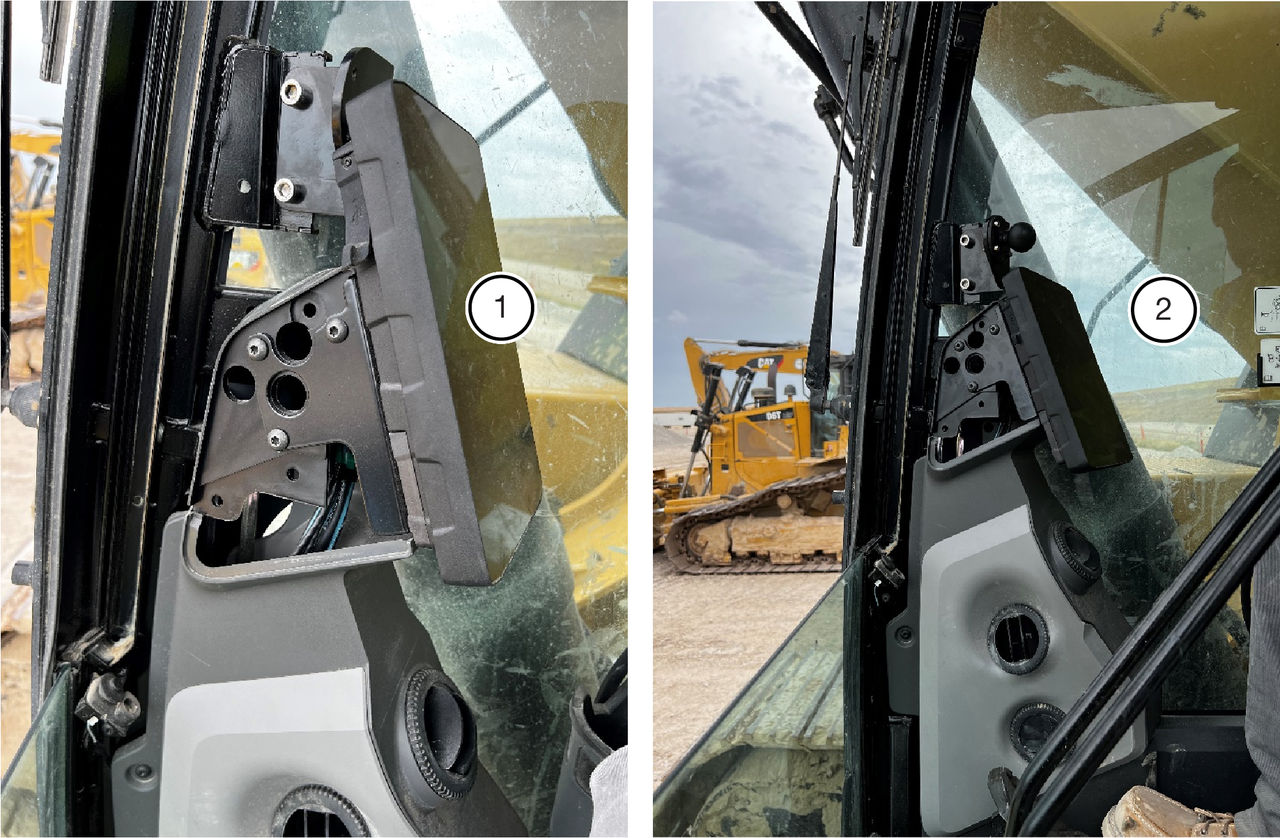
ResultThe new position of the CAT display position allows an easier GX-Display installation and lets the front window open.
Figure: New position for CAT display
  1. Old position
  2. New position

myTopcon NOW! support

Take your Topcon experience to the next level with myTopcon NOW! This platform is a self-service tool for your desktop or mobile device. 

Product manuals
paper icon
Communications
phone icon
E-learning
hat icon
Quick start guides
support icon
Firmware & software updates
cloud icon
Troubleshooting
webinars icon