
The application is installed on the CT8X2 or on the GX-90.
- Download the installer files from MyTopcon.ADDITIONAL INFORMATION:
- APK for CT8X2 (Android device)
- TPK for GX-90 (Topcon OS device)
- Install the installer file. The files will automatically run in the background for interaction through the 3D-MC user interface.
- Verify the installed version on the CT8X2:
- Open Settings.
- Go to Apps & Notifications.
- Search for Remote Support Client.
- Tap Advanced.
- Go to Version Information.
ADDITIONAL INFORMATION:Figure: Remote support client 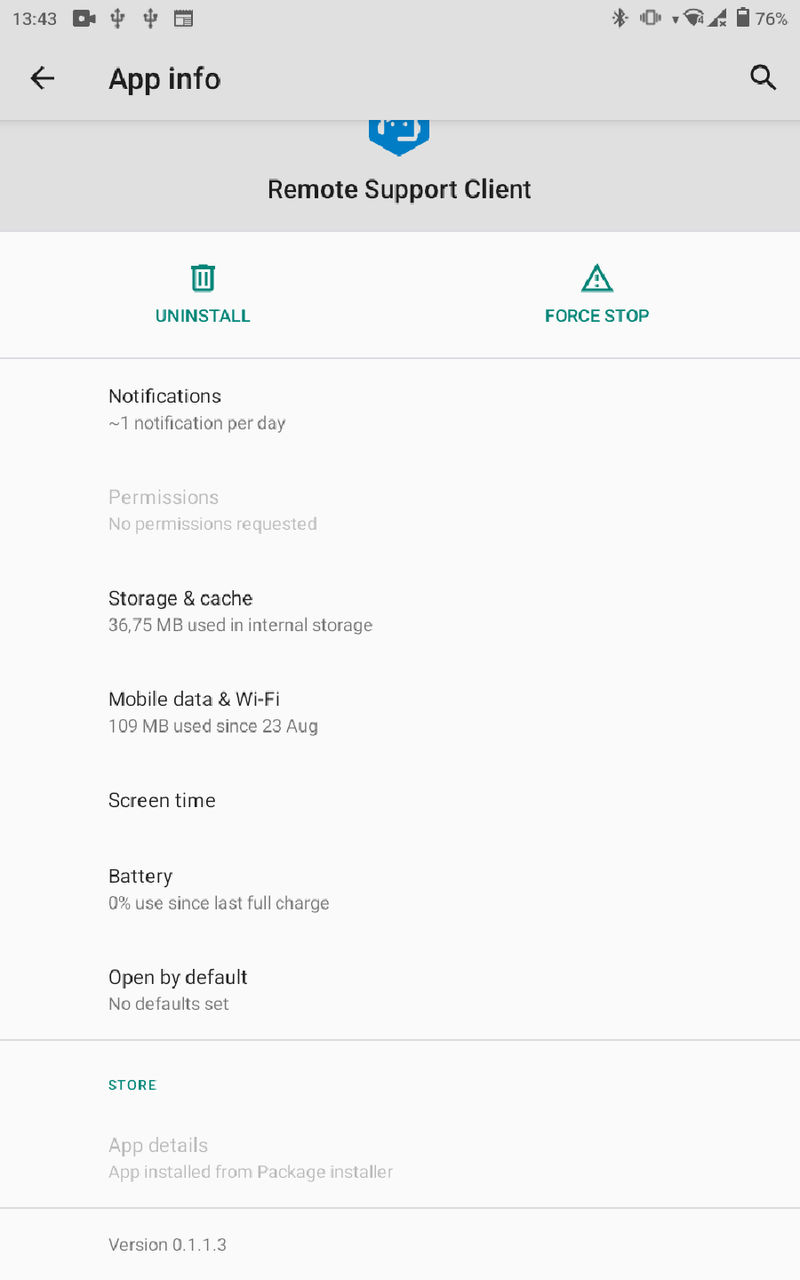
- Verify the installed version on the GX-90:
- Open Settings.
- Go to Apps. A list of all installed apps opens with version information.
ADDITIONAL INFORMATION:Figure: Installed apps 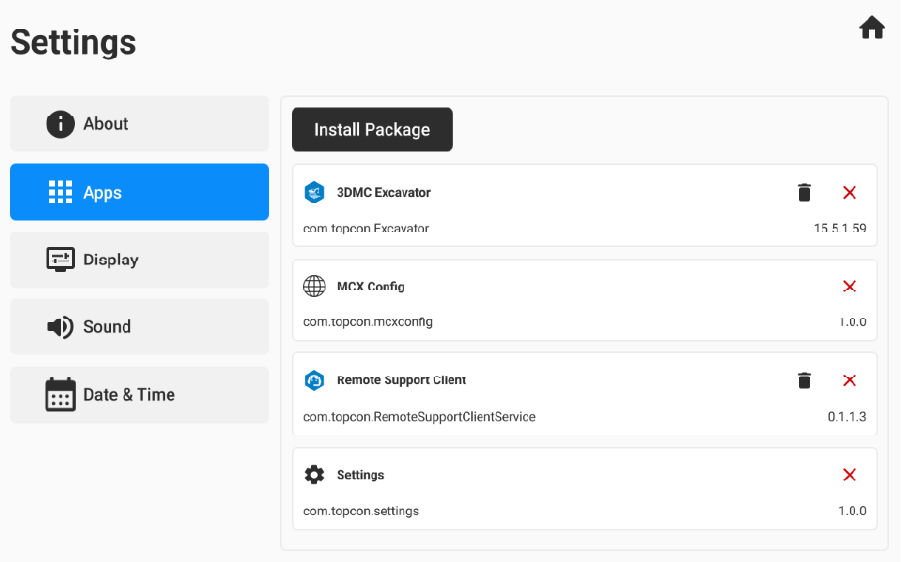
Previous:
Configure the customer support desk
Next:
Add support desk
myTopcon NOW! support
Take your Topcon experience to the next level with myTopcon NOW! This platform is a self-service tool for your desktop or mobile device.





