Looking for your apps? Click the account icon in the upper right corner of the page.

GNSS firmware

GNSS firmware

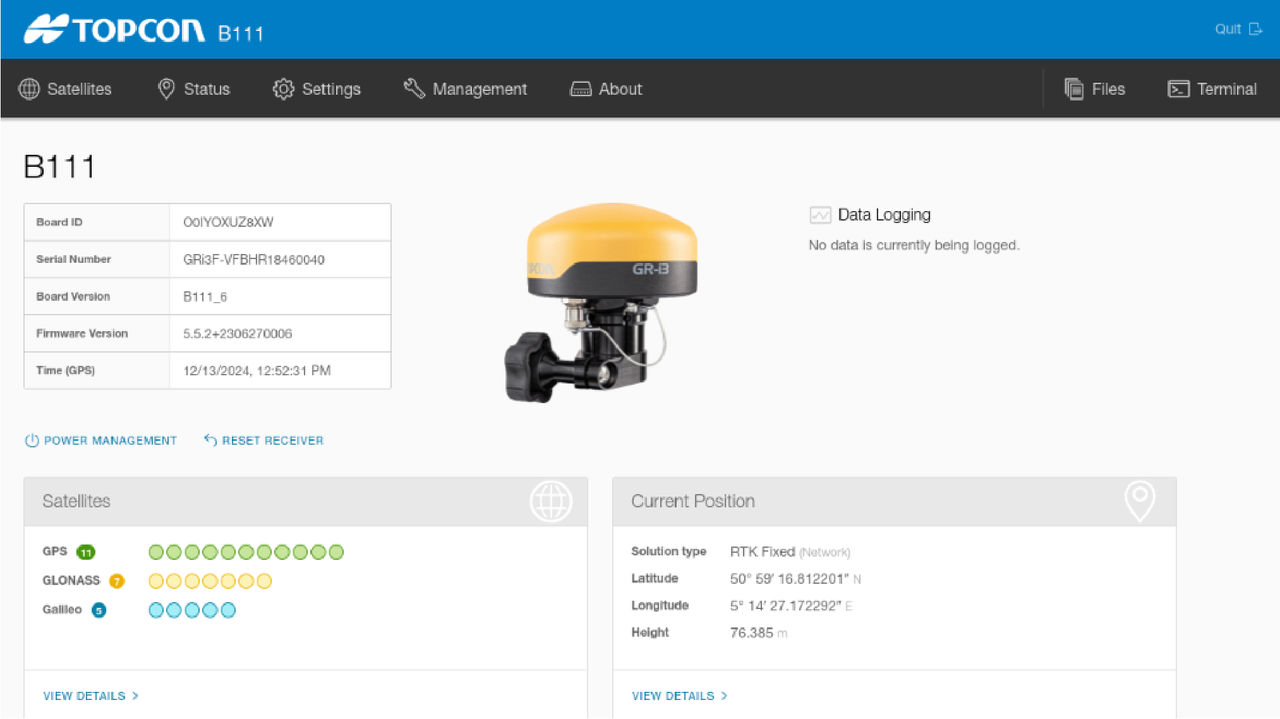
The GNSS receiver has either the B111 or B111A board. The specific GNSS and Bootloader firmware must be uploaded. The board information is available when connected to the main or aux receiver using the Receiver Web Portal (R-WEB).
R-WEB is launched from the MC-X Machine Control Gateway. Select SensorsGNSS (main or aux)ConfigAdvanced ConfigurationLaunch.
Figure: GNSS firmware information
FirmwareRequired Files
GR-i3 / GR-i3F (Bootloader)One BIN file
GNSS (firmware)One LDR file, one LDP file

myTopcon NOW! support

Take your Topcon experience to the next level with myTopcon NOW! This platform is a self-service tool for your desktop or mobile device. 

Product manuals
paper icon
Communications
phone icon
E-learning
hat icon
Quick start guides
support icon
Firmware & software updates
cloud icon
Troubleshooting
webinars icon