
Verify MC-X license
After you install a new MC-X License, make sure that the license is valid and that all possible license options show in the MC-X Machine Control Gateway.
- Connect to MC-X Controller.
- Select .
- Make sure that the MC-X License is valid on the Status tab.ADDITIONAL INFORMATION:“True” and the applicable MC-X License features must show in Valid Features.
Figure: Verify MC-X license status 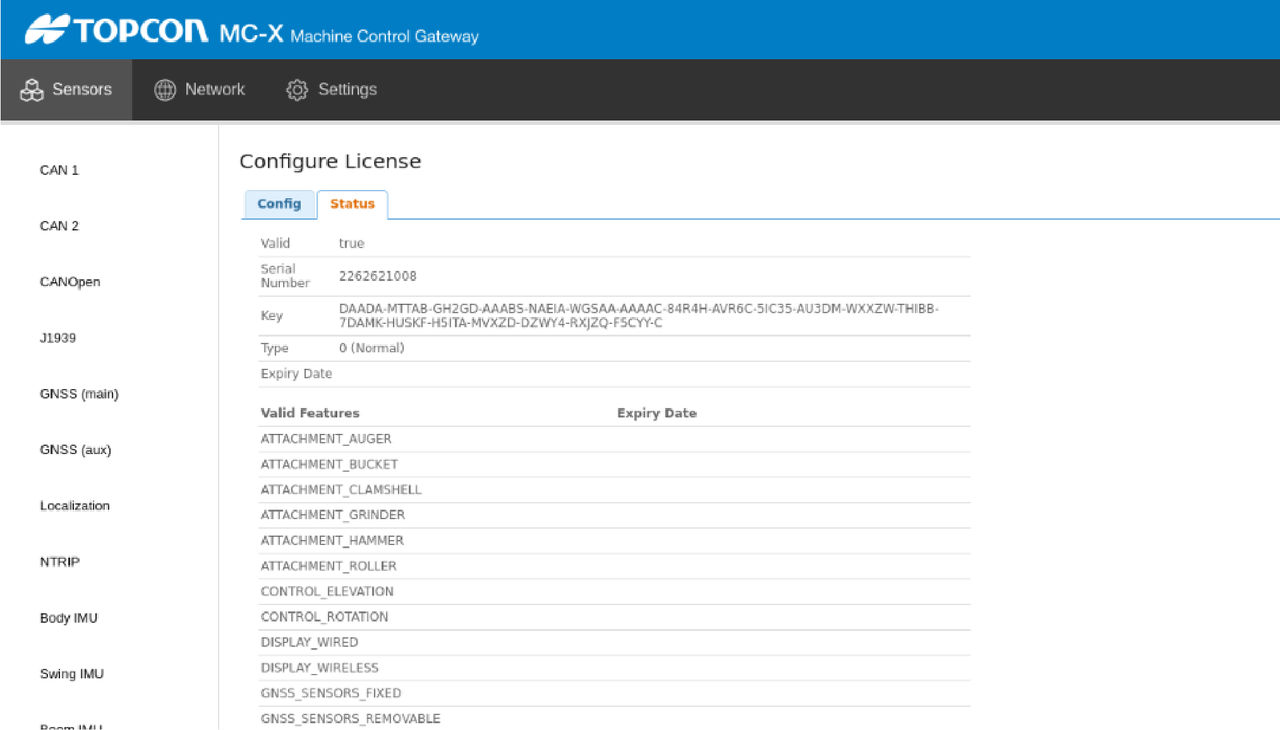
Previous:
Install MC-X license
Next:
GNSS firmware
myTopcon NOW! support
Take your Topcon experience to the next level with myTopcon NOW! This platform is a self-service tool for your desktop or mobile device.





