
Install MC-X license
A connection to the MC-X Machine Control Gateway is necessary to configure the MC-X license.
- Connect to the MC-X controller.
- Select License under the Sensors menu.
- Select Config.
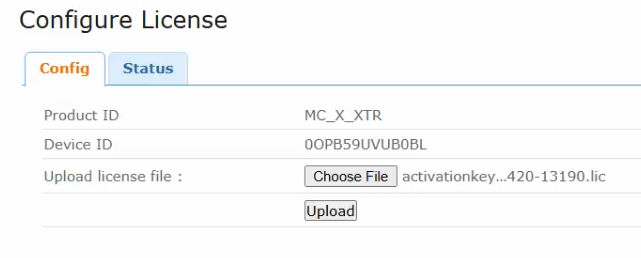
- Select Choose File and navigate to the MC-X license file (*.lic extension).ADDITIONAL INFORMATION:
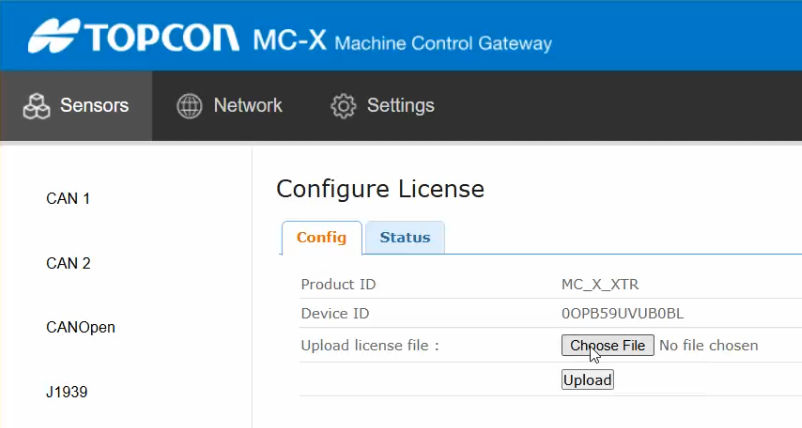
- Select Upload to install the MC-X license to the MC-X controller. ADDITIONAL INFORMATION:
 STEP RESULT: The New License Install Success message shows.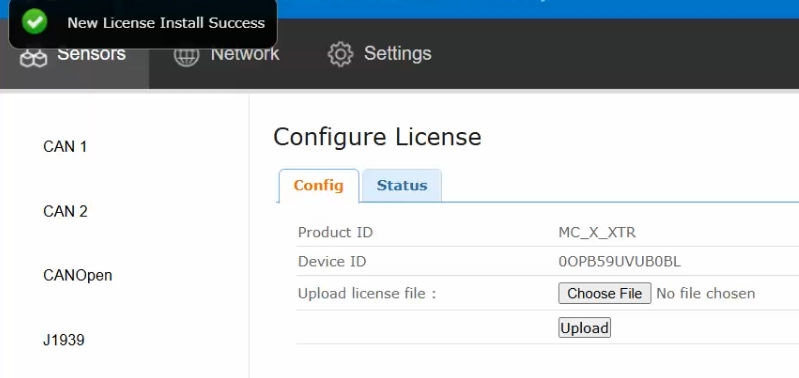
Previous:
Assign the AUX GR-i3 receiver on OneWire
Next:
Verify MC-X license
myTopcon NOW! support
Take your Topcon experience to the next level with myTopcon NOW! This platform is a self-service tool for your desktop or mobile device.





