
Assign the AUX GR-i3 receiver on OneWire
All GR-i3 receivers are programmed and shipped from the factory as MAIN. One of the GR-i3 receivers must be programmed as AUX through the MC-X Machine Control Gateway.
- Disconnect the MAIN GR-i3 receiver from the bottom of the MAIN GR-i3 Vibration Mount on the left side of the machine.
- Select in the left side menu.
- Select the Config tab.
- Select Right from the list.
- Select Save.
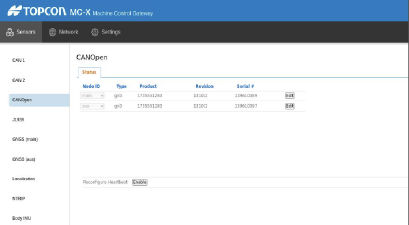
- Reconnect the MAIN GR-i3 receiver. When both GR-i3 receivers are connected on the CANopen line, they show under CANOpen in MC-X Config.ADDITIONAL INFORMATION:
Previous:
Assign AUX GR-i3F to MAIN
Next:
Install MC-X license
myTopcon NOW! support
Take your Topcon experience to the next level with myTopcon NOW! This platform is a self-service tool for your desktop or mobile device.





