
Reset the MC-X
All MC-X settings can be reset to remove any user defined settings. Topcon recommends that all MCX settings are reset if the history of the unit is unknown or it has been upgraded from any early beta version of the MC-X firmware.
- Select tab.
- Select All from the list in the Erase persistent configuration row.
- Select Erase.ADDITIONAL INFORMATION:
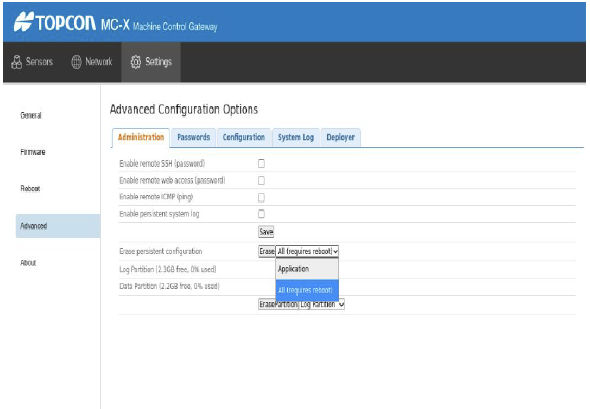
- Select the Reboot shortcut link at the top of the screen.
Previous:
Update MC-X firmware
myTopcon NOW! support
Take your Topcon experience to the next level with myTopcon NOW! This platform is a self-service tool for your desktop or mobile device.





