
If two GNSS Info buttons show, the left button controls the Main GNSS receiver and the right button controls the Auxiliary receiver.
- Select the Position Sensor Status indicator/button. The GNSS Info (Main) screen will appear.
- Select the tabs at the top of the screen to view GNSS information.ADDITIONAL INFORMATION:
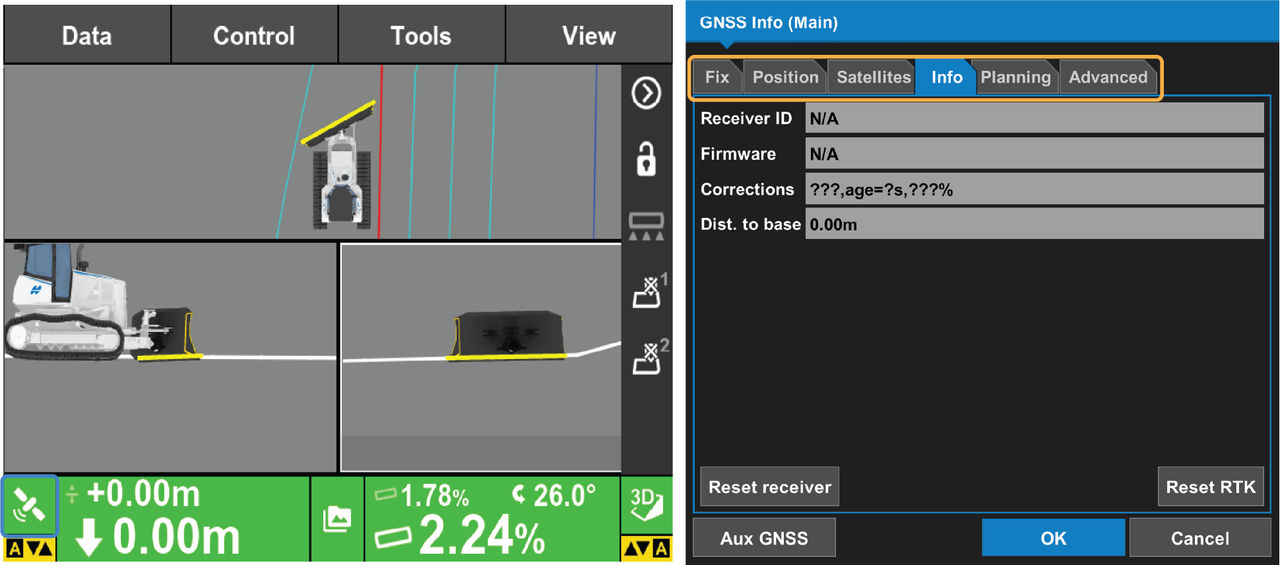
Tab Information Displayed Information Displayed Fix GNSS status and quality settings Position Cutting edge position information Satellites Monitor visible and used satellites, and change elevation mask angle Info View receiver information or reset receiver Planning Satellite estimated accuracy information at a given time Advanced GNSS options to enable/disable the tracking of all GLONASS satellites
Previous:
Zero elevation offset
Next:
Slope control
myTopcon NOW! support
Take your Topcon experience to the next level with myTopcon NOW! This platform is a self-service tool for your desktop or mobile device.





