
- Select the Topcon/Power button on the GX-Series display to open the main menu.
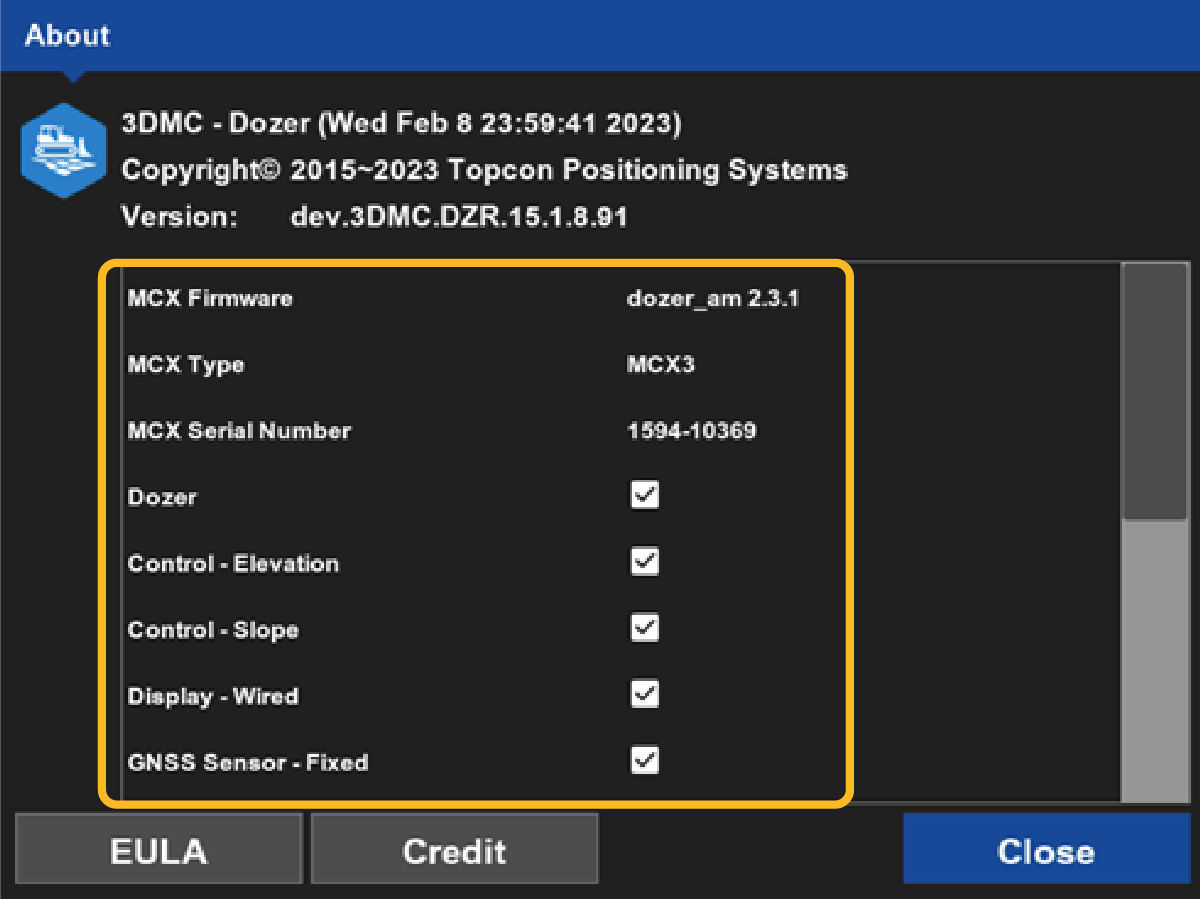
- Select .ADDITIONAL INFORMATION:The About screen shows.
- Verify that all expected MC-X License features are enabled (selected check boxes). ADDITIONAL INFORMATION:
Next:
View 3D-MC version
myTopcon NOW! support
Take your Topcon experience to the next level with myTopcon NOW! This platform is a self-service tool for your desktop or mobile device.





