
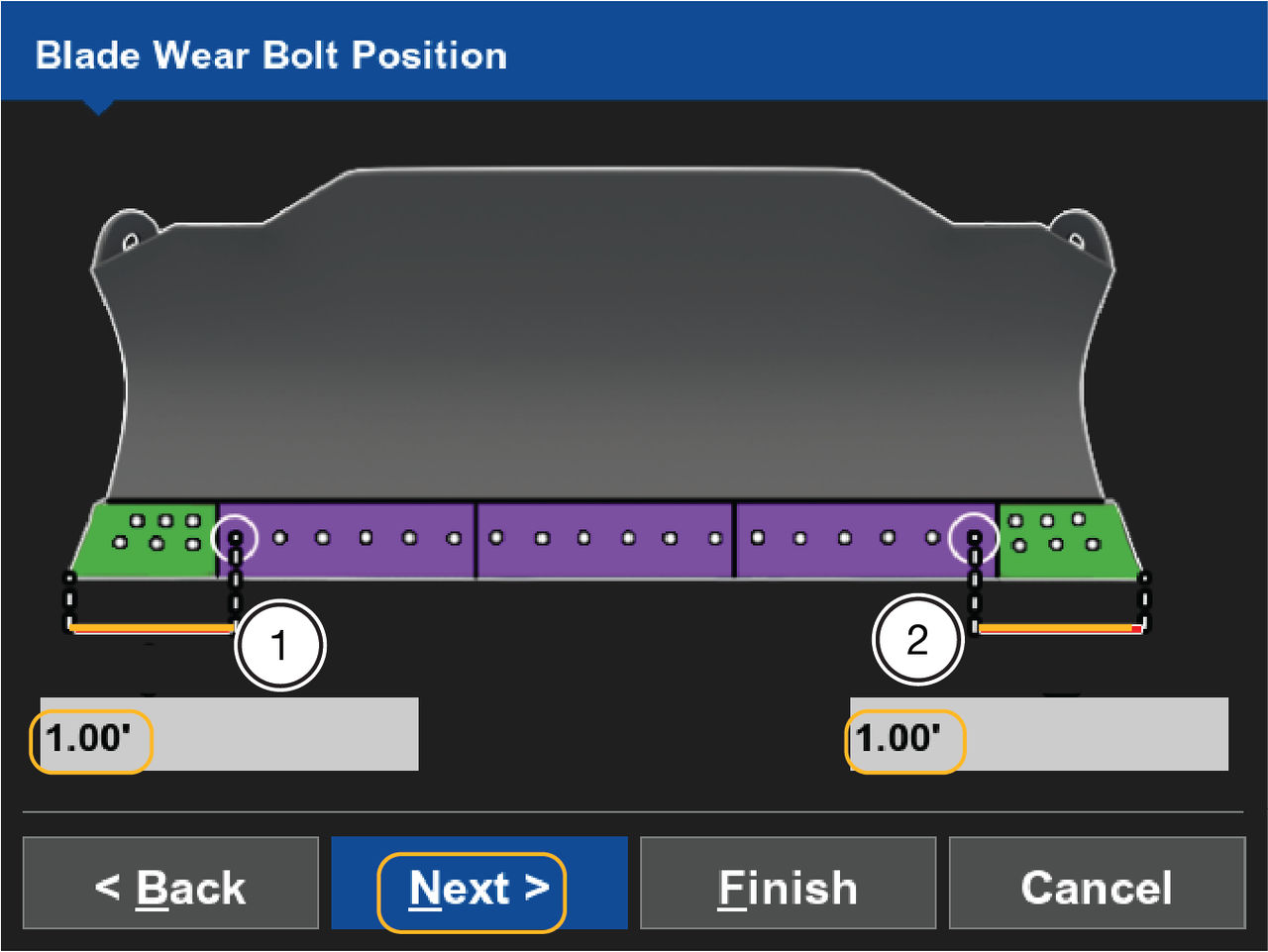
- Enter the measured distance from the right cutting edge to the center of the first bolt in the (1) text field.
- Enter the measured distance from the left cutting edge to center of the 1st bolt in the (2) text field.
- Select Next.ADDITIONAL INFORMATION:
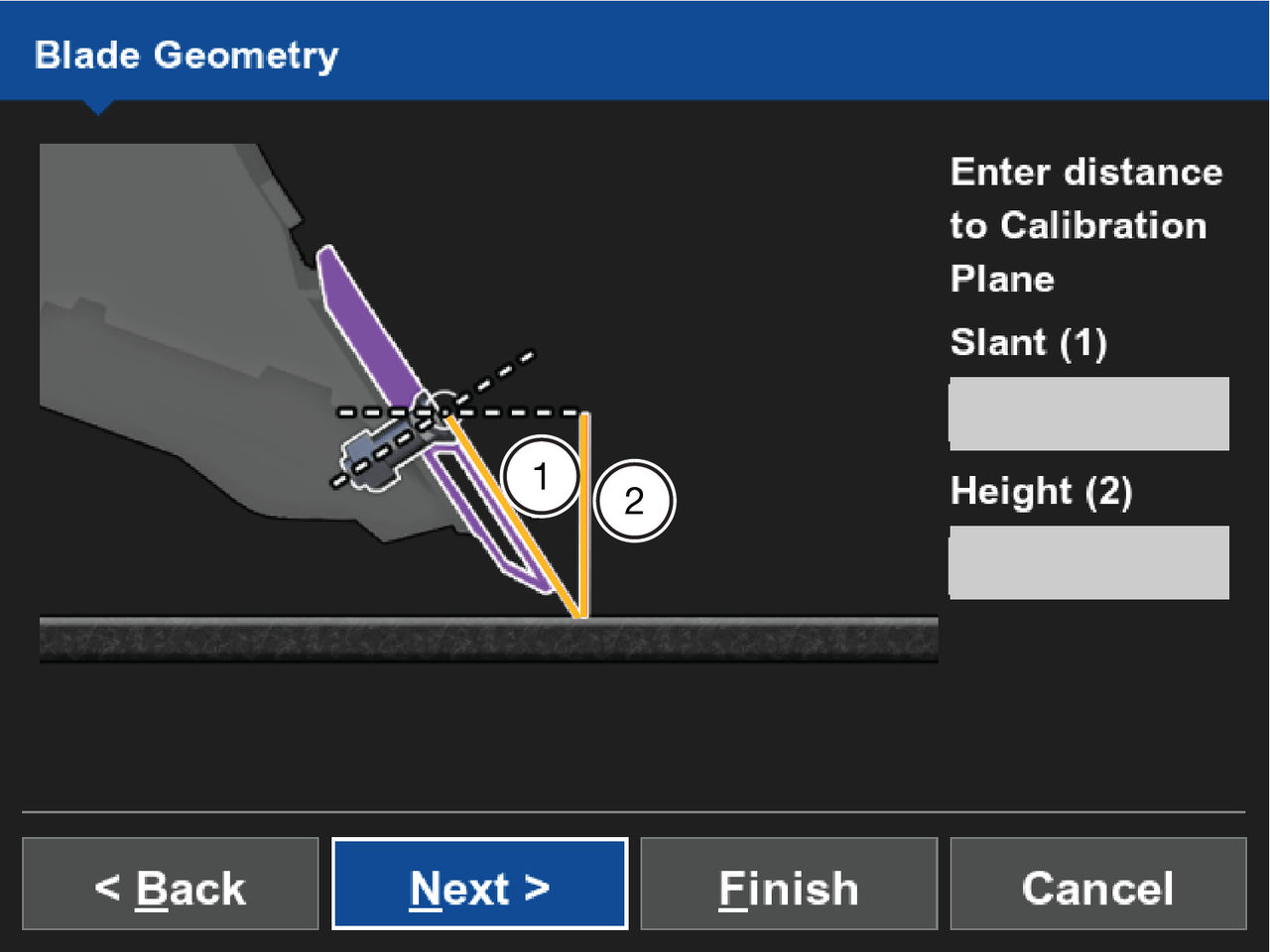
- Enter the measured distance for Slant(1).
- Enter the measured distance for Height(2).ADDITIONAL INFORMATION:The Slant value should always be greater than the Height value; if it is not, measure the values again to locate the error.
- Select Next.ADDITIONAL INFORMATION:
Previous:
Dual GNSS mastless dozer
myTopcon NOW! support
Take your Topcon experience to the next level with myTopcon NOW! This platform is a self-service tool for your desktop or mobile device.





