
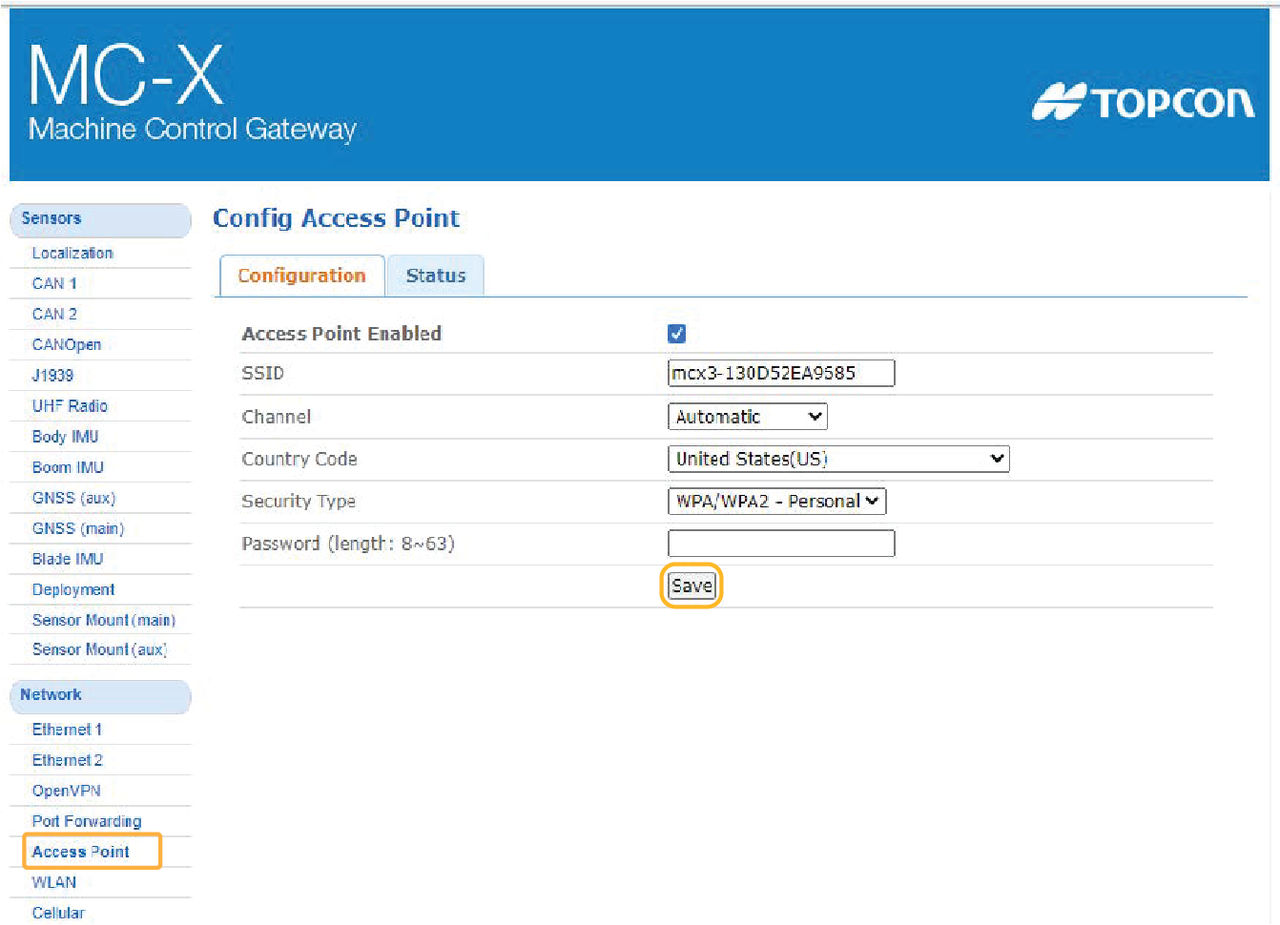
- Select on the MC-X Machine Control Gateway screen.
- Select the Access Point Enabled checkbox.
- Enter an SSID.
- Enter the MC-X Password.ADDITIONAL INFORMATION:The default MC-X WiFi password is 000nnnnn in which the five numerals are the last five digits of your MC-X serial number. It is not necessary to change the password.
- Select Save.ADDITIONAL INFORMATION:
myTopcon NOW! support
Take your Topcon experience to the next level with myTopcon NOW! This platform is a self-service tool for your desktop or mobile device.





