
Install MC-X license
A connection to the MC-X Machine Control Gateway is necessary to configure the MC-X license.
This may be done through the wireless display Wi-Fi connection to the MC-X1 or another Wi-Fi capable device containing the license file.
- Connect to the MC-X controller.
- Select License under the Sensors menu.
- Select Config.
- Select Choose File and navigate to the MC-X license file (*.lic extension).ADDITIONAL INFORMATION:
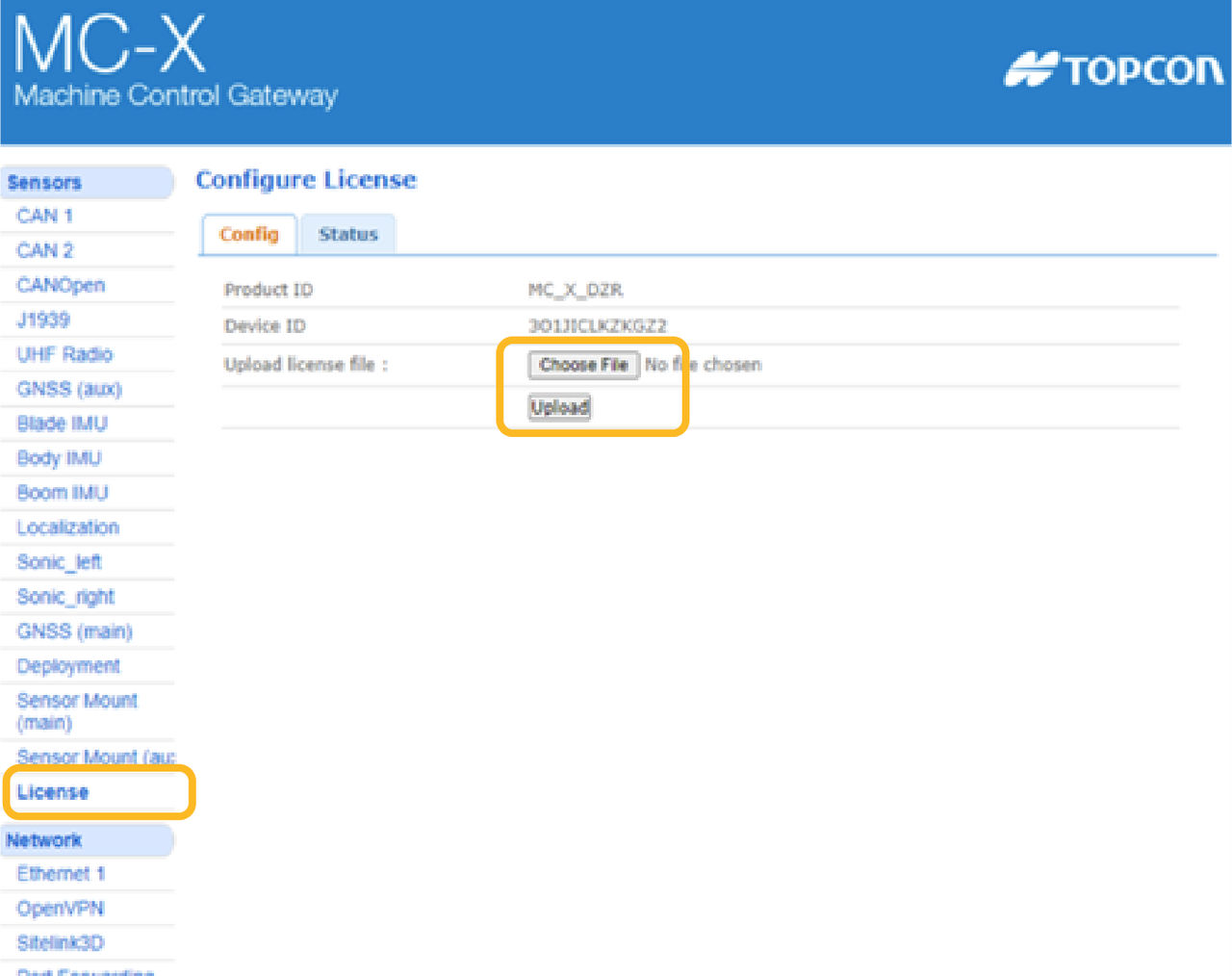
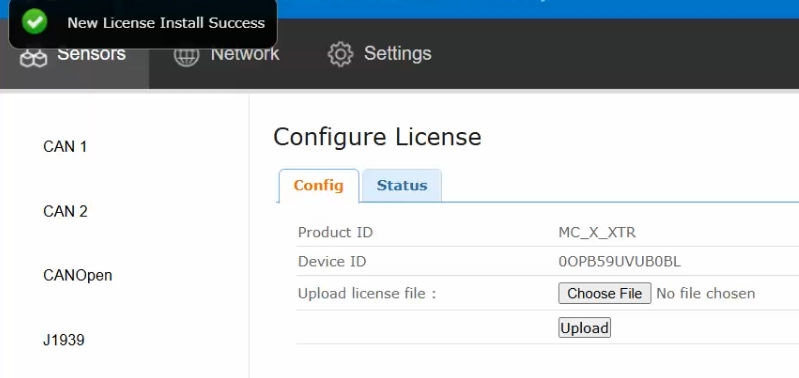
- Select Upload to install the MC-X license to the MC-X controller. ADDITIONAL INFORMATION:STEP RESULT: The New License Install Success message shows.
Previous:
Reset the MC-X
Next:
Load GR-i3 firmware
myTopcon NOW! support
Take your Topcon experience to the next level with myTopcon NOW! This platform is a self-service tool for your desktop or mobile device.





