
Reset the MC-X
- Select tab.
- From the Erase Persistent configuration drop-down list, select one of these option:
- Application to return the user settings to the default settings and retain the unit's configuration and calibration.
- All (requires reboot)to delete all of the user's machine configuration and calibration data.
ADDITIONAL INFORMATION:Figure: Erase persistent data 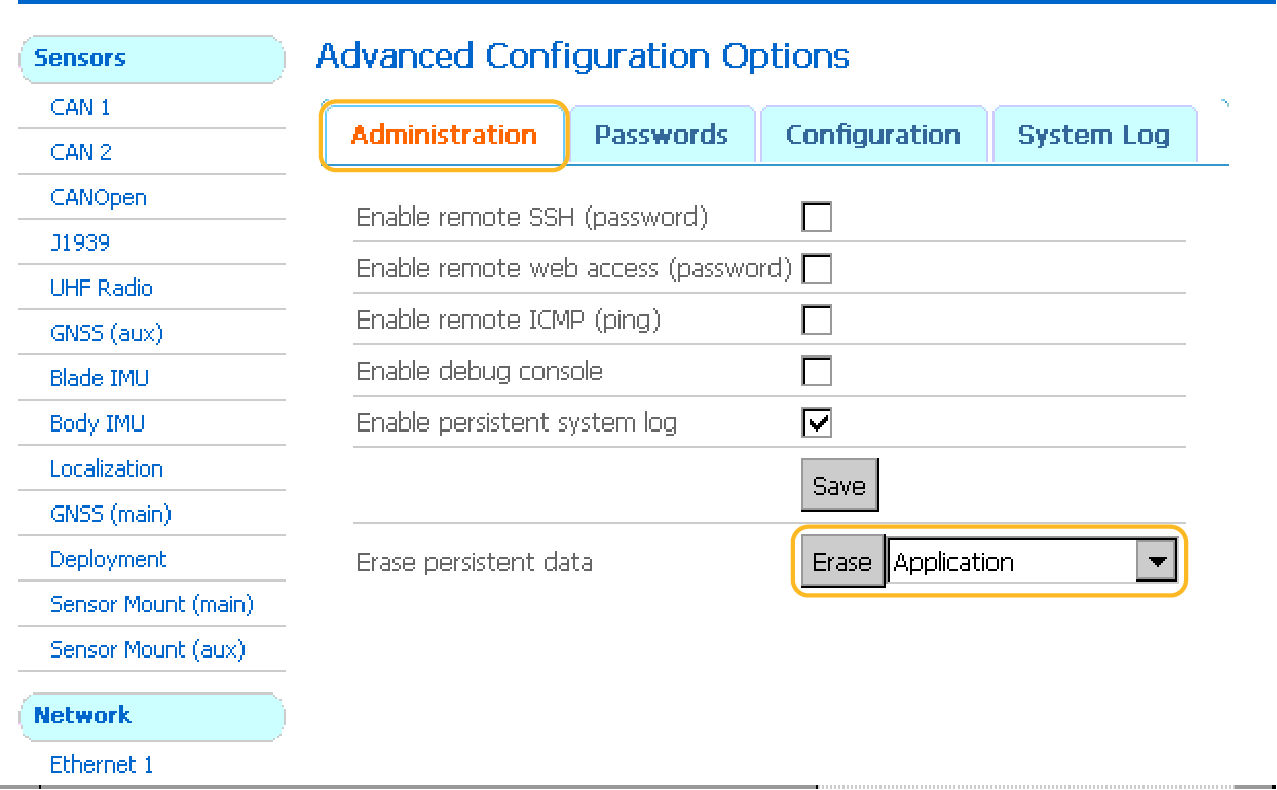
- Select Erase.
- Select Reboot or select .
Previous:
Upgrade MC-X firmware
Next:
Install MC-X license
myTopcon NOW! support
Take your Topcon experience to the next level with myTopcon NOW! This platform is a self-service tool for your desktop or mobile device.





