
MC-Max stores a log of the last ten minutes of operation. If a system problem occurs, the recorded diagnostics data can be saved as a system log file and sent to Topcon Professional Services for support in resolving the problem. This method should be used for logging random events since data from the previous ten minutes will be captured. If additional logging detail is required, refer to Create Log File.
- From the MC-Max main screen, select . The Report dialog will appear.
- Enter a short description of the problem encountered in the Summary field.
- Enter any additional information in the Details field. Be as detailed and accurate as possible when entering details.ADDITIONAL INFORMATION:
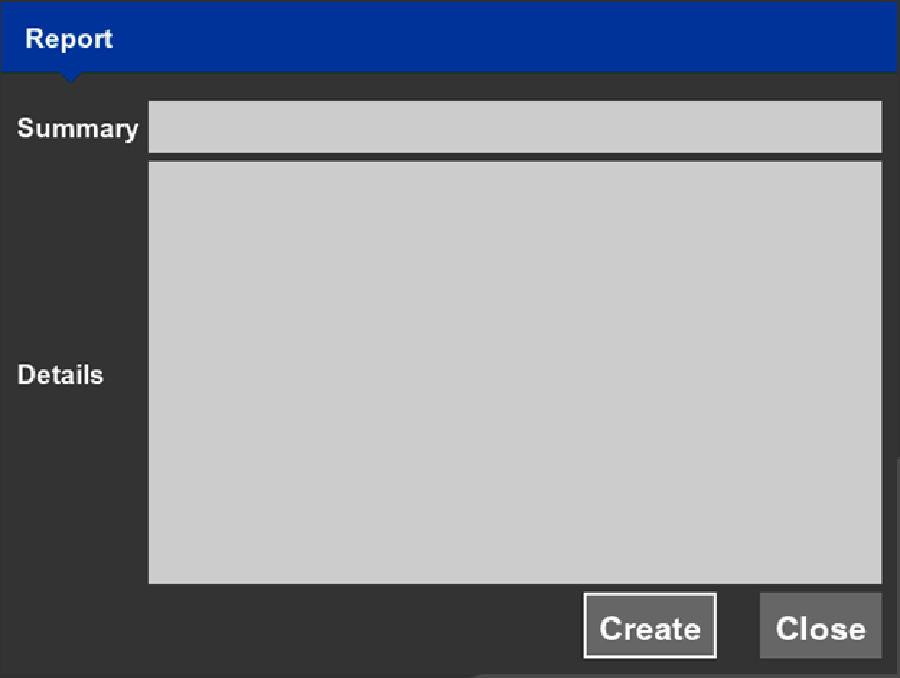
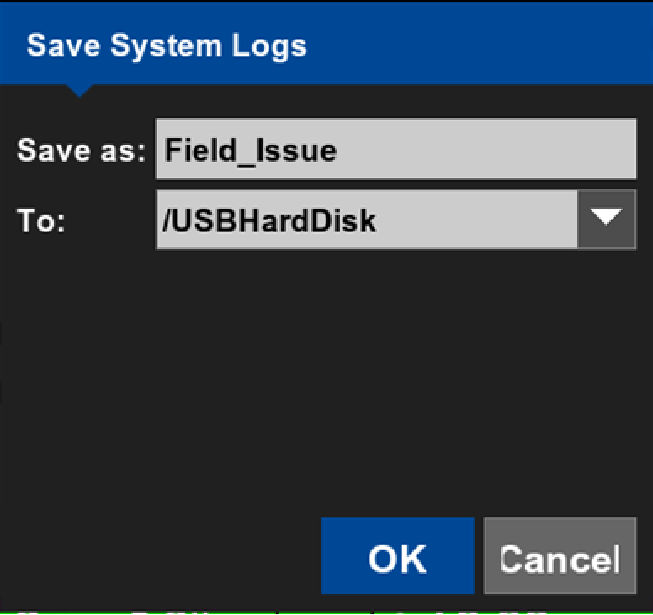
- Select Create. The Save Systems Logs dialog will appear.
- Enter a name for the system log.
- Select the location to save the system log.
- Select OK. The log file will save in the specified location.ADDITIONAL INFORMATION:
Previous:
GNSS localization
Next:
Regulatory
myTopcon NOW! support
Take your Topcon experience to the next level with myTopcon NOW! This platform is a self-service tool for your desktop or mobile device.





