
- Select the Map Overlays panel.ADDITIONAL INFORMATION:
Figure: Map overlays panel 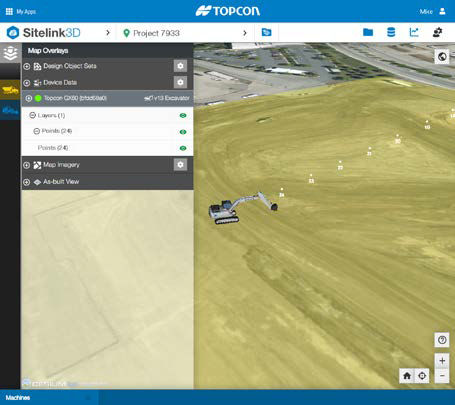
- Select
 to expand the Device Data.
 - Select
 to show the device data.
 - Select to open the Device Data Manager dialog.ADDITIONAL INFORMATION:
Figure: Device data manager 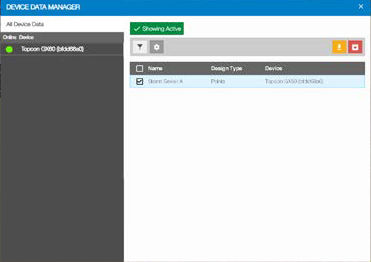
- Select an object to download.
- Select
 to download the object.ADDITIONAL INFORMATION:The Download Design Objects dialog opens.ADDITIONAL INFORMATION:
Figure: Download design objects 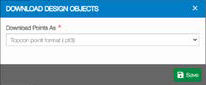
- Select the necessary format.
- Select Save
 .
.
Previous:
Device data
myTopcon NOW! support
Take your Topcon experience to the next level with myTopcon NOW! This platform is a self-service tool for your desktop or mobile device.





