
- Select to open the Tasks screen.ADDITIONAL INFORMATION:
Figure: Site menu 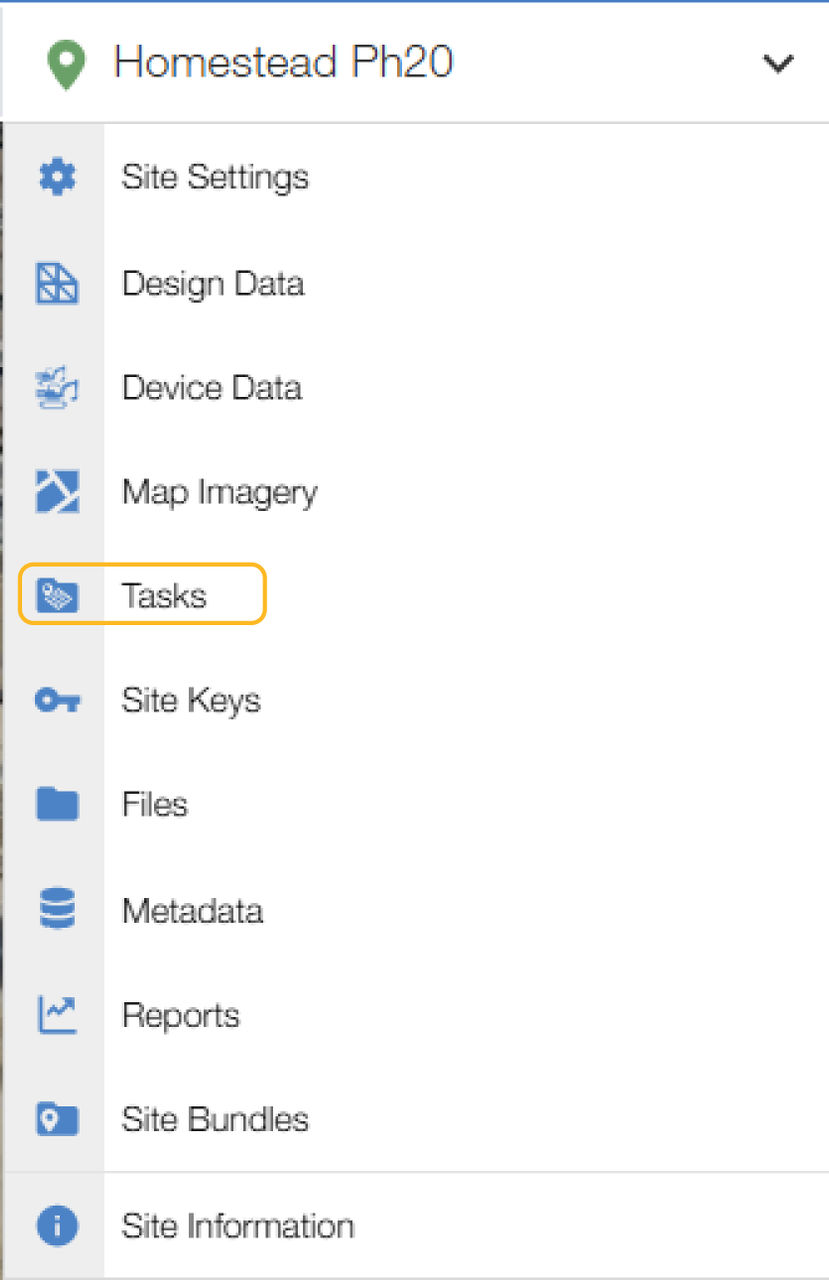 The Tasks screen opens.
 - Select the checkbox for the task.
- Select Edit
 .ADDITIONAL INFORMATION:
Figure: Tasks 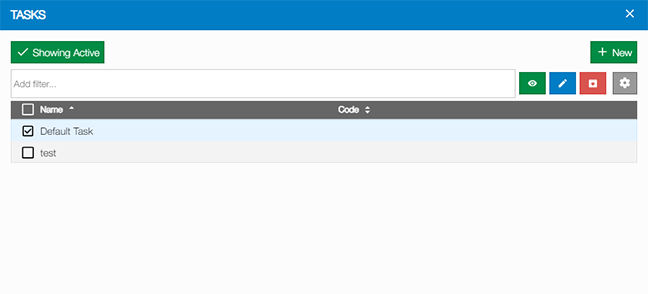 The Edit Task dialog opens with the General Settings tab active.
 - If necessary, adjust settings.
- Select the As-Built tab.ADDITIONAL INFORMATION:
Figure: Edit task general settings 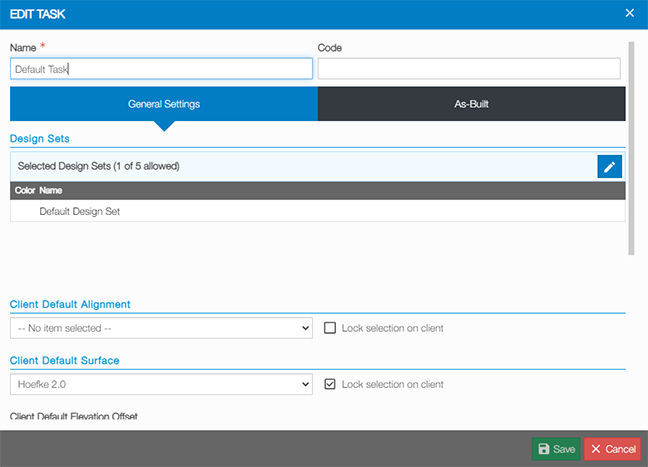 The Edit Task dialog opens with the As-Built tab active.
 - Select a Sequence Type.
- Select Save
 .ADDITIONAL INFORMATION:
Figure: Edit task as-built 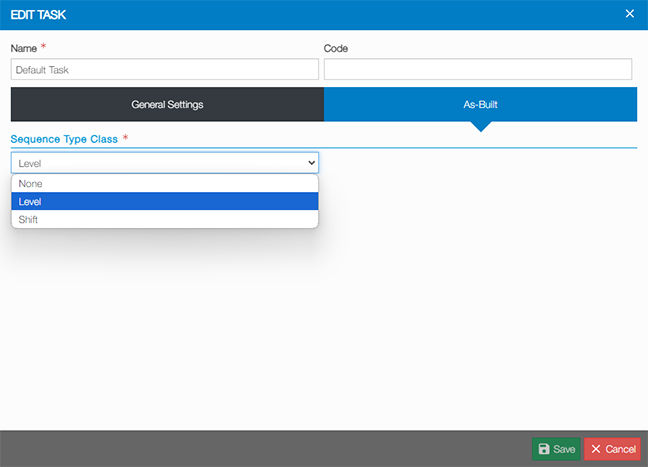
Previous:
Sequence type configuration
Next:
View as-built live
myTopcon NOW! support
Take your Topcon experience to the next level with myTopcon NOW! This platform is a self-service tool for your desktop or mobile device.





