
- Select
 to open the Tasks dialog.
 - Select the task.
- Select
 .ADDITIONAL INFORMATION:
Figure: Tasks 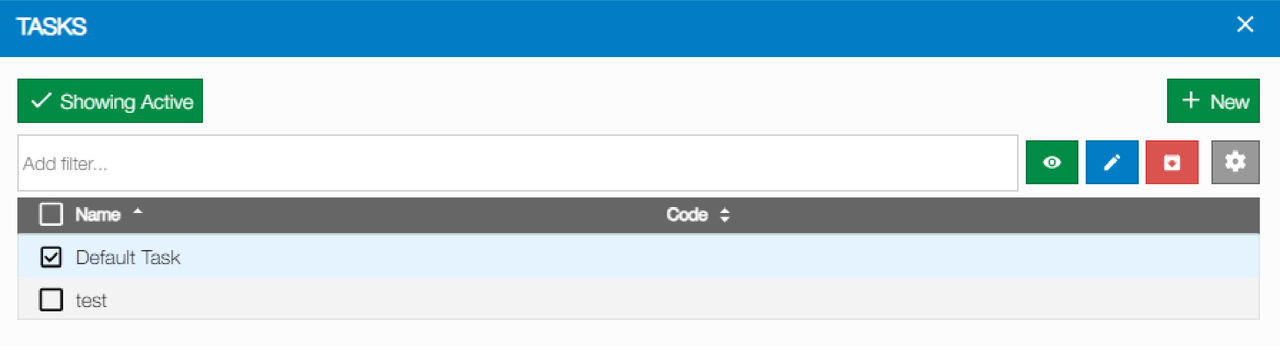
- Select
 to open the Map Overlays panel.ADDITIONAL INFORMATION:
Figure: Map overlays 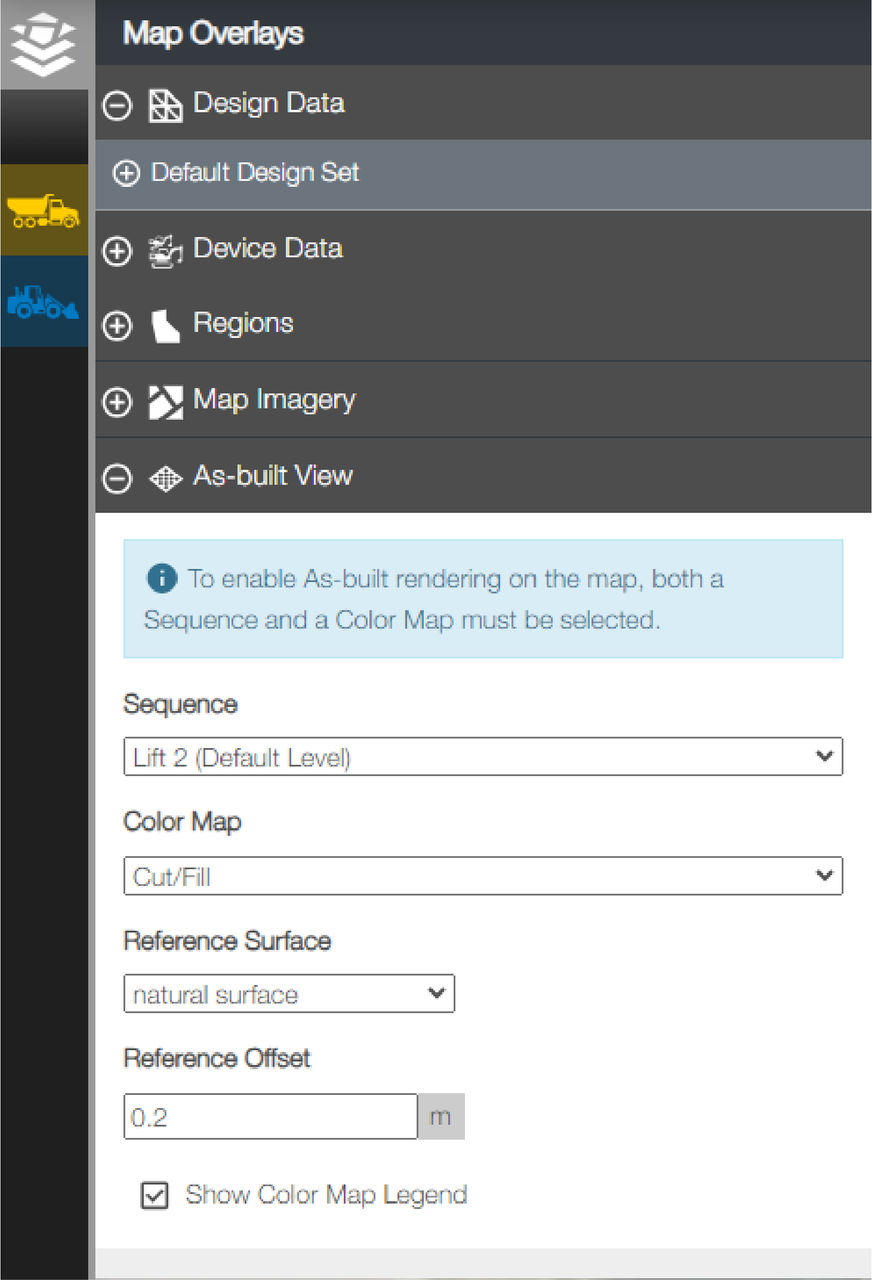
- Select
 to open the As-built View section.
 - Select a Sequence, Color Map, and Reference Surface.ADDITIONAL INFORMATION:
Figure: As-built view 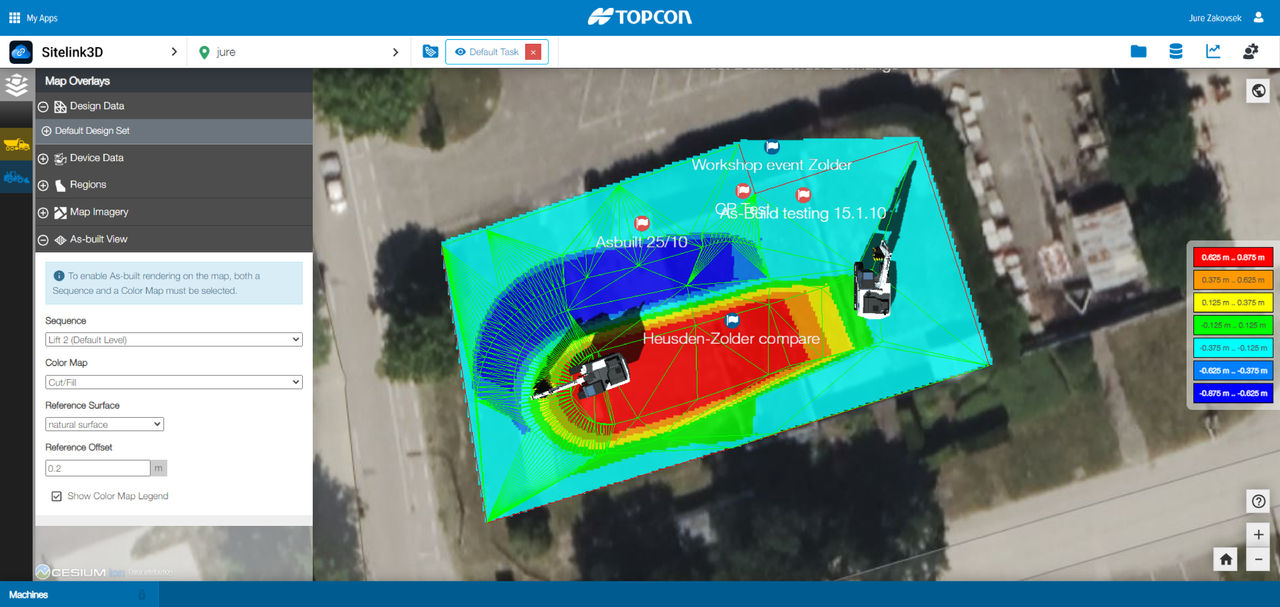 ADDITIONAL INFORMATION:Note:Sequences that are locked in 3D-MC do not show on Sitelink.
Previous:
Enable As-built in a task
Next:
3D-MC lock sequence
myTopcon NOW! support
Take your Topcon experience to the next level with myTopcon NOW! This platform is a self-service tool for your desktop or mobile device.





