
The avoidance shape is a virtual line around the excavator. This is used to sense collisions with other objects. The shape follows the machine, and expands and moves with the bucket and the stick.
The 3D view shows the shape used to sense collisions with objects in 2D and 3D.
The profile view shows the shape used when colliding with layers configured for detection in 3D.
Advanced 3D-MC users can activate the avoidance shapes in Supervisor mode. Contact your Topcon dealer for more information.
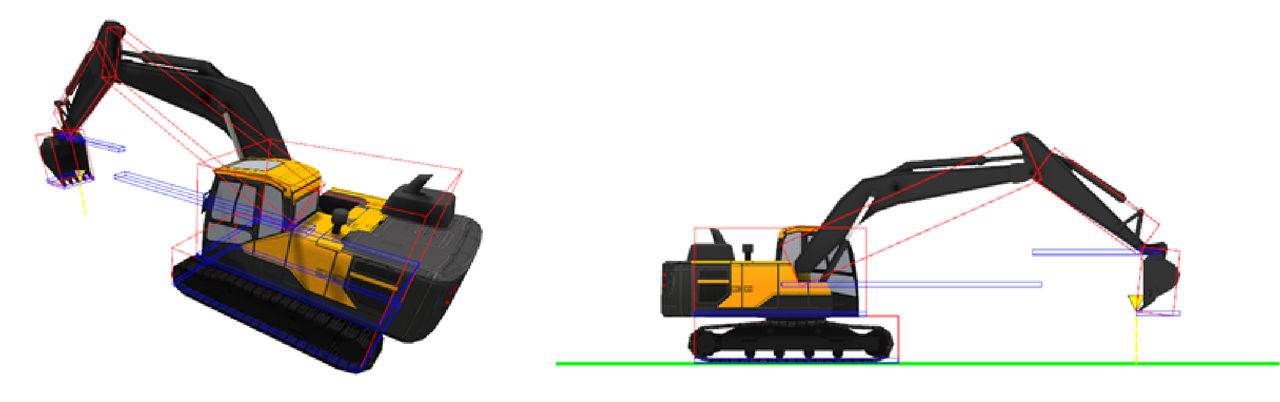
Collision detection in areas where a proximity value is applied expands the boundary by the value that the user specified.
Previous:
Avoidance objects
myTopcon NOW! support
Take your Topcon experience to the next level with myTopcon NOW! This platform is a self-service tool for your desktop or mobile device.





