
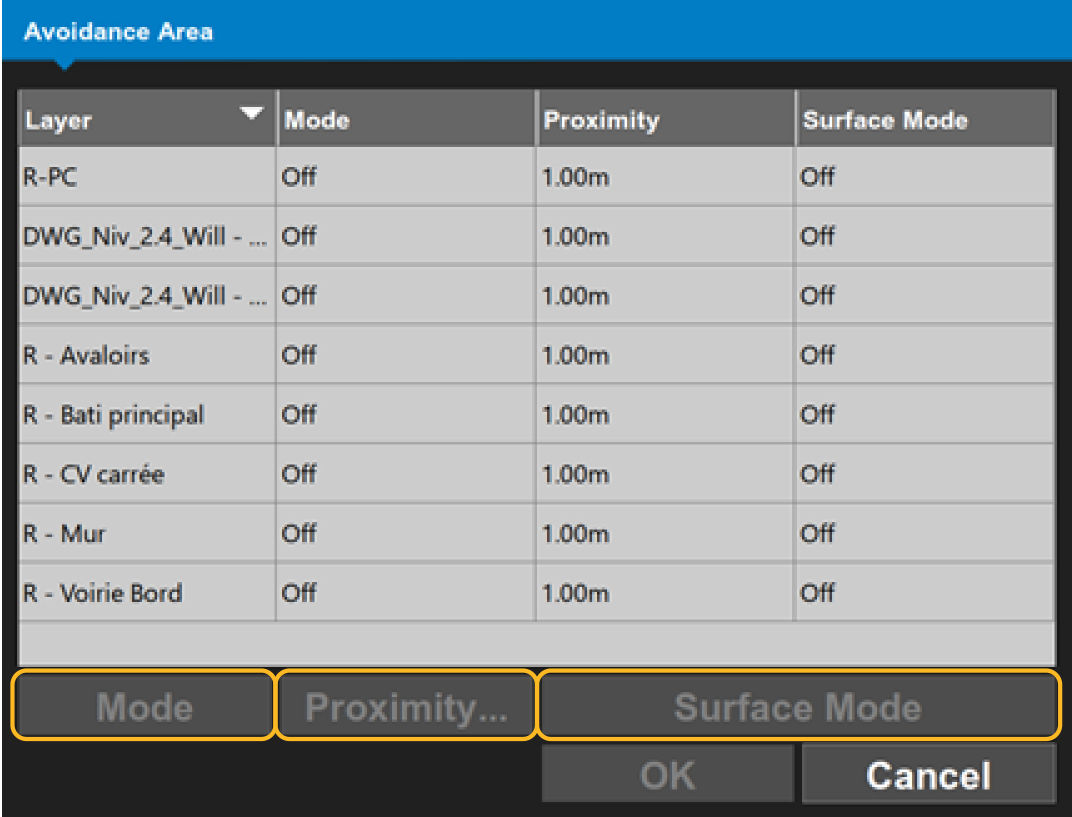
There are three avoidance area settings. The settings for each layer are adjusted one at a time.
To select the avoidance settings in the Avoidance Area window, select .
- Mode
- Proximity
- Surface Mode.
Mode controls how plan data is managed, and it enables the surface data. To show all possible avoidance modes in sequence, select Mode.
Proximity sets the boundary around the machine. This is applied differently for plan data and surfaces. To enter proximity values, select Proximity.
Surface Mode controls when avoidance is activated for surfaces. To show all avoidance modes in sequence, select Surface Mode. The same values are in a drop-down list on each layer.
Previous:
Machine avoidance shape
myTopcon NOW! support
Take your Topcon experience to the next level with myTopcon NOW! This platform is a self-service tool for your desktop or mobile device.





